USING THE COMBISCOPE INSTRUMENTS 3 - 67
PROGRAM EXAMPLE:
Select one of the supported GPIB plotters, set its address at 22 and connect the
plotter via IEEE to the controller. Create a screen picture on the DSO that you
want to plot and run the following program.
DIM addr(2) ’
.
DIM response AS STRING
*
15000 ’
Dimensions response string
.
CALL Send(0, 8, "HCOPy:DEVice PM8277", 1) ’
Selects the PM8277 plotter
CALL Send(0, 8, "HCOPY:DATA?", 1) ’
Requests for hardcopy data
.
CALL Receive(0, 8, response$, 256) ’
IBCNT = number of read bytes
PRINT "Number of hardcopy bytes ="; length
’
*****
’
The first 2 characters of the response block data are #0 (preamble for indefinite length)
They must not be sent to the plotter; so, send characters 3 until 3+length-2.
’
*****
CALL Send(0, 22, MID$(response$, 3, length - 2), 0) ’
CALL Send(0, 22, "", 1) ’
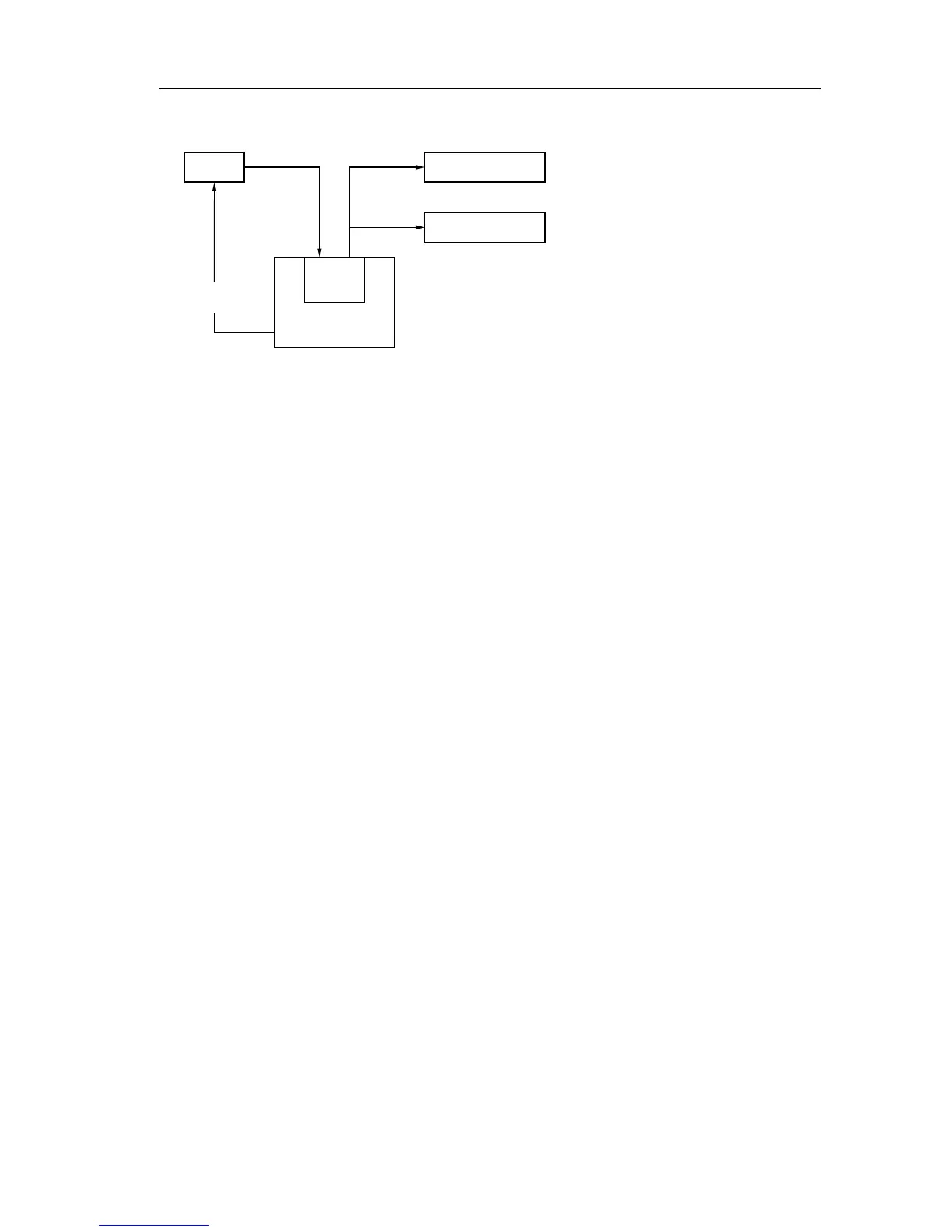
Figure 3.22 Hardcopy of screen on printer/plotter
1) Send the query
HCOPy:DATA? via the GPIB.
2) Read the block response
data via the GPIB.
3) Send the print/plot data part
to the printer/plotter.
DSO
data
buffer
CONTROLLER
send
HCOPy:DATA?
1)
PLOTTER
read
response
data
send
plot/print
data
PRINTER
2)
3)
ST7219









 To Next Page