10.6. Autopilot setup menu
All the parameters configuration that follows are made on the Eclipse instrument. During the configuration it's required
to turn on also the ACU control unit but without engaging the autopilot (so on the ACU control unit turn on the ON/OFF
switch and don't press any other button).
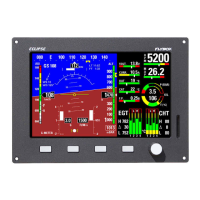
To access all the autopilot parameters enter in the “System
setup” on the Eclipse by pressing P1+P4 button, rotate the knob
to select the “Autopilot” menu and press it to enter.
10.6.1 “Min speed” and “Max speed” parameters setting (ground based)
The autopilot system measures the airspeed and allows the pilot to set the minimum and maximum operating speed to
ensure that the aircraft is in safe conditions when the autopilot is engaged.
Min speed: Select the minimum airspeed at which the autopilot will fly the aircraft. The unit of measure is the same set
for the ASI (see chap.6.1.2 “ASI Gauge setup”).
The autopilot cannot be engaged at airspeed below Min speed, with the exception of 0 for allowing ground testing (for
Eclipse IFIS the engine also must be turned off for ground testing).
With autopilot engaged, if the airspeed drops below the minimum, it enters to an airspeed hold mode, to restore and
maintain approximately the minimum airspeed.
Set Min speed to be at least 20% above the Vfe of your aircraft (to set Vfe see chap.6.1.2--->ASI GAUGE SETUP).
Max speed: Select the maximum airspeed at which the autopilot will fly the aircraft. The unit of measure is the same
set for the ASI (see chap.6.1.2 “ASI Gauge setup”).
With autopilot engaged, if the airspeed rises above the maximum, it enters to an airspeed hold mode, to restore and
maintain approximately the maximum airspeed.
The choice of the Max speed value must be made according to the characteristics of your aircraft, it should be below the
Vne speed of your aircraft but above the normal cruise speed (to set Vne see chap.6.1.2--->ASI GAUGE SETUP). Max
speed parameter cannot be set to a value above 95% of Vne so you should first check the correctness of the ASI speeds
set.
10.6.2 Roll servo setup
From the previous menu (Autopilot setup) select with the knob
the “Roll servo setup” menu and press it to enter.
“Gain” parameter check (ground based)
Gain: This parameter specify how fast or slow the autopilot responds to deviations between commanded and actual
heading/tracking. For now check only that the parameter is at the defulat value (
10
), because it will be set in flight as
explained later. The range min-max is: 1~40.
“Torque” parameter setting (ground based)
Torque: set the desired torque, that is the force of the servo when engaged.
To set a correct value, keep in mind that the torque must be strong enough to give a fairly good control authority to the
servos, but not so strong as to be difficult to override with the control stick.
To test the torque after setting a new value, perform the “Servo torque check” as explained in chap.10.5.3.
The min-max range is: 1~40, when the autopilot system detects for the first time that the servo is set as a roll servo, it
set the default value of 10.
“Turn Rate” parameter setting (ground based)
Turn Rate: Select your desired target rate of turn when autopilot is engaged. The unit of measure is degrees per second
and the range min-max is from 0.5°/s to 3.0°/s.
When selecting your desired turn rate consider that the autopilot may slightly exceed the turn rate target during
regulation.
62


 To Next Page