10
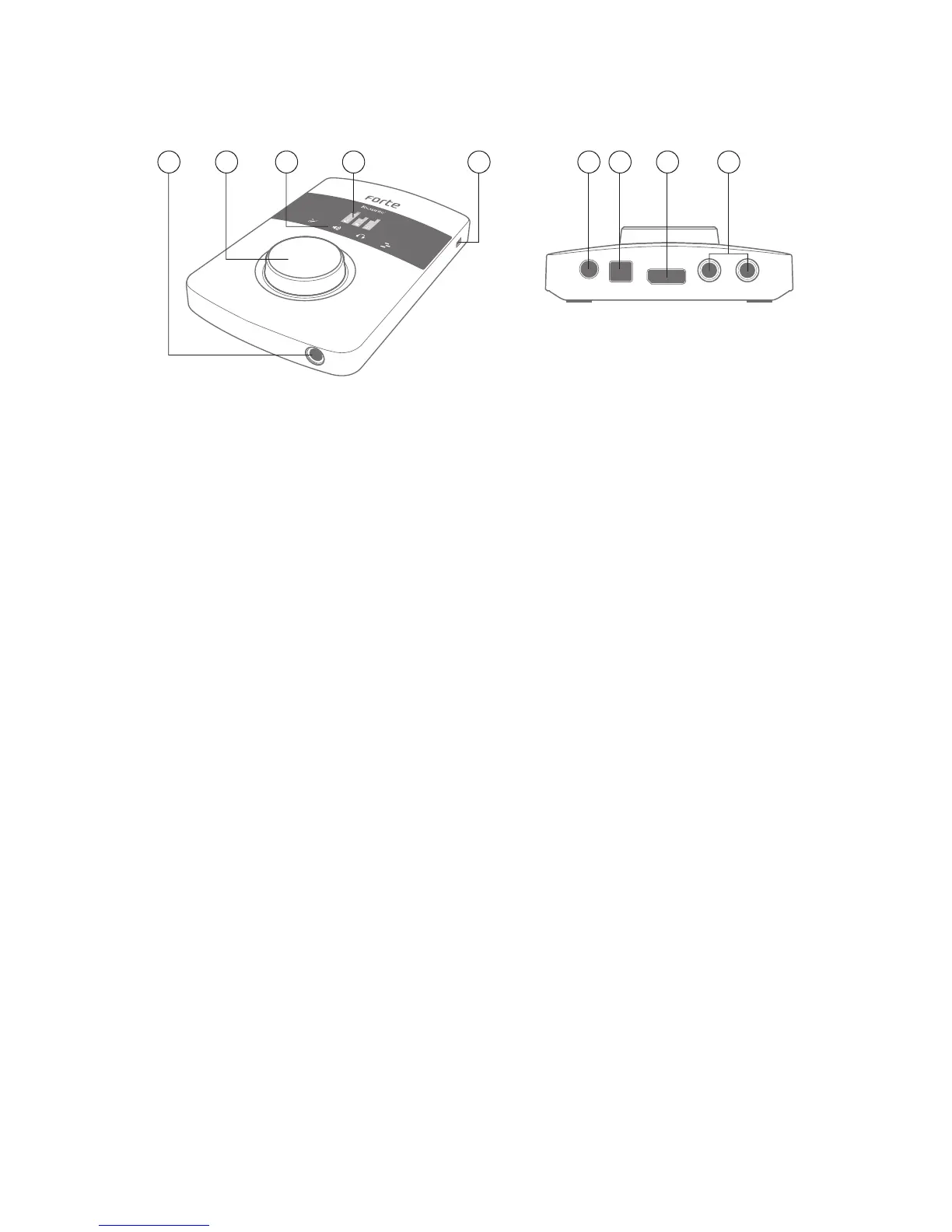
Hardware Features
1 6 7 8 92 534
1. OLED screen – multi-function display providing signal level metering and various menu
options.
2. MODE ICONS – touch-sensitive icons for selecting the Forte’s primary operating modes and
menu navigation.
3. ROTARY CONTROL – for menu navigation and parameter control; incorporates a “push”
function for use with the menus. The rotary control can also be used as the main input gain
and output level control.
4. HEADPHONE SOCKET – plug your stereo headphones in here (¼” TRS jack).
5. KENSINGTON LOCK – for securing your Forte.
6. DC POWER IN – for connection of the supplied 5 V PSU only. Use this socket if you are intending
to use capacitor microphones requiring phantom power.
7. USB PORT - USB 2.0 Type B port, for connecting your Forte to a computer.
8. INPUT SOCKET – connect the supplied input loom to this socket. Note the loom plug has a
latch; ensure that the connector is fully engaged.
9. OUTPUTS - 2 x ¼” TRS jack sockets providing balanced line outputs for connection your
studio monitoring system.















 To Next Page