8
Connecting your Forte
IMPORTANT: Before you connect Forte to your computer, please
complete the software installation according to the instructions above.
This will ensure that the hardware uses the correct drivers and will
prevent unexpected behaviour.
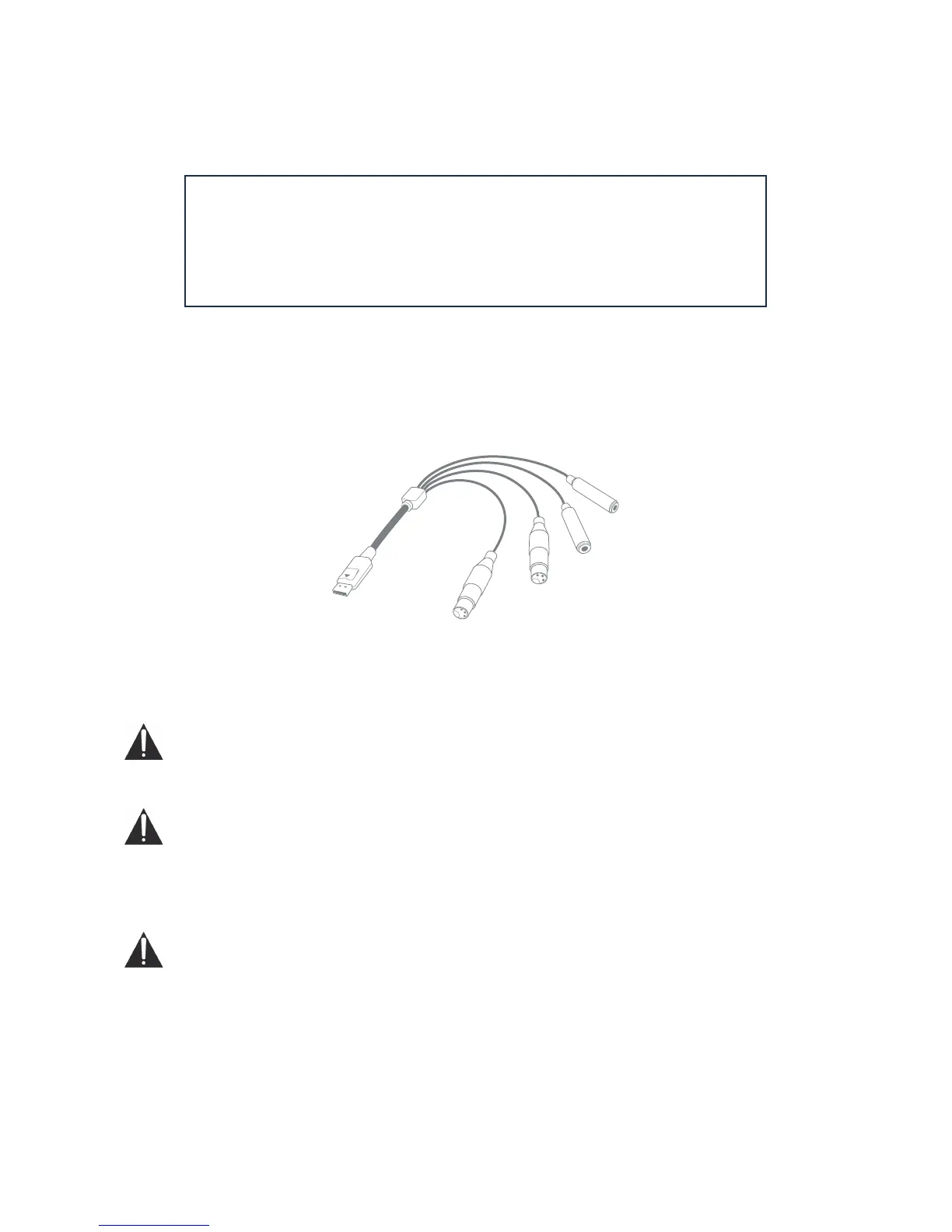
Input Loom
Forte is supplied with an input loom that connects to the INPUTS port on the rear of the unit. The
loom is provided with two female XLR sockets for microphone inputs and two 3-pole (TRS) jack
sockets for line or instrument inputs.
Power
Forte can either be powered directly from the USB connection to a computer or from the supplied
5 V DC, 1 A power supply.
IMPORTANT: The power supply must be used if 48 V phantom power is required. If Forte is
powered directly from the USB port, phantom power will not be available.
IMPORTANT: Operating Forte from a USB port will place the unit in “USB Low-Power mode”.
In this mode, the maximum output levels available from the main and headphone outputs are
limited. If higher output levels are required (e.g., for headphones) then use the 5 V DC power supply
provided.
IMPORTANT: We very strongly recommend that you only use the supplied power supply.
Failure to use this power supply is likely to permanently damage the unit and will also
invalidate your warranty. Power supplies for your Focusrite product can be purchased from your
music dealer if you have lost yours.















 To Next Page