21
Input Mode Menu
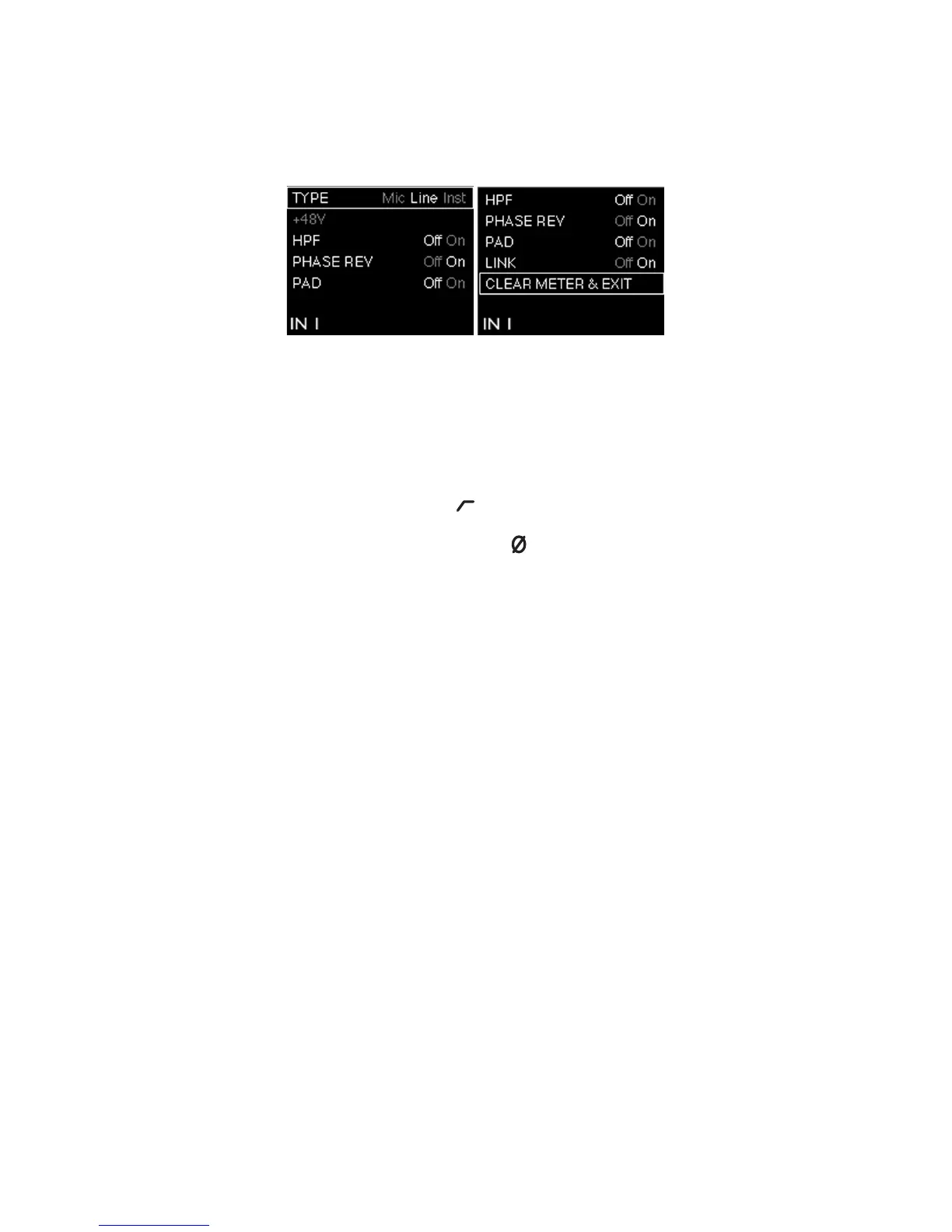
Seven menu options per input are available; use the rotary control to highlight the required option,
and press the rotary control to change the state (all options except TYPE are “switch” functions).
Input Mode Menu
TYPE – selects Mic, Line or Inst as the source for the currently selected input (1 or 2).
48V – duplicates the function of the on-screen 48V button in Forte Control. Note that this option is
“greyed-out” if Forte is being powered via the USB connection; an external PSU is necessary for
phantom power.
HPF - duplicates the function of the on-screen button.
PHASE REV - duplicates the function of the on-screen button.
PAD - duplicates the function of the on-screen Pad button.
LINK – this duplicates the function of the on-screen Link button for the input channels.
CLEAR METER & EXIT- this returns the Forte display to the initial gain/metering page, and clears
any “held” bargraph meter segments on both the Forte OLED and the Forte Control GUI.















 To Next Page