15
Meter Displays
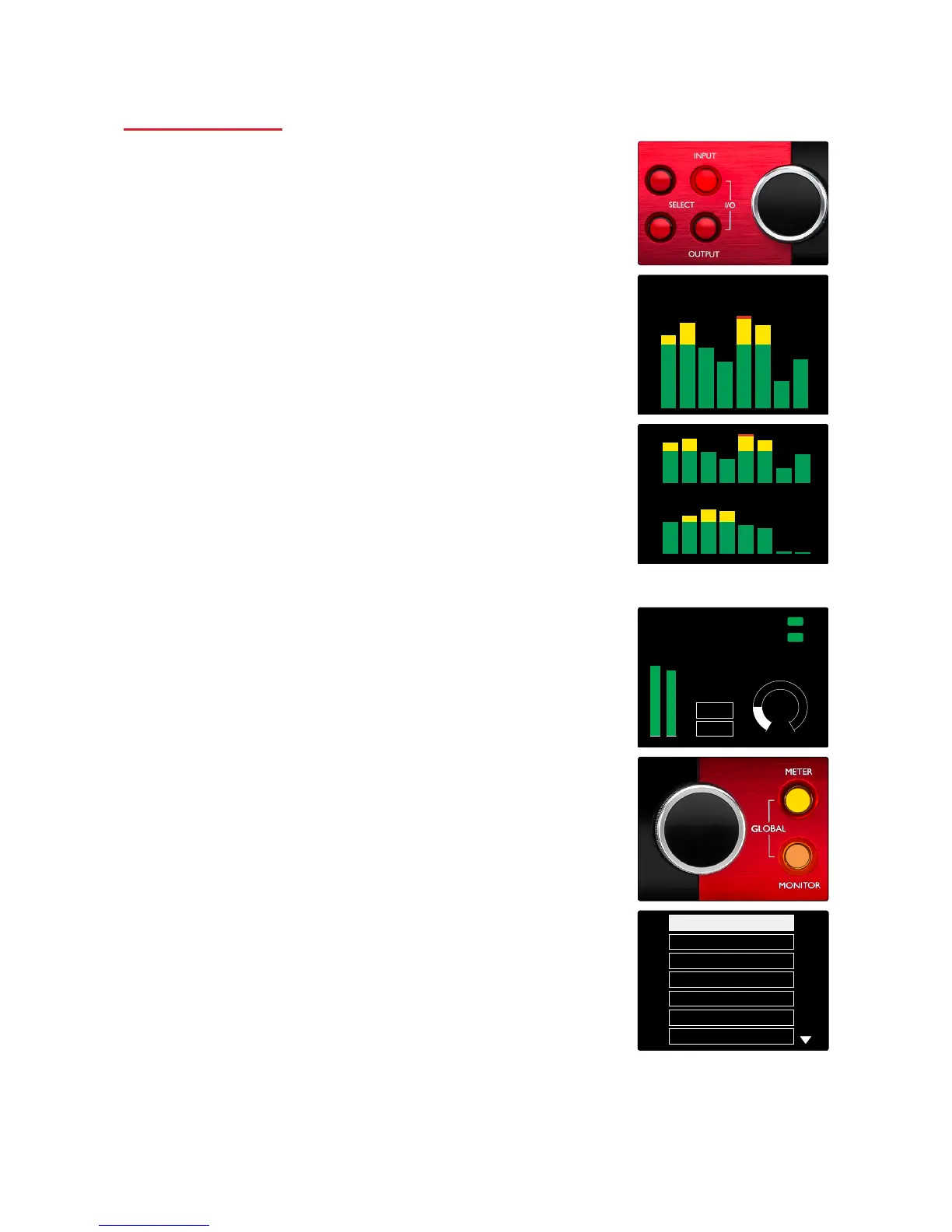
Level Meters 1–8 and 9–16
The left and centre LCD screens each display level meters. These
indicate the internal signal level of channels 1–16, after A-D
conversion, with 0 dBFS being at full scale.
A red clip indicator is displayed on channels that reach clipping
point.
The meter source is selected as follows:
• Press the Input button to display input channels 1–8 and 9–16.
• Press the Output button to display output channels 1–8 and
9–16.
• Press both Input and Output buttons simultaneously to select
the combined I/O view.
Output Meter
The Output screen normally shows the Monitor or Headphone 1 or 2
level meters (as well as the interface status flags).
This screen is also used to select the meter source for displays 1
and 2.
Meter Source Selection
To select the signal source for the Left and Center LCD displays:
1 Press the Meter button on the front panel to access the Meter
Source-List
2 Use the Output Encoder to scroll to the required input
3 Click the Output Encoder to make the selection
4 Press Monitor or one of the Headphone buttons to exit














 To Next Page