22
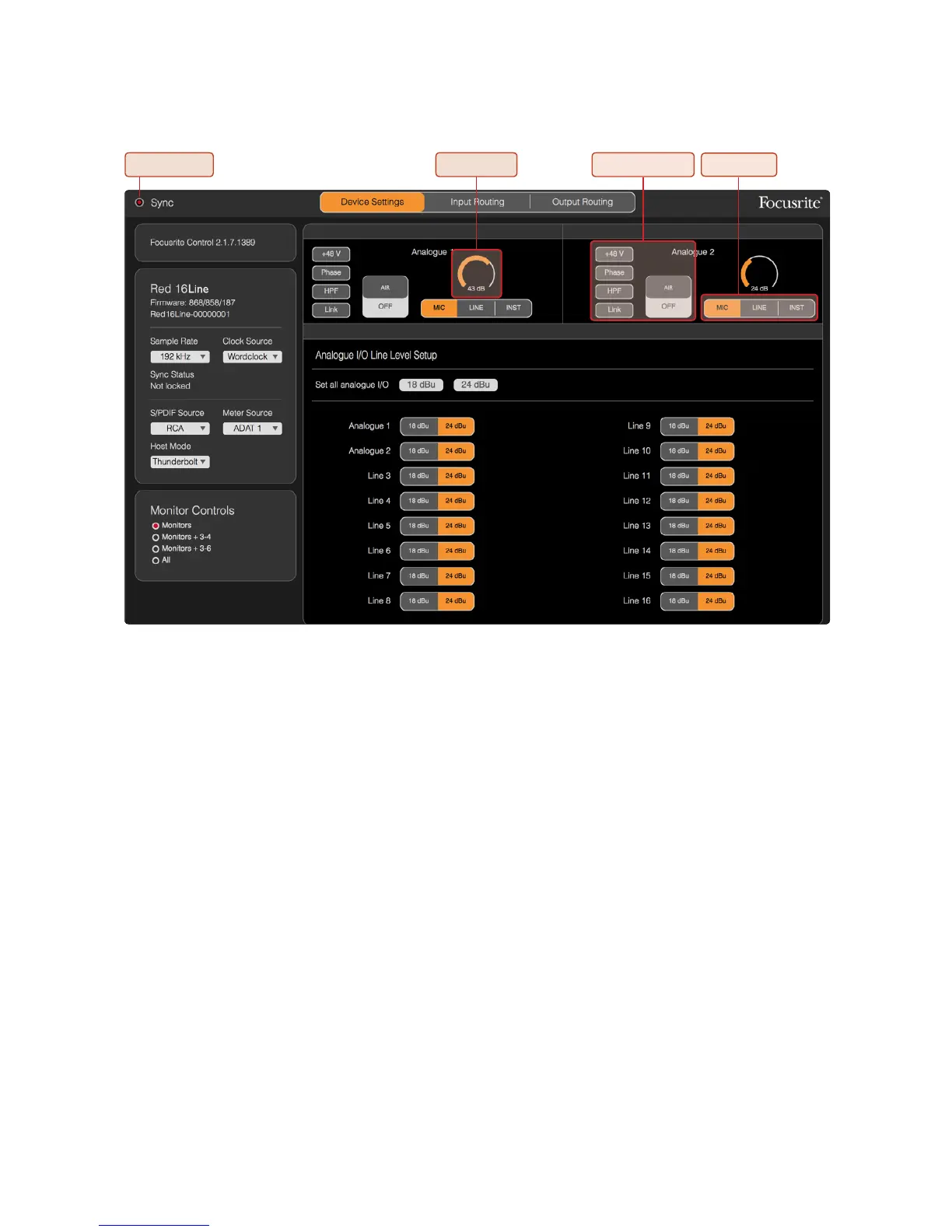
Sync Indicator – Will be illuminated if Red 16Line is locked to a valid clock source.
Channel Gain – Sets the input gain on analogue channels 1 & 2; click-and-drag to change.
Channel Function – Click to select an input function. See page 11 for Function descriptions.
Input Type – Click to select the input signal type. Also see page 11 for Type descriptions.
Sample Rate – Select from: 44.1kHz, 48kHz, 88.2kHz, 96kHz, 176.4kHz, 192kHz.
Clock Source – Internal, S/PDIF, ADAT 1 & 2, Word Clock, Dante, Loop Sync (Pro Tools host mode).
S/PDIF Source – RCA, Optical.
Meter Source – Internal, S/PDIF, ADAT 1 & 2.
Host Mode – Thunderbolt or Pro Tools. Changing Host type will cause the device to perform a power reset.
Analogue I/O Line Level Setup – Cick to select channel I/O gains globally or by individual channel.
Monitor Controls – Click to select which channels are being controlled by the unit’s Output Encoder:
• Monitors: Monitor L/R Outputs
• Monitors + 3-4: Monitor L/R Outputs + Line Outputs 3–4
• Monitors + 3-6: Monitor L/R Outputs + Line Outputs 3–6
• All: Monitor L/R Outputs + Line Outputs 1–16
Channel GainSync Indicator
Channel Function Input Type
Device Settings GUI














 To Next Page