19
Pro Tools Setup
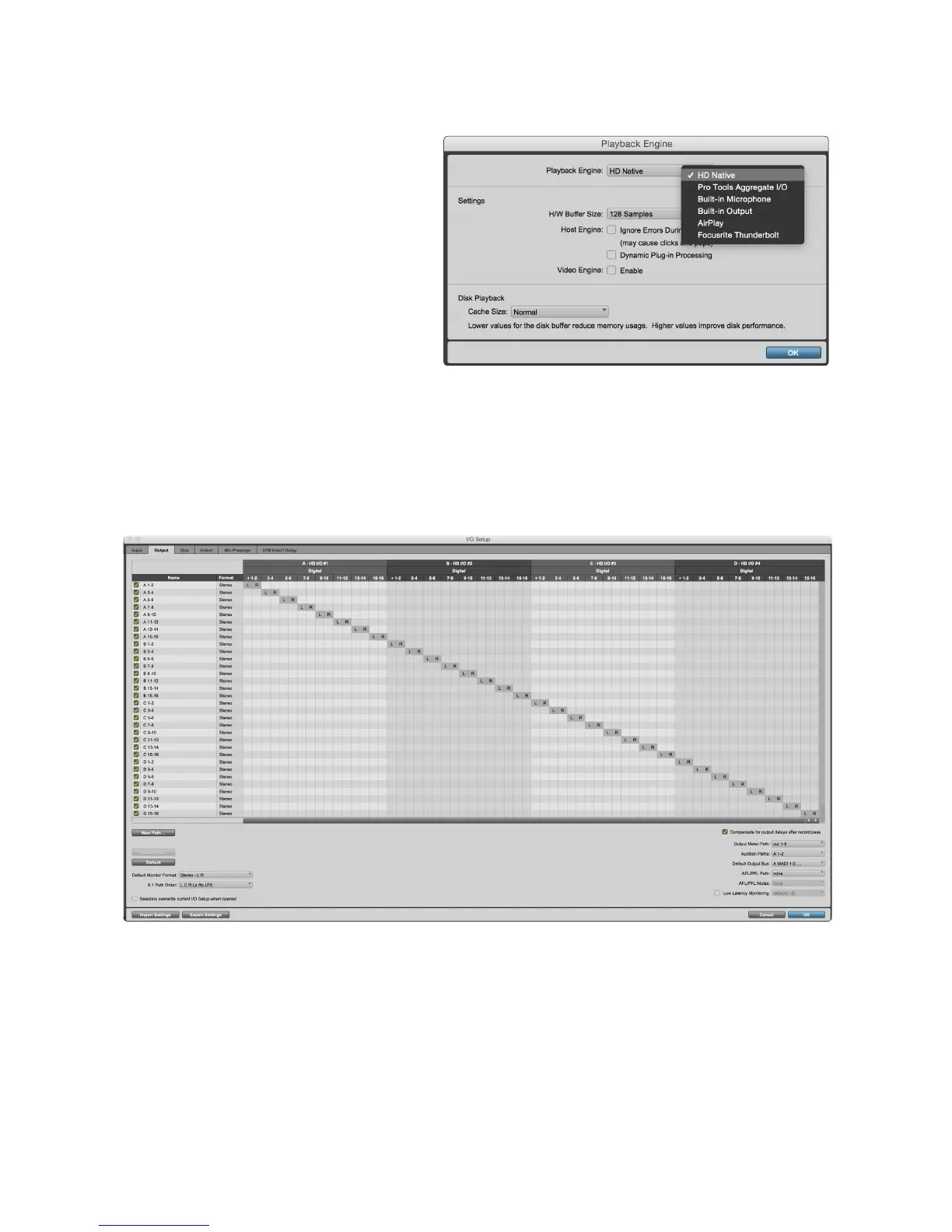
• From the Pro Tools menu bar, go to:
Setup > Playback Engine...
• In the Playback Engine menu pop-
up, select: ‘HDX’ or ‘HD Native’, as
appropriate for your system
The following steps are optional but will simplify signal routing:
• From the menu bar, go to: Setup > I/O Setup...
• Ensure your input and output routing tables are routed as follows by selecting the Default tab at
the bottom left of the page.
Notes
1. The number of input and output channels available is dependent on the sample frequency (see channel allocation
tables in Appendix 2, pages 26–28
2. The Loopback input is not available in the Pro Tools host mode
3. Output routing using Focusrite Control is not available in the Pro Tools Host mode














 To Next Page