FoMaKo -
Focus Your Streaming www.fomako.net
rtmp://192.168.0.100:1935/live/av1(av1 sub stream)
2
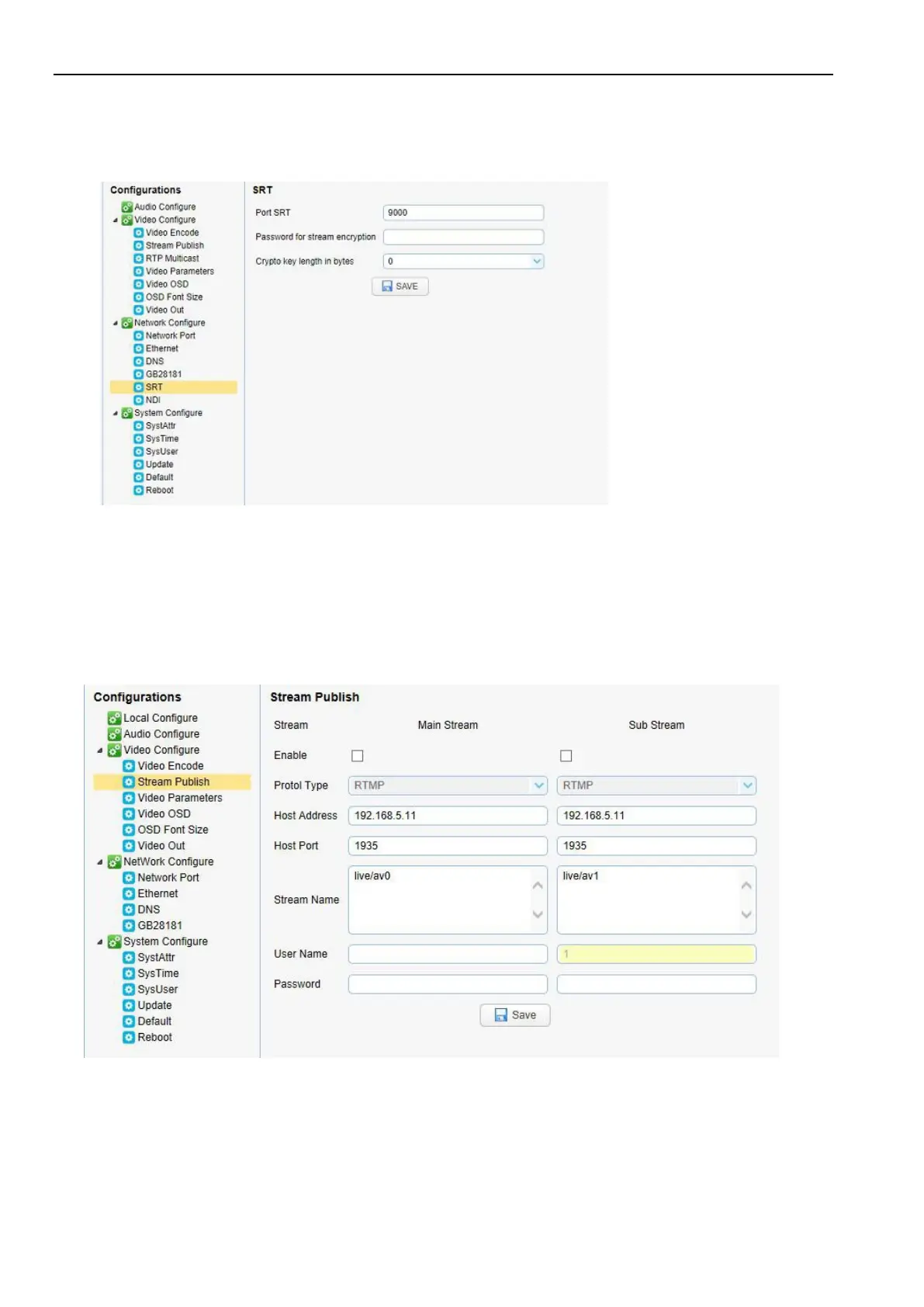
) Configurations > Network Configure> SRT
Configure the parameters according to the network environment; Camera’s example IP is 192.168.0.100, and the
way to obtain the SRT video stream is as follows: srt://192.168.0.100:9000
2.
Push Video Stream
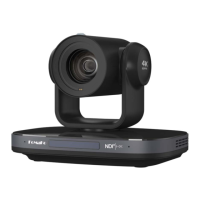
Configurations -> Video Configure-> Stream Publish
Push RTMP stream to public network server, the stream camera IP must be on the public network, otherwise it will
fail to connect to server.
Host address: server address, which can be either a domain name or an IP address
Host port: server default port number
Stream name: live/test (live/ XXX)
Username and password: the username and password set by the server, or leave it empty



 To Next Page