FoMaKo -
Focus Your Streaming www.fomako.net
9.
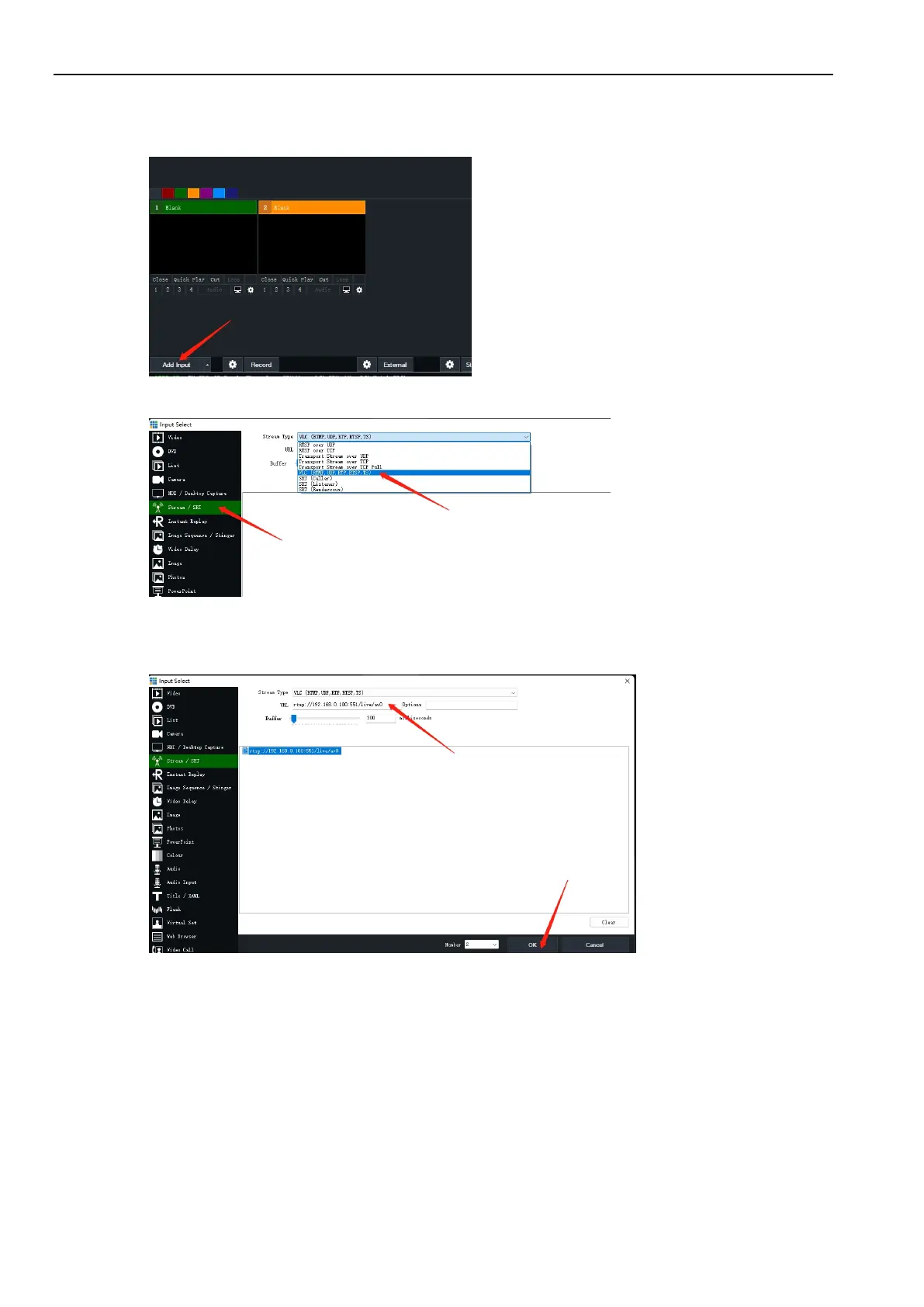
Example: Streaming to Vmix
(1) Click “Add Input”
(2) Stream/SRT -> Choose VLC
(3) Input camera’s RTSP URL:
rtsp://192.168.0.100:554/live/av0
Please change the IP address to your camera’s ip address.
Then,press “OK”, it will stream to Vmix successfully.
And it is similar method to stream to other live streaming software.
10.
Copyright Statement
All the contents in this manual and its copyright are owned by the company. No one is allowed to imitate, copy, or
translate this manual without the company’s permission. This manual contains no guarantee, standpoint expression or
other implies in any form. Product specification and information in this manual is for reference only and subject to
change without notice.
All rights reserved. No reproducing is allowed without acknowledgement.



 To Previous Page