FoMaKo -
Focus Your Streaming www.fomako.net
8)
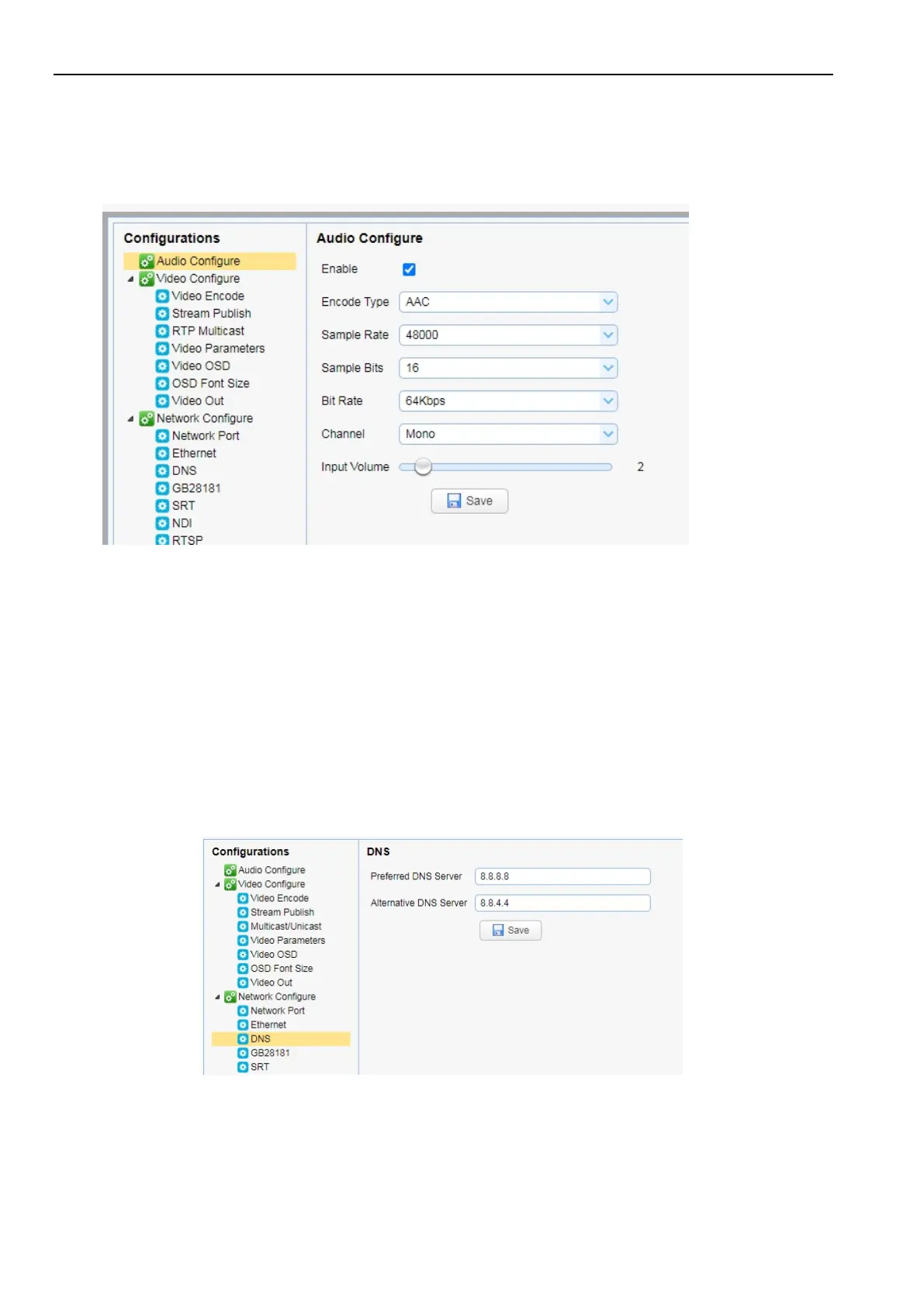
Can't transmit audio
Please login the camera's webpage -> Configuration-> Audio configure -> Enable
then Reboot the camera.
you can also do something audio settings here.
9)
Other unknown problems , please email us at: ivan@fomako.net
We will help you to solve all the problems.
7.
Example: Streaming to Facebook
Step 1:
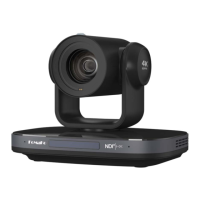
First of all, please make sure the camera’s IP address is assigned by router, and input your PC’s DNS, if you don’t your
pc’s DNS, you can also use Google NDS:
8.8.8.8
8.8.4.4
Step 2:
Create an event on Facebook and get the following info from Facebook.



 To Next Page