FoMaKo -
Focus Your Streaming www.fomako.net
Access url:rtmp://host domain name: host port/live/xxx
Or (rtmp: //host IP address: host port/live/xxx)
3.
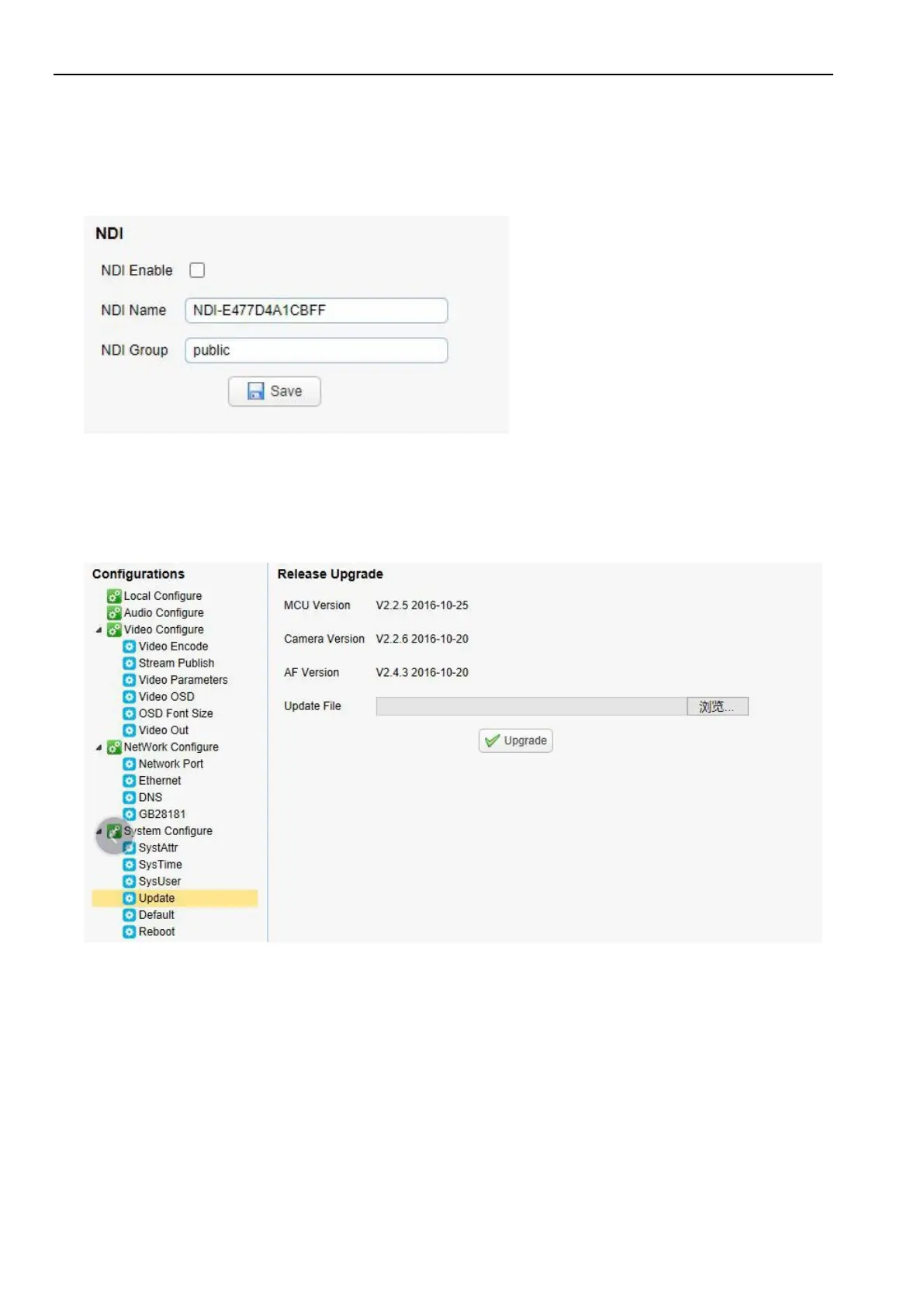
NDI Configuration (for NDI camera only)
Configurations -> Video Configure-> NDI
Click the NDI enable switch and restart the camera to use the NDI function.
4.4
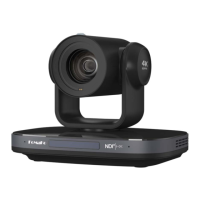
Software Upgrading
1)
Log in to the web page and manage camera settings. The default page is preview interface, where users cam PTZ
control, record video, preset camera positions and etc.
2)
Configurations -> System Configure-> Update
3)
Click "browse" to select .mrg update file, then click upgrade button to finish software upgrading.
4)
Camera reboot after completion of firmware update. It prompts with "successful upgrade".
Log in to check the firmware version to make sure software upgrade successful.
Then click "restore factory default", reboot and restore parameters to factory default ( user name: admin; password
admin).


 To Next Page