FoMaKo -
Focus Your Streaming www.fomako.net
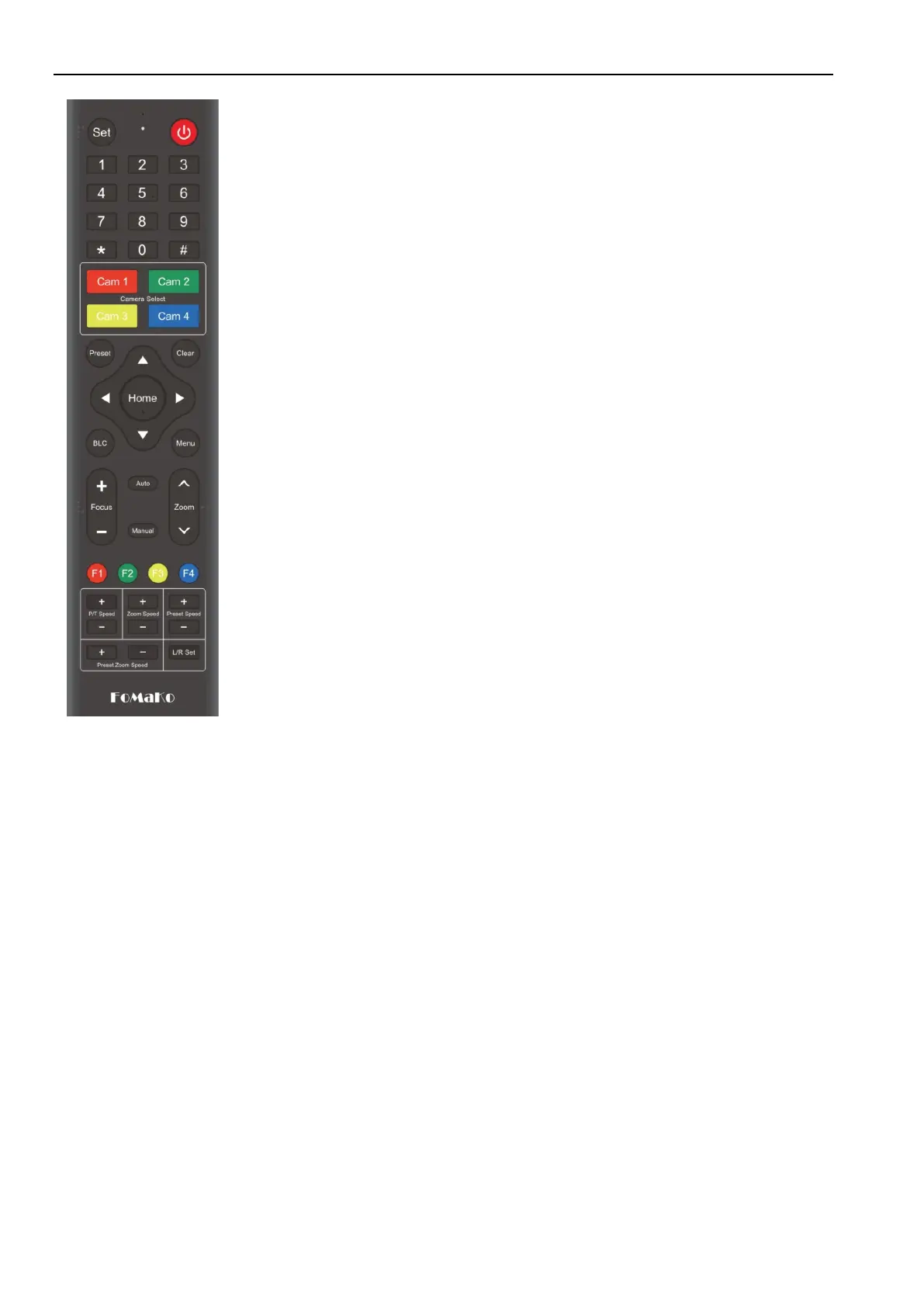
9. Key Combination
1)
【#】+【#】+【#】: Clear all presets
2)
【*】+【#】+【6】: Restore factory defaults
3)
【*】+【#】+【3】: Menu set to Chinese
4)
【*】+【#】+【4】: Menu set to English
5)
【*】+【#】+【7】: Show Camera's current IP address
6)
【*】+【#】+【9】: Flip switch
7)
【*】+【#】+Auto: Enter aging mode
8)
【#】+【*】+Auto: Exit aging mode
9)
【*】+【#】+Manual: Restore the default user name,
password, and enable DHCP
10)
【
#
】
+
【
#
】
+
【
0
】
: Switch the video format to 1080P60
11)
【
#
】
+
【
#
】
+
【
1
】
: Switch the video format to 1080P50
12)
【#】+【#】+【2】: Switch the video format to 1080I60
13)
【#】+【#】+【3】:Switch the video format to 1080I50
14)
【#】+【#】+【4】: Switch the video format to 720P60
15)
【#】+【#】+【5】:Switch the video format to 720P50
16)
【
#
】
+
【
#
】
+
【
6
】
:Switch the video format to 1080P30
17)
【
#
】
+
【
#
】
+
【
7
】
: Switch the video format to 1080P25
18)
【
#
】
+
【
#
】
+
【
8
】
::Switch the video format to 1080P59
19)
【#】+【#】+【9】::Switch the video format to 1080I59
Note: If the address of former remote control is not address 1 but another one from 2,
3, 4, the corresponding camera address will restore to address 1 when all parameters
are restored to factory default. User should change the remote control address to
address 1.
3.2
Menu Introduction
Note: The modification valid only if exit the menu before save and power off.
1)
Menu Control
【MENU】: Enter / exit the OSD menu or return to the previous menu
【HOME】: Enter next menu
【↑】【↓】:Choose item
【←】【→】:Modify values
2)
English Menu


 To Next Page