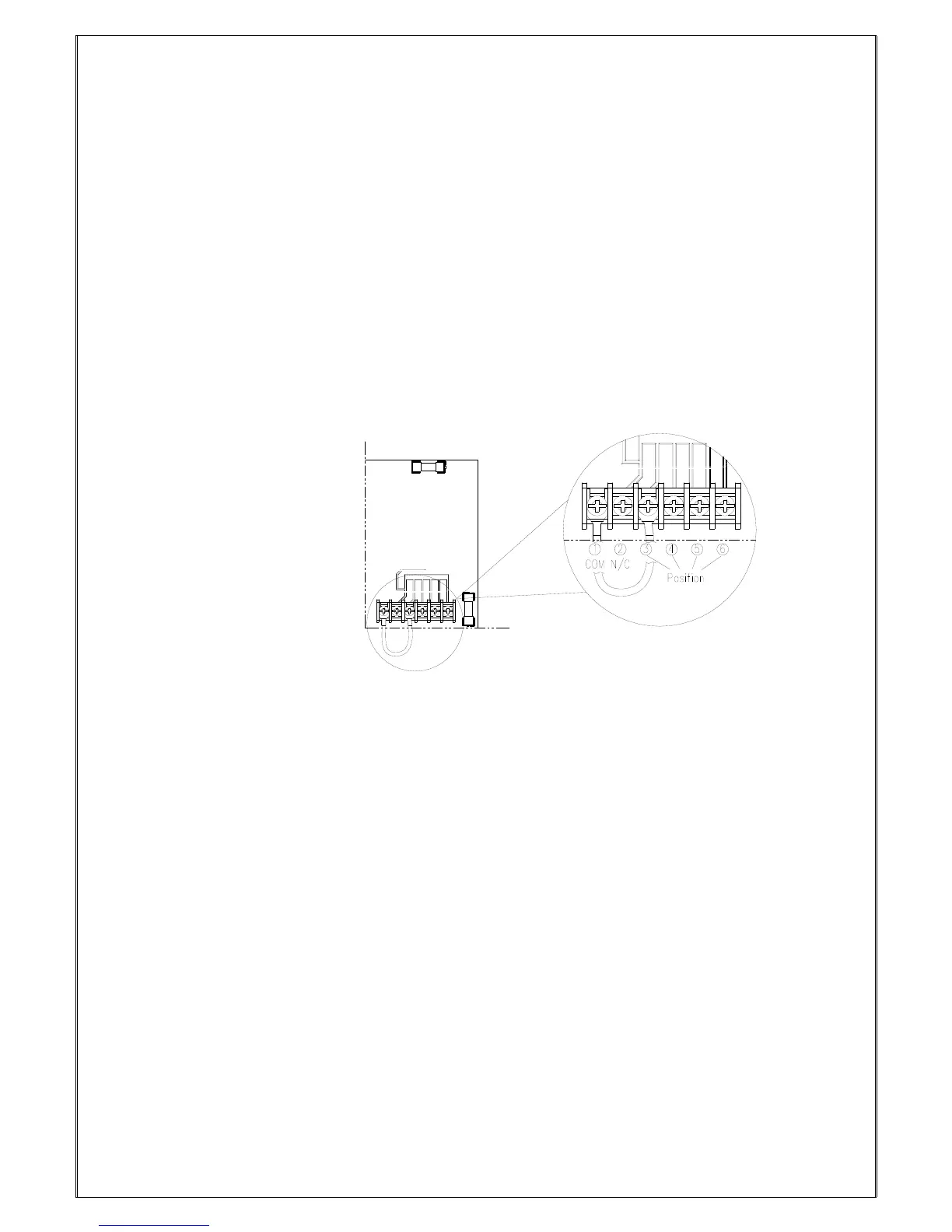
7.3.4 Alpha 612 Receiver Voltage Settings
1. Select the voltage of the place where the receiver is installed.
2. Select the position of the “Y” terminal base on the label marked on the transformer.
If the default voltage setting is different from the place where the receiver is installed, please
change the setting base on below steps:
2.1 Please first refer to below figure. Keep the “COM” end of the wire in
the position as it is, remove the “Y” terminal from the other end of the wire,
then screw the position originally with “Y” terminal tightly.
2.2 Select the voltage needed base on the label of the transformer. Unscrew the
position selected, put the “Y” terminal into the position selected and screw it
tightly.



 To Next Page