S
YSTEM
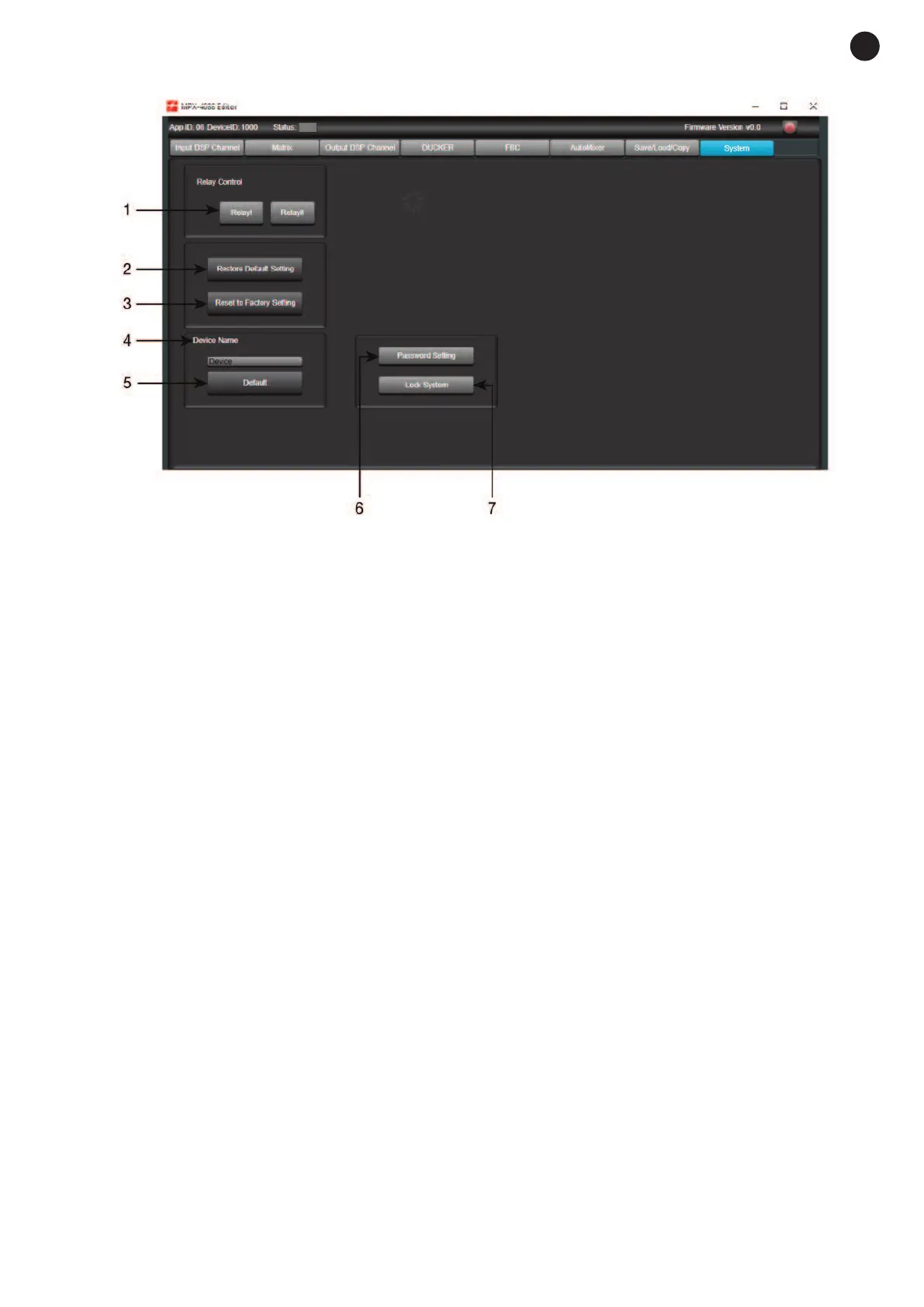
1.- Relay Control: controls the contact closures on the rear panel of the MPX-4088 matrix. Press the button
to close the relay(s): the buttons will turn green. Press the button(s) again in order to open the relays.
2.- Restore Default Settings: restores the matrix to the default configuration.
3.- Reset to Factory Setting: eliminates all the configurations, including the default configuration.
4.- Device name: displays the name of the device.
5.- Change Device Name: allows the name of the device to be changed.
6.- Password setting: allows the lock password to be changed.
7.- Lock System: allows the device to be locked/unlocked.
Note: the default password is 8888.
- 17 -
E
N


 To Next Page