11
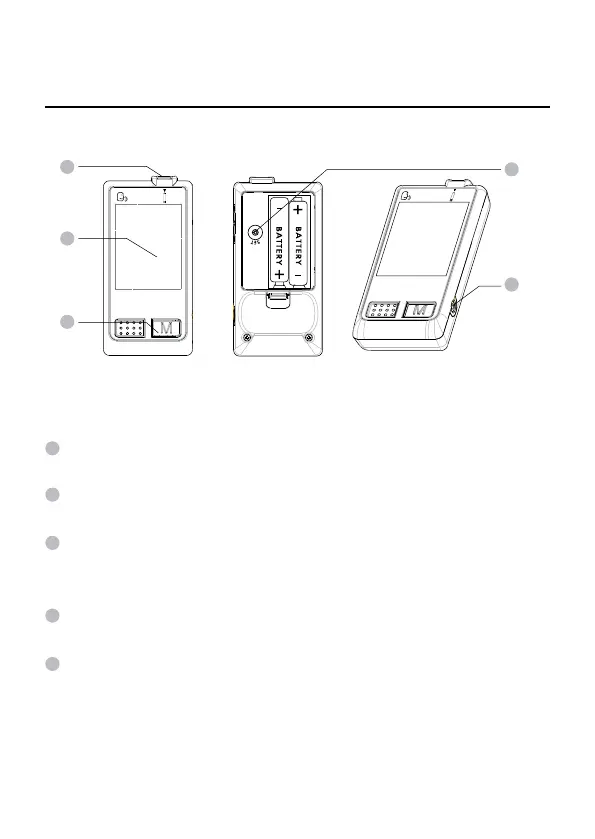
Appearance and Key Function of the Meter
TEST SLOT is where you insert the test strip. The meter will turn
on automatically after insertion.
LCD SCREEN guides you through the test using symbols and
simple messages.
MAIN BUTTON located in front of the meter with "M" on it, is
used to turn on the meter, enter the memory mode and control
steps of setting.
SET BUTTON (in the back) located in the battery compartment,
is used to set up the meter.
DATA PORT located at the side, is for cable connection.
1
3
3
2
2
5
5
4
4
1



 To Next Page