37
PLEASE NOTE
While the meter is connected to the PC, it is unable to perform a blood
glucose test.
Viewing Results on a Personal Computer
Results in memory can be transmitted to a personal computer. Health Care Software
System and an interface cable are required before installation.
The software can be downloaded from the home page of Fora Care Inc. An interface
cable is required for data transmission, but is not included in the standard kit. To
learn more about Health Care Software System or to obtain an interface cable
separately, please contact Customer Care Line at 1-888-307-8188, 1- 866-469-
2632 for help.
STEP 1
STEP 2
STEP 3
Install Software
Install Health Care Software System on your Computer by following the
instructions provided on Fora Care's website, www.foracare.com/usa
Connect to Personal Computer
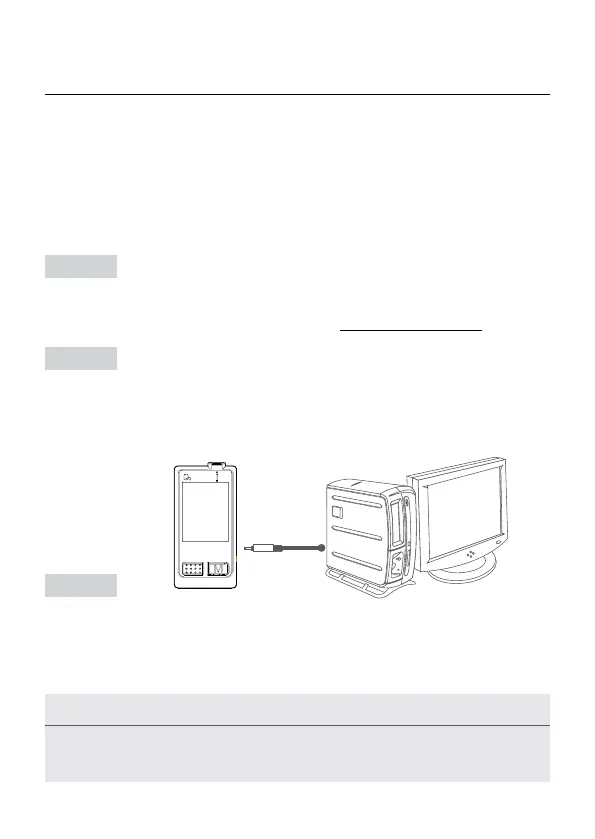
Connect the interface cable to a serial port of your computer. With the meter
turned off, connect the internal cable to the data port of the meter. Then "PC"
will appear on the display, indicating that the meter is ready to transmit data.
Transmit Data
Follow the instructions to transmit data from the meter’s memory to your com-
puter. Results transmitted will include date and time. Remove the cable and the
meter will automatically turn off.



 To Next Page