A1-34
STEP 2. Insert the Test Strip
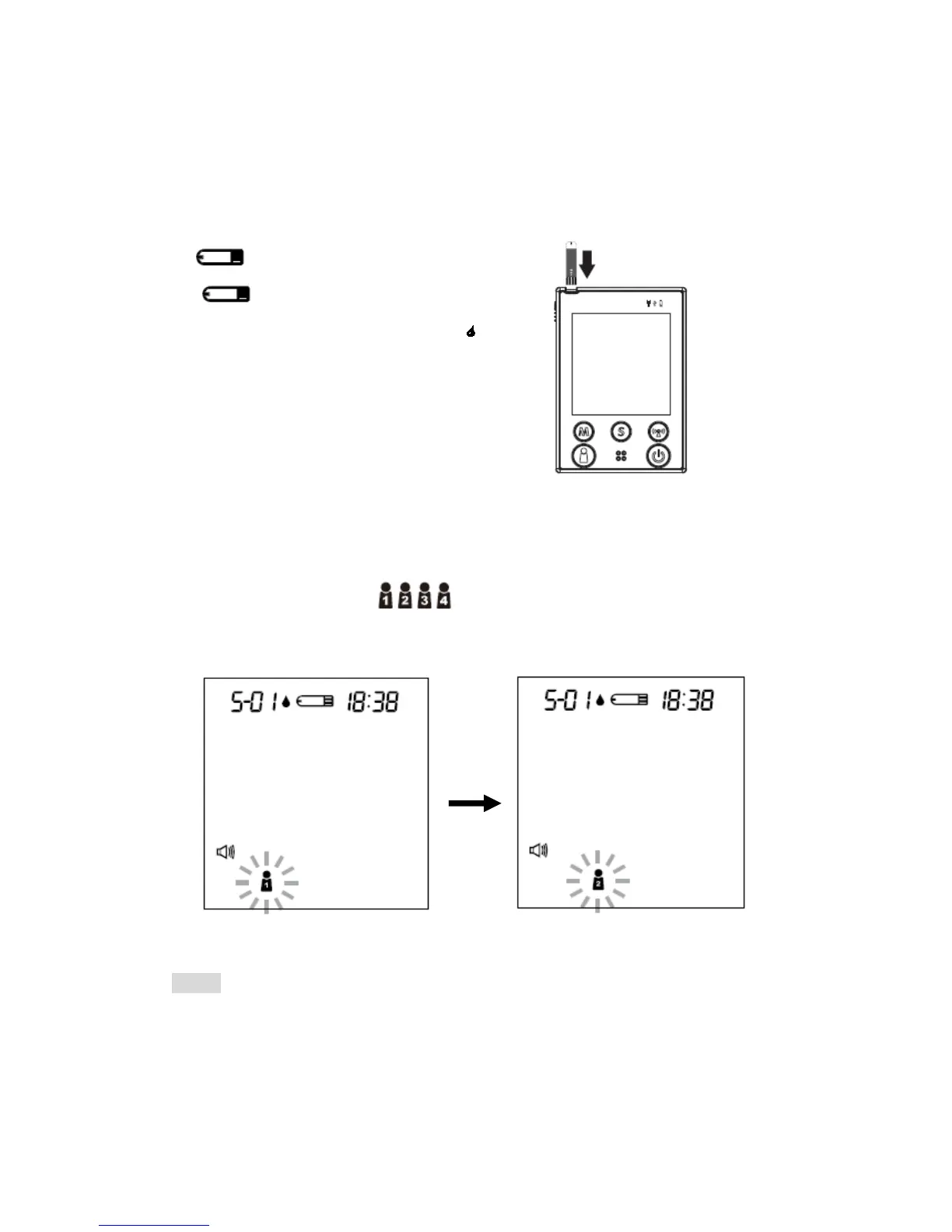
Insert a test strip with contact bars end first and facing up, into the test slot.
The monitor turns on automatically and displays the followings in sequence:
“ ” and the ambient temperature
Î ” ” with the code number,
the user’s number and a flashing “ .“
STEP 3. Select the User Number
After the test strip is fully inserted into the test slot, press the user selection
button to select the user (numbers from1 to 4) whose test reading
will be stored in its memory.
NOTE
You can also select the user’s number in advance by pressing the user
selection button. Please refer to page 25 for detailed information about your
user’s number selection.
34



 To Next Page