NT8 User's Guide | Chapter 8: Software Overview
2 – The Task List Panel
The Task List panel is divided into two tabs: the Task List and Task List Properties.
The Task List
The Task List tab provides the Repeat and Repeat Gradient buttons and displays detailed task
list(s) or sequences that you have added.
● Repeat. When you click the Repeat button, Repeat and End Repeat appear on the
task list. Any tasks you place between these two commands will be repeated on each
column of a plate.
● The Repeat Gradient enables you to mark the beginning of tasks you will repeat on
each column of your plate. This only applies to gradient volumes.
● You can manually edit or delete a task from the Task List panel by right-clicking on
the desired task list item and selecting Edit or Delete. You can also edit a task by
double-clicking it. To delete a task, click on the task and press the DELETE key on
your keyboard or click the Delete button .
● To change the order of execution for the items in the Task List, select the desired task
list and click the green up or down arrows to move the task up or down the list. You
can also right-click on the desired task list and select Move Up or Move Down. You
can also change the order by dragging and dropping the desired task to a different
place in the list.
● To show the reagent's liquid class in the Task List, click the Show Liquid Class Detail
button .
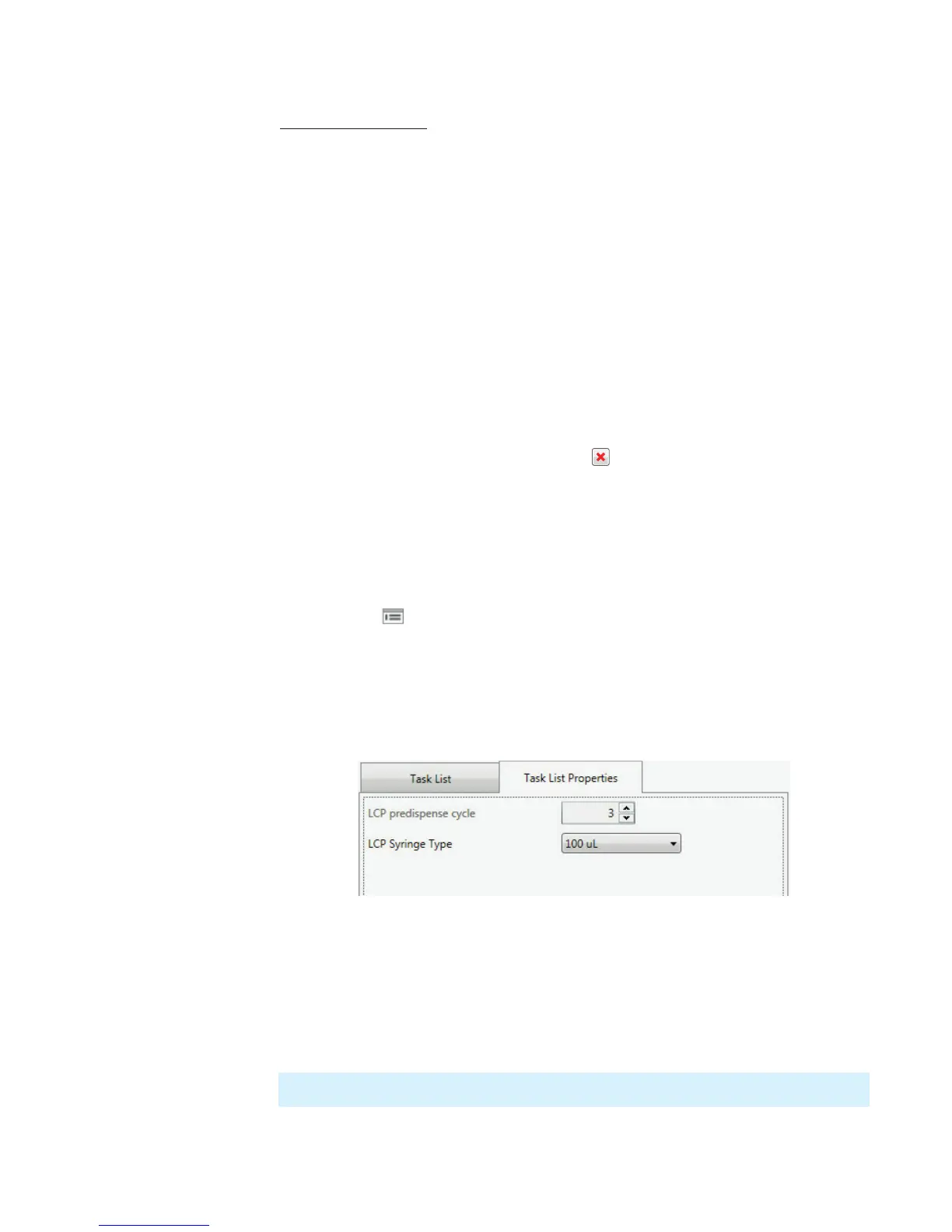
Task List Properties
The Task List Properties tab is where you can modify the LCP predispense cycle, and LCP
syringe type settings (refer to image below).
Adjusting LCP settings:
1. In the LCP predispense cycle box, type or select the number of predispense cycles
you want.
2. Select the syringe volume from the LCP Syringe Type list.
Note: The LCP predispense cycle is enabled only if you have the LCP attachment.



 To Next Page