NT8 User's Guide | Chapter 6: Initial Setup
Below are the tasks you’ll frequently perform during experiment setup.
● Adding the HV or LV Pick Tip Command
● Adding the Wash Tip Command
● Setting the Protein Volume
● Adding a Plate and Setting the Aspirate Volume
● Setting the Dispense Volume
● Adding the LV or HV Dispose Tip Command
Prerequisites
● You are familiar with the NT8 interface (see Software Overview on page 28).
Adding the HV or LV Pick Tip Command
1. Drag and drop the HV Tip Caddy or LV Tip Caddy from the Plate Type Library into
the HV tip caddy station or LV tip caddy station.
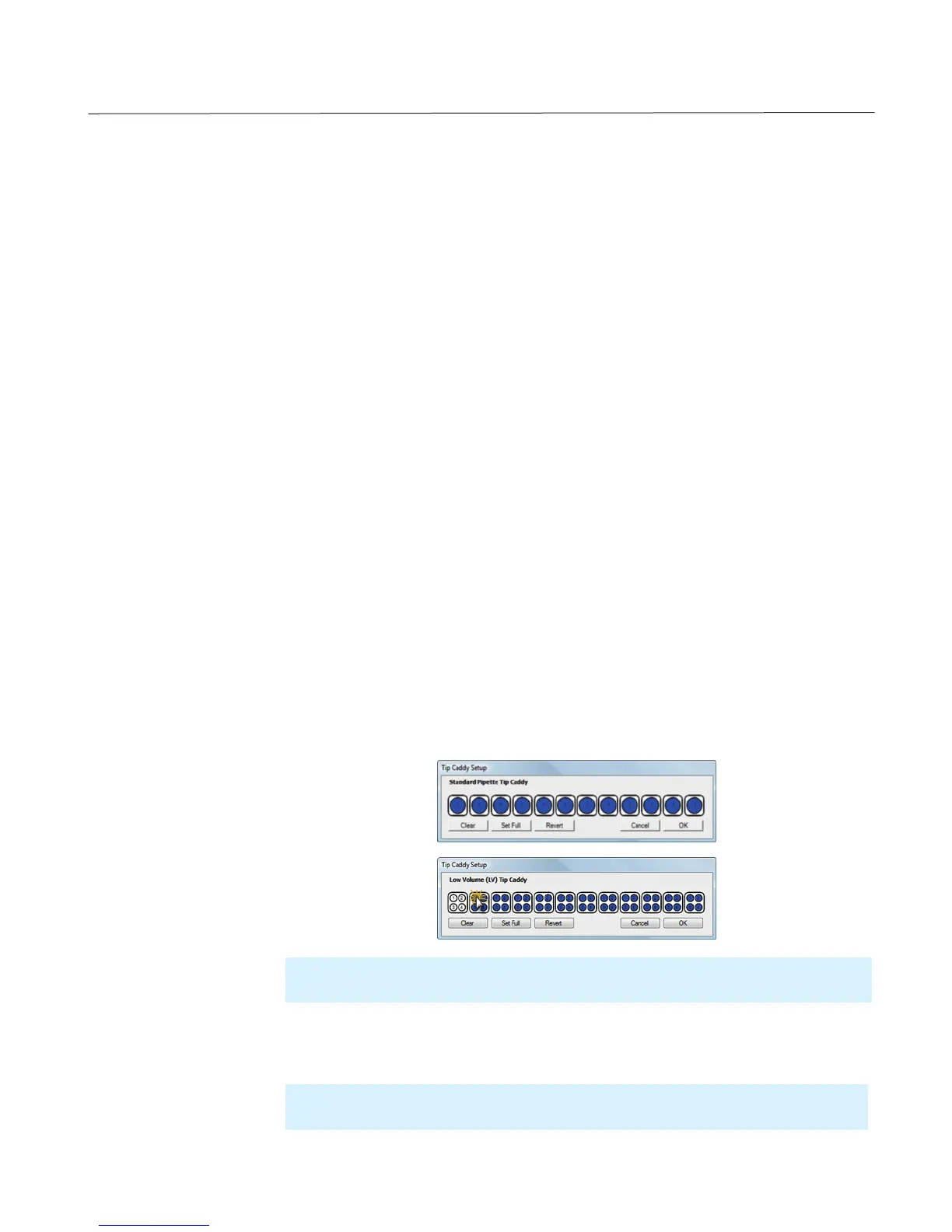
2. Set up the tips:
a. Right-click on the HV tip caddy station or LV tip caddy station.
b. Select Configure HV Tip Caddy or Configure LV Tip Caddy.
c. Select the appropriate column numbers on the tip caddy setup dialog box.
3. Click OK.
4. Double-click the HV tips or LV tips to add the Pick Tip command to the Task List.
Adding Commands to the Task List
Important: The selected columns are indicated by the blue color. The column numbers on
the Tip Caddy Setup dialog box represent the actual column number of the tip caddy.
Note: If you run out of tips, you can quickly reload the tip caddy by selecting New Tip
Caddy from the right-click menu.



 To Next Page