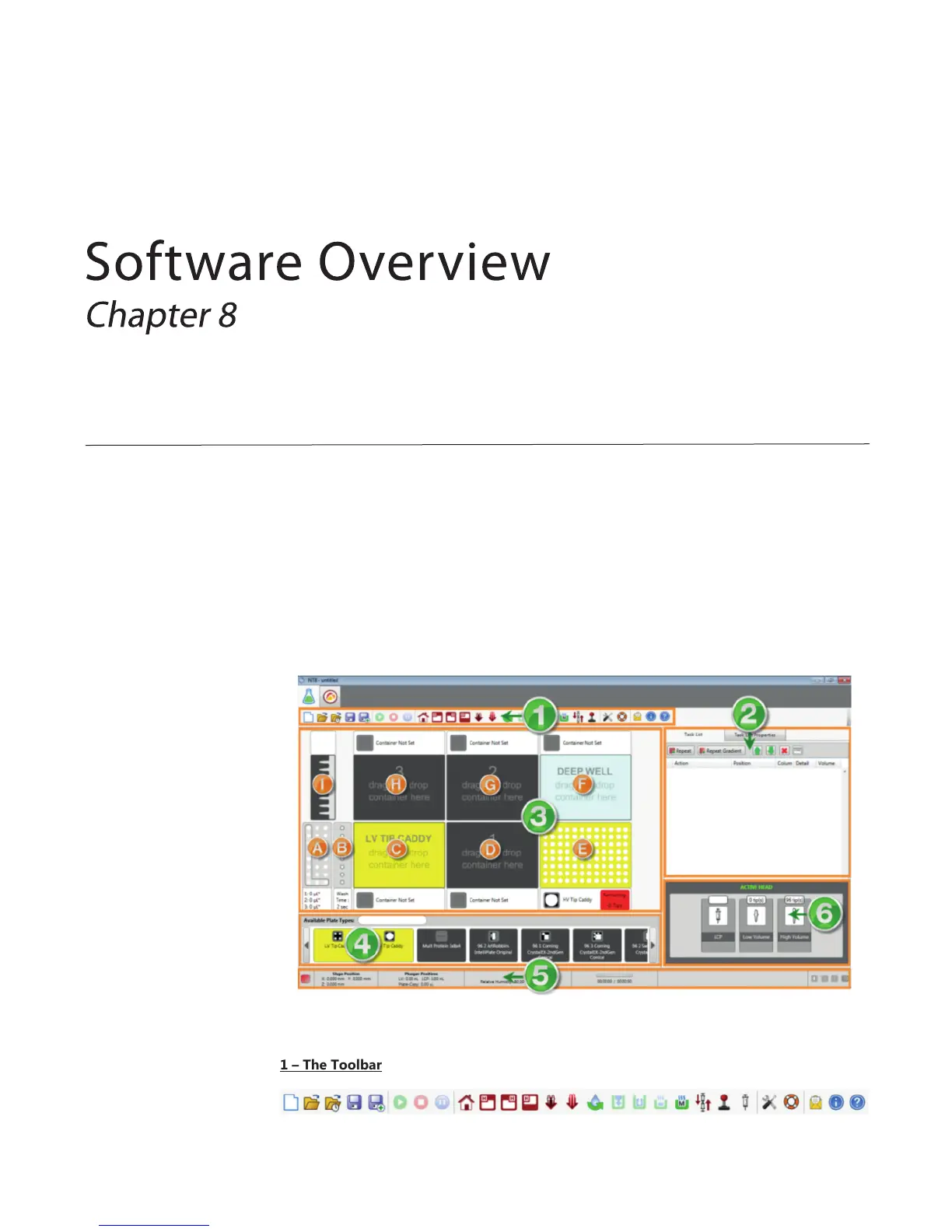
The Experiment Designer is open by default when you first launch the NT8 software. The
experiment designer enables you to interact with the NT8 platform and set up sitting drop,
hanging drop, LCP, seeding, serial dilution, and/or plate copy experiments.
The Experiment Designer tab is represented by an Erlenmeyer flask button.
In the screenshot below, we have divided the experiment designer into various sections. Each
section is marked with a green number. Sub-sections of those major sections are represented
by orange letters. Use the table below to learn about each section and what it does.
1 – The Toolbar
The Experiment Designer Tab



 To Next Page