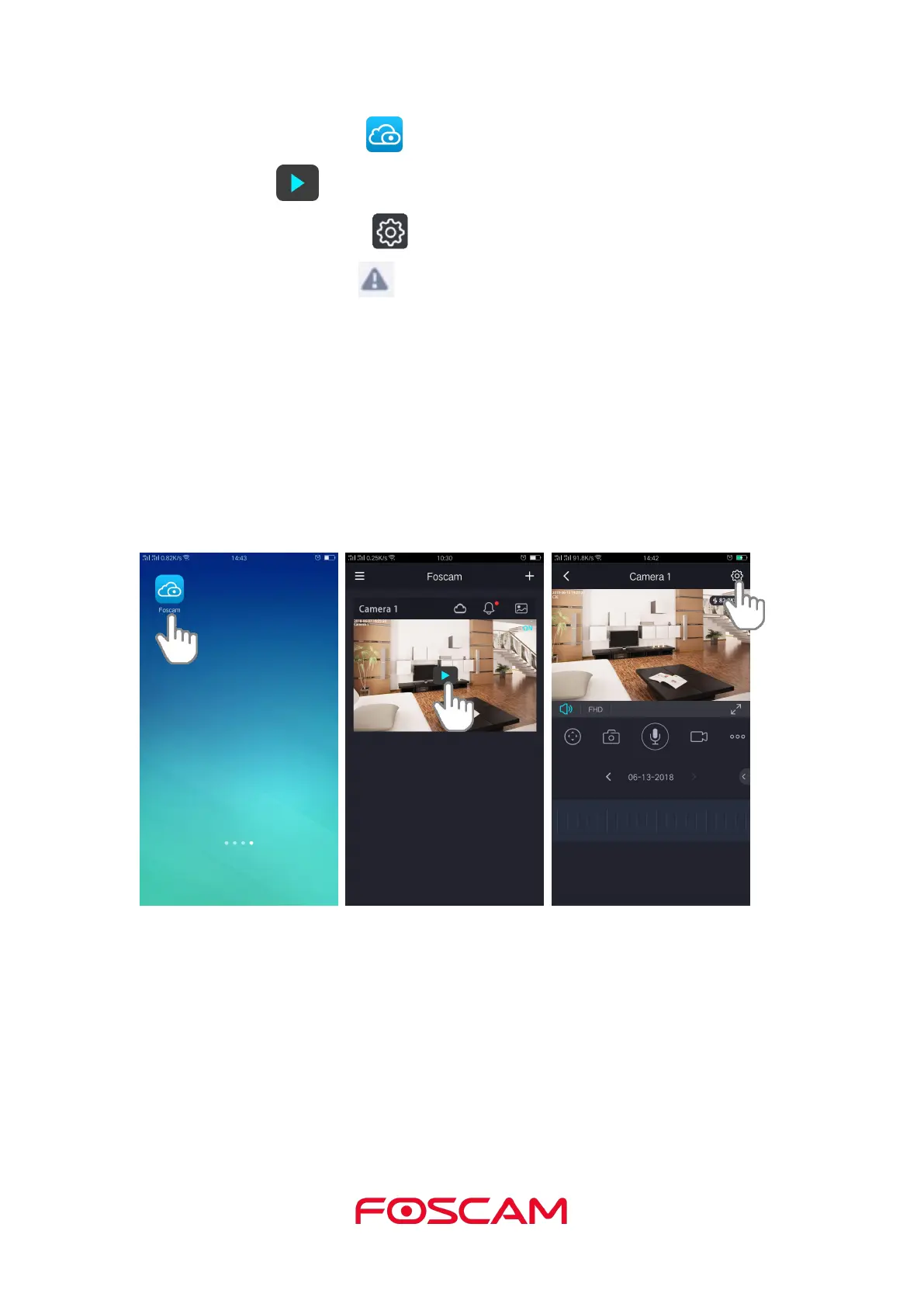
1. Tap the Foscam icon on your mobile device.
4. Tap Alarm Settings > Motion Detection.
5. Enable/disable Motion detection fuction.
It supports five modes: Lowest, Lower, Low, medium and High. The higher the
sensitivity, the camera will be more easily alarmed. Select one motion sensitivity.
The interval time between two motion detections. Here supports 5s / 10s / 15s / 30s /
60s. Select one interval time.
As default, alarm anytime when motion is detected, you can schedule the alarm time
by yourshelf.



 To Next Page