EasyManua.ls Logo

Foscam FI8916W - Adsl

Foscam FI8916W
79 pages
Print Icon
To Next Page IconTo Next Page
To Previous Page IconTo Previous Page
Loading...
33
w
w
w
w
w
w
w
w
w
w
w
w
w
w
w
w
ww.foscam.
ww.foscam.
ww.foscam.
ww.foscam.
ww.foscam.
ww.foscam.
ww.foscam.
ww.foscam.
us
us
us
us
us
us
us
us
Foscam
Foscam
Foscam
Foscam Digital
Digital
Digital
Digital Technologies
Technologies
Technologies
Technologies LLC
LLC
LLC
LLC
Telephone:
Telephone:
Telephone:
Telephone: 1-800-930-0949
1-800-930-0949
1-800-930-0949
1-800-930-0949
33
33
33
33
same subnet.
Open the IP Camera Tool, you can search the camera LAN IP again.
3.8
3.8
3.8
3.8
3.8
3.8
3.8
3.8
ADSL
ADSL
ADSL
ADSL
ADSL
ADSL
ADSL
ADSL
Figure 3. 23
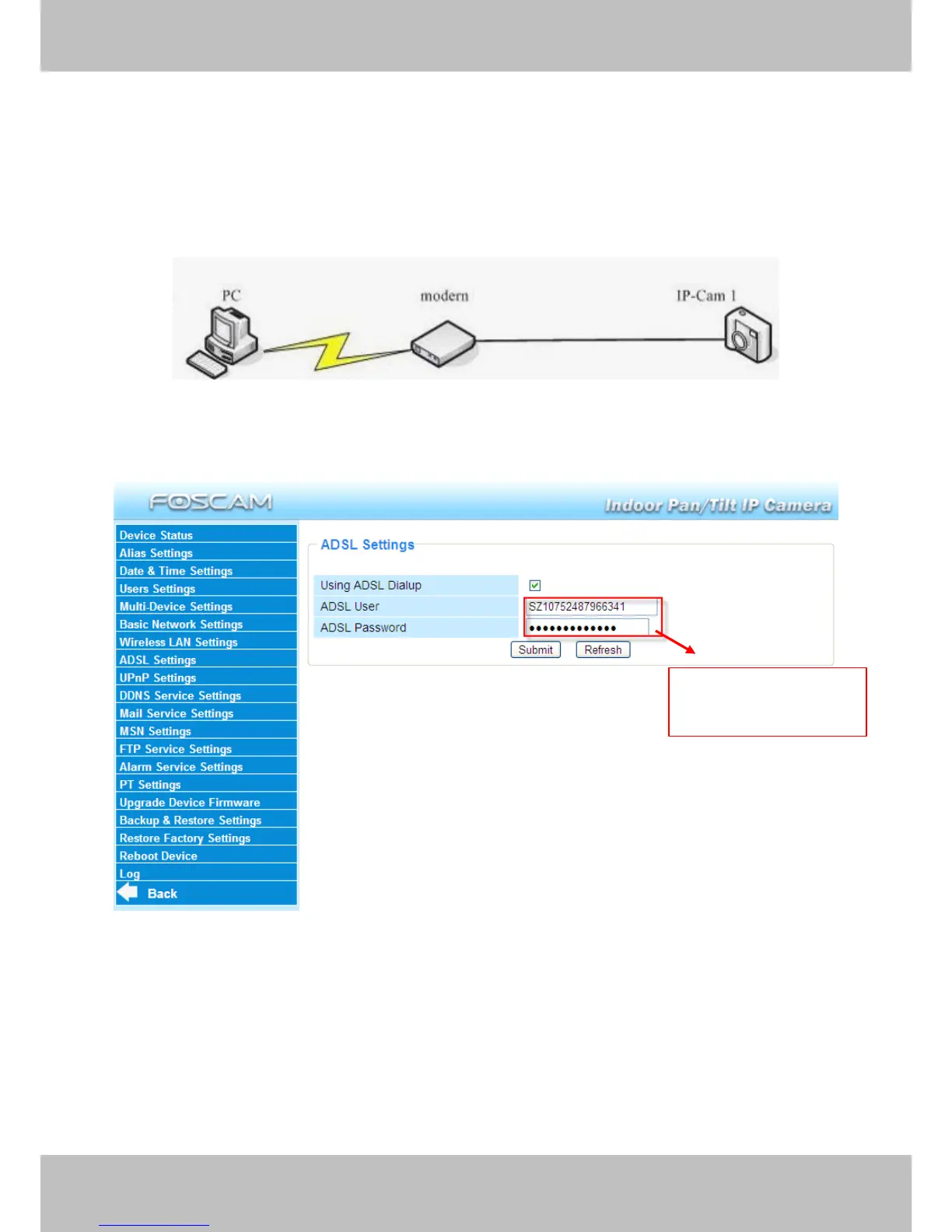
If you are connecting the camera directly to a ADSL modem, you can do ADSL settings with your
ADSL account &password provided by the ISP, then make the camera connected to the network.
Figure 3.24
Enter
Enter
Enter
Enter the
the
the
the ADSL
ADSL
ADSL
ADSL user
user
user
user
and
and
and
and password
password
password
password

Other manuals for Foscam FI8916W

Related product manuals