66
w
w
w
w
w
w
w
w
w
w
w
w
w
w
w
w
ww.foscam.
ww.foscam.
ww.foscam.
ww.foscam.
ww.foscam.
ww.foscam.
ww.foscam.
ww.foscam.
us
us
us
us
us
us
us
us
Foscam
Foscam
Foscam
Foscam Digital
Digital
Digital
Digital Technologies
Technologies
Technologies
Technologies LLC
LLC
LLC
LLC
Telephone:
Telephone:
Telephone:
Telephone: 1-800-930-0949
1-800-930-0949
1-800-930-0949
1-800-930-0949
66
66
66
66
4.2
4.2
4.2
4.2 APP
APP
APP
APP for
for
for
for iPhones
iPhones
iPhones
iPhones
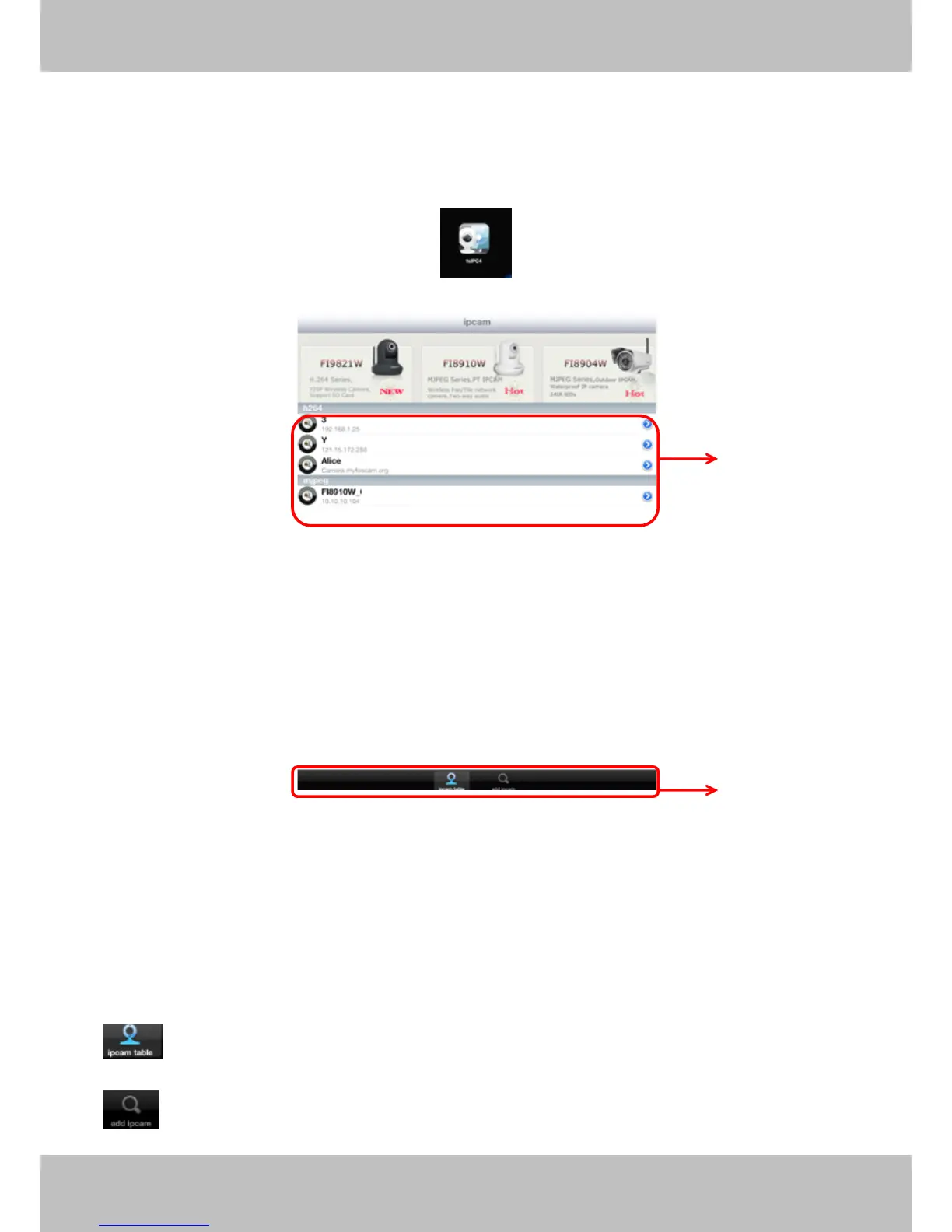
If you use iPhone, please search the APP “ Foscam ip cam viewer ” and install it through APP
Store, then you can see the shortcut icon in your cell phone screen.
C lick the icon and you can go to “ ipcam table ” page directly:
Figure 4.9
The default device list is null, you need to add cameras to it.
Section1
Section1
Section1
Section1 Camera
Camera
Camera
Camera list
list
list
list
Here will list all camera s that added to the software.
Section2
Section2
Section2
Section2 ipcam
ipcam
ipcam
ipcam table/
table/
table/
table/ add
add
add
add ipcam
ipcam
ipcam
ipcam buttons
buttons
buttons
buttons
Click this icon and back to ipcam table page, here you can see all cameras that have
added to the software.
: Click this icon and back to add ipcam page, here you can add cameras in LAN or in
1
1
1
1
2
2
2
2



 To Next Page