8
w
w
w
w
w
w
w
w
w
w
w
w
w
w
w
w
ww.foscam.
ww.foscam.
ww.foscam.
ww.foscam.
ww.foscam.
ww.foscam.
ww.foscam.
ww.foscam.
us
us
us
us
us
us
us
us
Foscam
Foscam
Foscam
Foscam Digital
Digital
Digital
Digital Technologies
Technologies
Technologies
Technologies LLC
LLC
LLC
LLC
Telephone:
Telephone:
Telephone:
Telephone: 1-800-930-0949
1-800-930-0949
1-800-930-0949
1-800-930-0949
8
8
8
8
2.2
2.2
2.2
2.2 Surveillance
Surveillance
Surveillance
Surveillance Window
Window
Window
Window
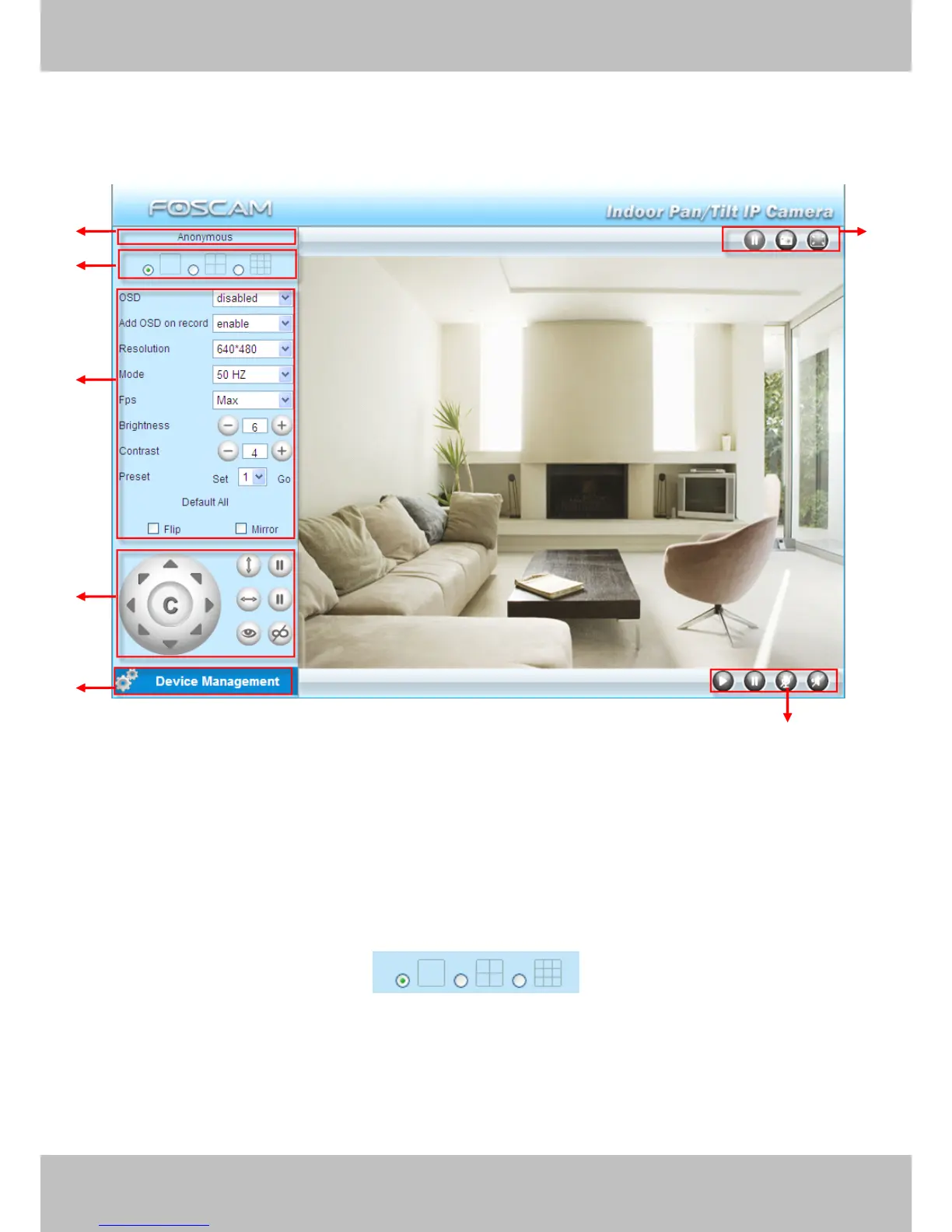
Select the ActiveX mode and you will enter the surveillance window.
Figure 2.2
Section1
Section1
Section1
Section1 Device
Device
Device
Device Name
Name
Name
Name
Default device name is A nonymous. You can define a name for your camera as you like (Please
go to chapter 3.1 and read how to set it)
Section2
Section2
Section2
Section2 Multi-Device
Multi-Device
Multi-Device
Multi-Device Window
Window
Window
Window
The firmware inside the camera supports up to maximum of 9 cameras being monitoring at the
same time. You can add other cameras in multi-device setting (read chapter 3.5).
1
1
1
1
2
2
2
2
3
3
3
3
6
6
6
6
4
4
4
4
5
5
5
5
7
7
7
7



 To Next Page