53
w
w
w
w
w
w
w
w
w
w
w
w
w
w
w
w
ww.foscam.
ww.foscam.
ww.foscam.
ww.foscam.
ww.foscam.
ww.foscam.
ww.foscam.
ww.foscam.
us
us
us
us
us
us
us
us
Foscam
Foscam
Foscam
Foscam Digital
Digital
Digital
Digital Technologies
Technologies
Technologies
Technologies LLC
LLC
LLC
LLC
Telephone:
Telephone:
Telephone:
Telephone: 1-800-930-0949
1-800-930-0949
1-800-930-0949
1-800-930-0949
53
53
53
53
3.15
3.15
3.15
3.15 PT
PT
PT
PT Settings
Settings
Settings
Settings
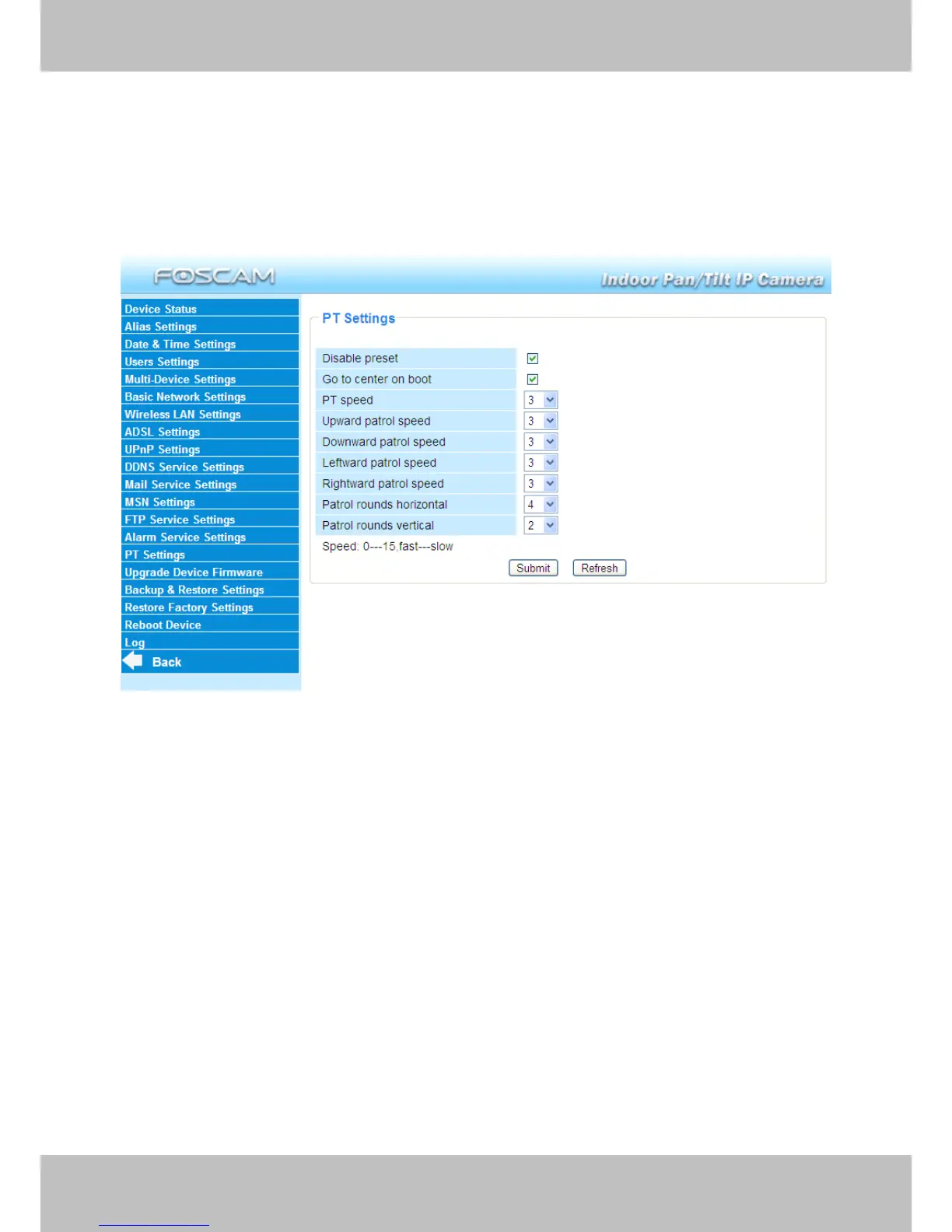
You can set pan/tilt speed. Normally, PT speed is 3. The larger the setting number, the lower
speed. Don ’ t enable the checkbox “ disable preset ” if you want to use the function of preset, it will
be effective after you reboot device.
Figure 3.49
P
P
P
P atrol
atrol
atrol
atrol rounds
rounds
rounds
rounds horizontal:
horizontal:
horizontal:
horizontal: Set the round between 1 and 10, then click Submit. Back to
surveillance window. Click the Horizon patrol button, the camera will patrol the rounds
horizontally you set and then stop if you don ’ t click Stop horizon patrol button. For example, you
set 4 for the patrol rounds. Click submit and back to surveillance window. Click the Horizon patrol
button and do not click the Stop horizon patrol button, the camera will patrol 4 rounds and then
stop automatically.
Patrol
Patrol
Patrol
Patrol rounds
rounds
rounds
rounds vertical:
vertical:
vertical:
vertical: Set the round between 1 and 10, then click submit. Back to surveillance
window Click the Vertical patrol button, the camera will patrol the rounds vertically you set and
then stop if you don ’ t click Stop vertical patrol button.



 To Next Page