EasyManua.ls Logo

Foscam FI8916W - Reboot Device

Foscam FI8916W
79 pages
Print Icon
To Next Page IconTo Next Page
To Previous Page IconTo Previous Page
Loading...
57
w
w
w
w
w
w
w
w
w
w
w
w
w
w
w
w
ww.foscam.
ww.foscam.
ww.foscam.
ww.foscam.
ww.foscam.
ww.foscam.
ww.foscam.
ww.foscam.
us
us
us
us
us
us
us
us
Foscam
Foscam
Foscam
Foscam Digital
Digital
Digital
Digital Technologies
Technologies
Technologies
Technologies LLC
LLC
LLC
LLC
Telephone:
Telephone:
Telephone:
Telephone: 1-800-930-0949
1-800-930-0949
1-800-930-0949
1-800-930-0949
57
57
57
57
3.19
3.19
3.19
3.19 Reboot
Reboot
Reboot
Reboot Device
Device
Device
Device
Click Reboot
Reboot
Reboot
Reboot Device
Device
Device
Device to reboot the camera. This is similar to unplugging the power to the
camera .
3.20
3.20
3.20
3.20 Log
Log
Log
Log
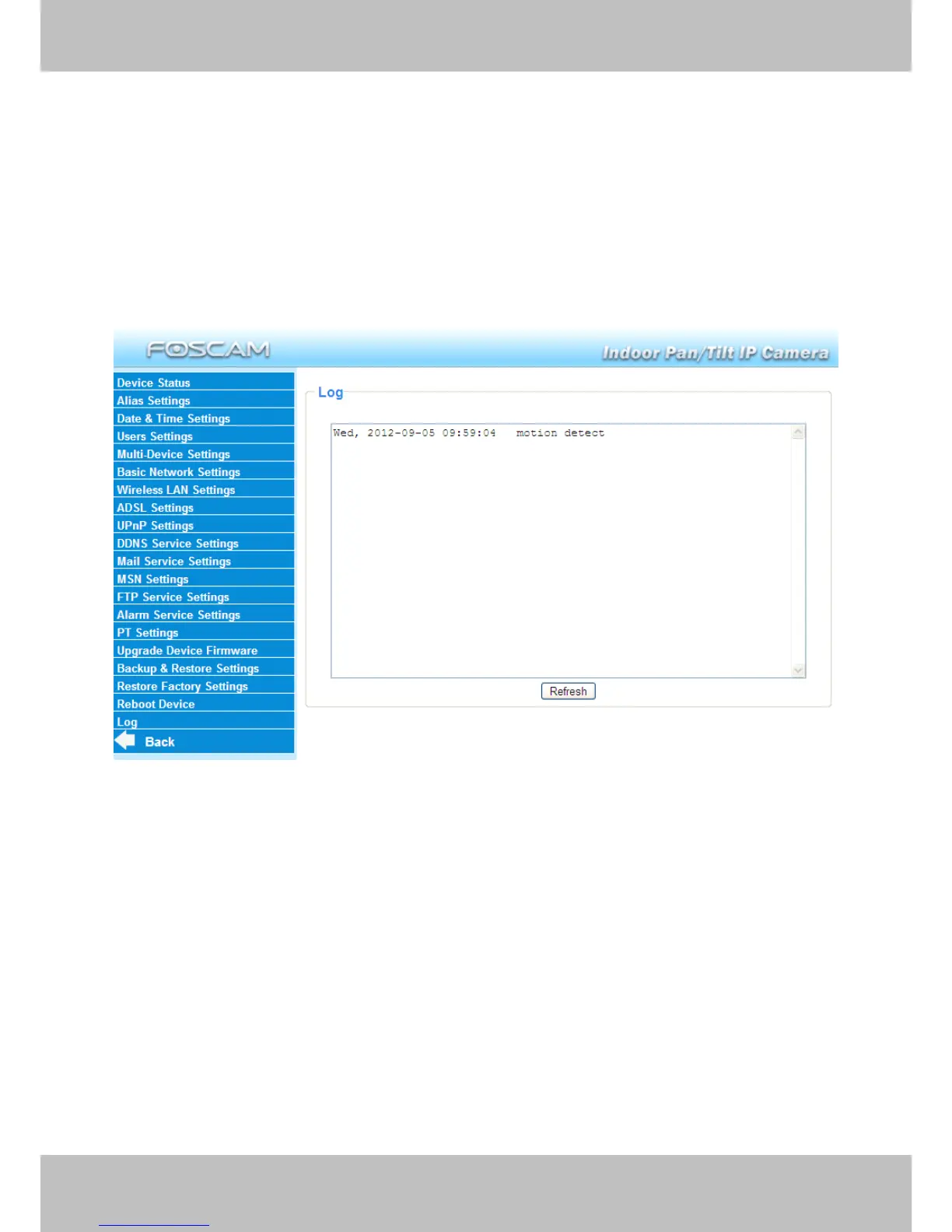
The log record shows who accessed the camera and when. (Figure 3. 55 ).
Figure 3.55
3.21
3.21
3.21
3.21 Back
Back
Back
Back
This will take you back to the surveillance window.

Other manuals for Foscam FI8916W

Related product manuals