65
w
w
w
w
w
w
w
w
w
w
w
w
w
w
w
w
ww.foscam.
ww.foscam.
ww.foscam.
ww.foscam.
ww.foscam.
ww.foscam.
ww.foscam.
ww.foscam.
us
us
us
us
us
us
us
us
Foscam
Foscam
Foscam
Foscam Digital
Digital
Digital
Digital Technologies
Technologies
Technologies
Technologies LLC
LLC
LLC
LLC
Telephone:
Telephone:
Telephone:
Telephone: 1-800-930-0949
1-800-930-0949
1-800-930-0949
1-800-930-0949
65
65
65
65
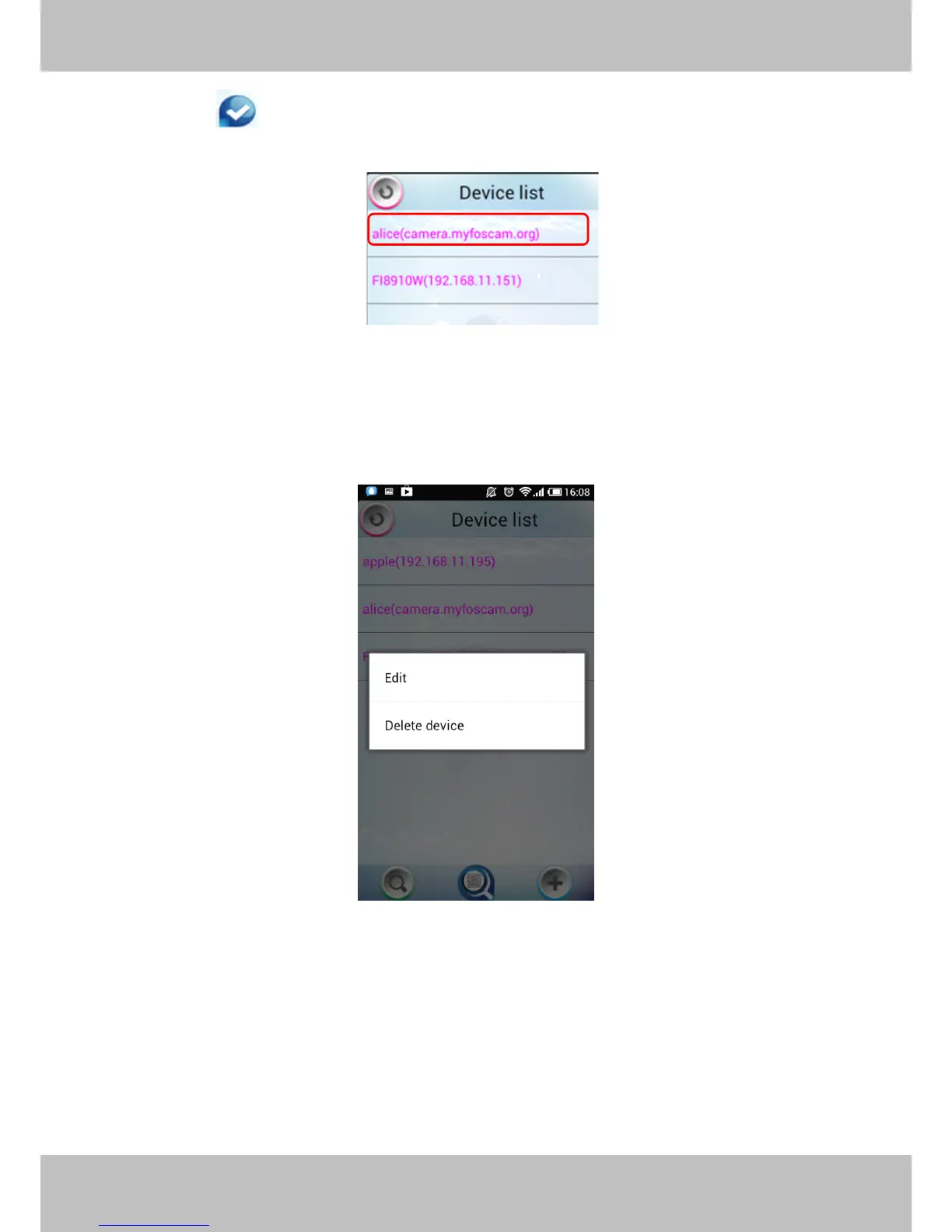
Click the icon to add camera then you can see the camera in the Device List.
.
Select one IP address and click it, then you can enter the surveillance window.
Select one IP address in the Device List and press it for a moment, it pop up the following
screen:
Figure 4.8
Edit:
Edit:
Edit:
Edit: Re- edit the camera ’ s information , such as the Http / Media port, user name and password,
and so on. Click Edit and you can go to Add camera page (Figure 4.7).
Delete
Delete
Delete
Delete device:
device:
device:
device: Delete the camera from the Device List.



 To Next Page