61
w
w
w
w
w
w
w
w
w
w
w
w
w
w
w
w
ww.foscam.
ww.foscam.
ww.foscam.
ww.foscam.
ww.foscam.
ww.foscam.
ww.foscam.
ww.foscam.
us
us
us
us
us
us
us
us
Foscam
Foscam
Foscam
Foscam Digital
Digital
Digital
Digital Technologies
Technologies
Technologies
Technologies LLC
LLC
LLC
LLC
Telephone:
Telephone:
Telephone:
Telephone: 1-800-930-0949
1-800-930-0949
1-800-930-0949
1-800-930-0949
61
61
61
61
How
How
How
How to
to
to
to add
add
add
add cameras
cameras
cameras
cameras to
to
to
to the
the
the
the Phone
Phone
Phone
Phone APP
APP
APP
APP
The following steps are required before adding cameras to the APP :
1 ) Install the IP Camera(s) which want s to be monitored.
2
)
Login the IP Camera(s) by web browser and set the IP address, port, username & password
and make sure the camera can be accessed by browsers .
3
)
DDNS setting is a plus whenever you want to add the devices by WAN .
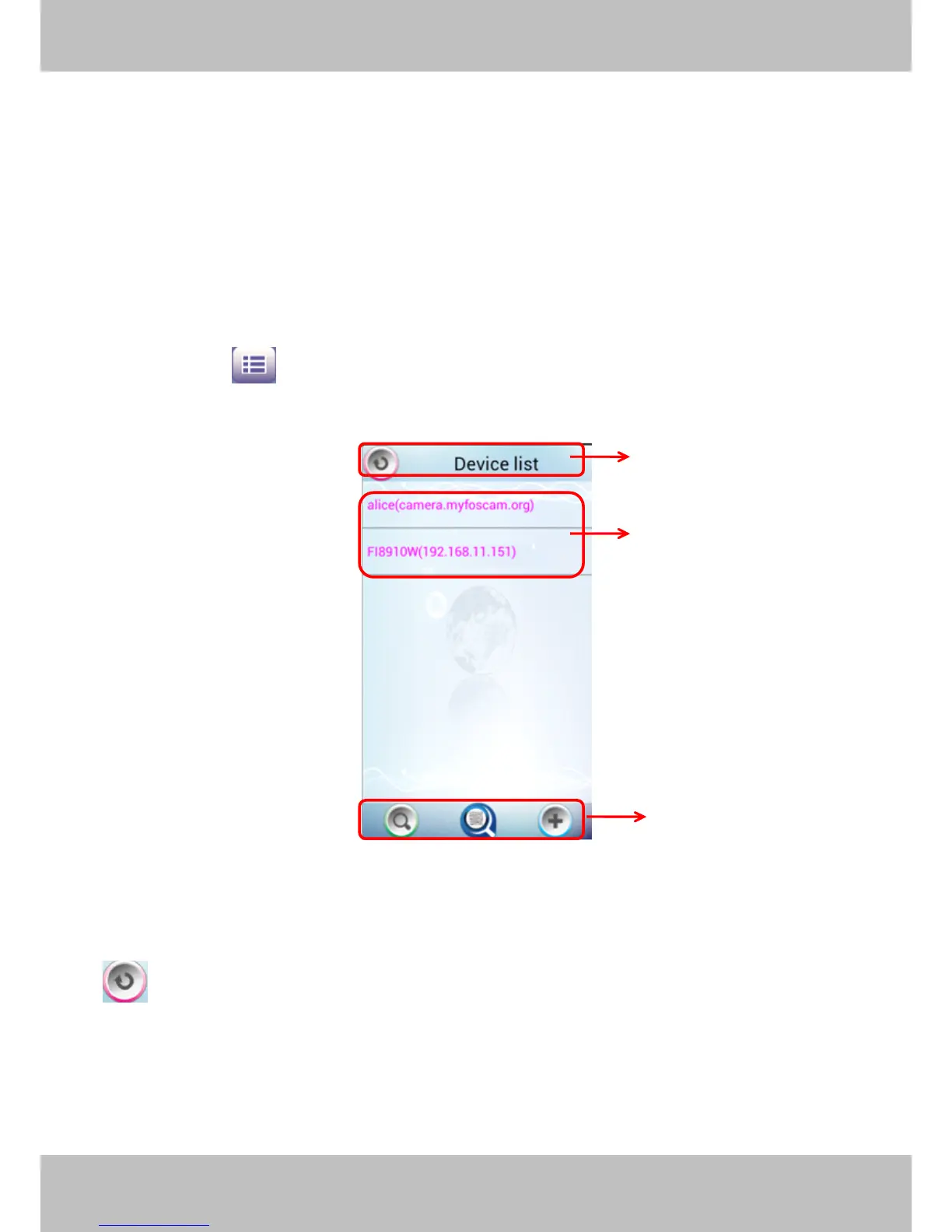
Click the button and go to Device List page, this section will show you how to add
cameras in LAN or in WAN.
Figure 4.4
Section1
Section1
Section1
Section1 Back
Back
Back
Back button
button
button
button
:
:
:
: Click this icon and back to the surveillance window
Section2
Section2
Section2
Section2 Device
Device
Device
Device List
List
List
List
Here will list all camera s that added to the software.
1
1
1
1
2
2
2
2
3
3
3
3



 To Next Page