NAA(Network Auto-Adaptability) can make IP camera change the real-time rate to adapt different
network conditions. It can supply better preview experience. The default NAA setting is off.
“Zoom in” or ”Zoom out”
Device Support zoom feature.
Click or ,The focal length of the camera lens will be larger or shrink, you can adjust the focus
distance to the target object size, access to high-definition screen.
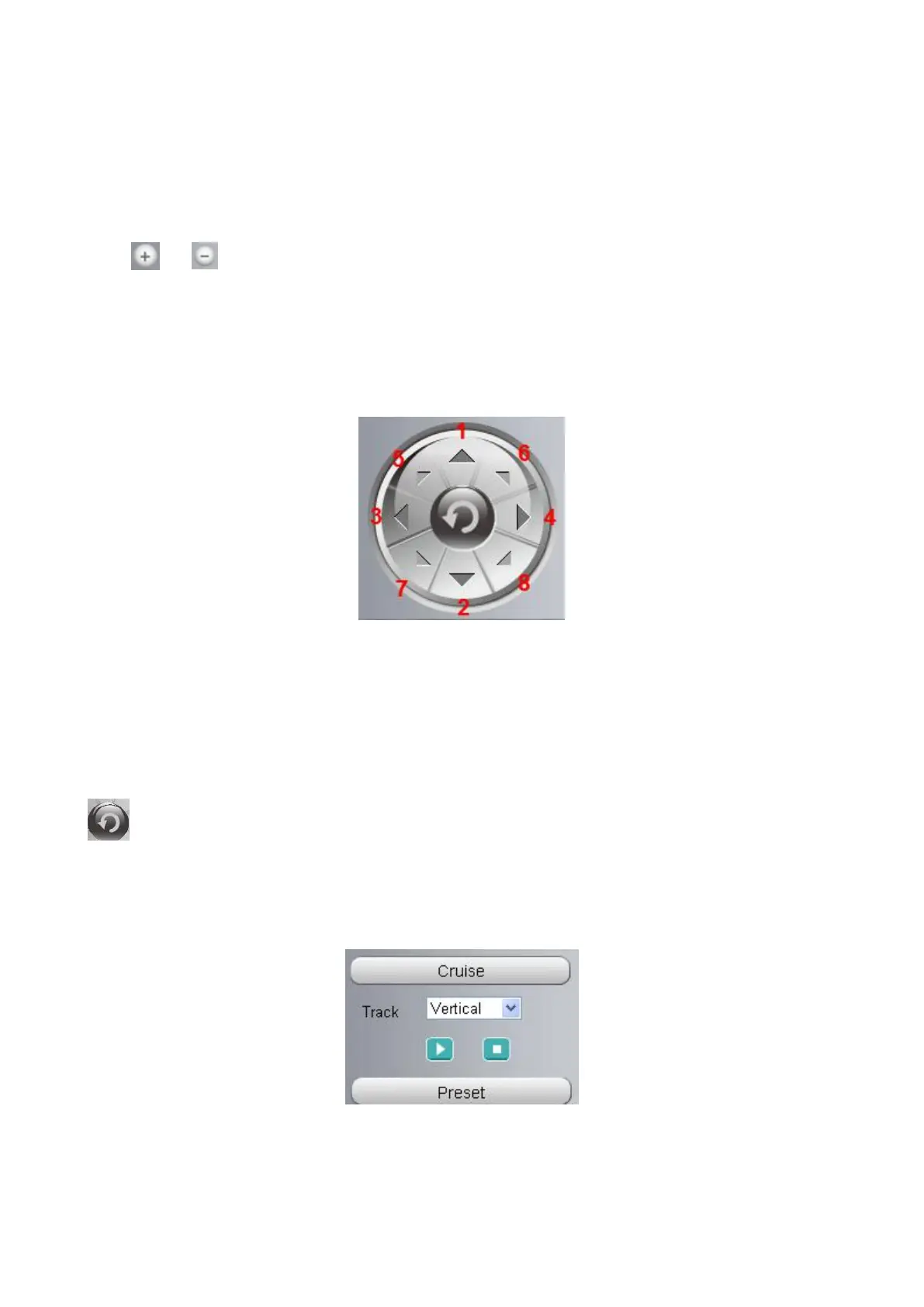
1----- Up control button, 2-----Down control button,
3------Left control button, 4------Right control button,
5----- Up-Left control button
6----- Up-Right control button
7----- Down-Left control button
8----- Down-Right control button
Click this button and go to center
Section 4 Cruise / Preset settings
Cruise Settings
The default cruise tracks have two types: Vertical and Horizontal.
Vertical: The camera will rotate from up to down.



 To Next Page