4.6 Detector
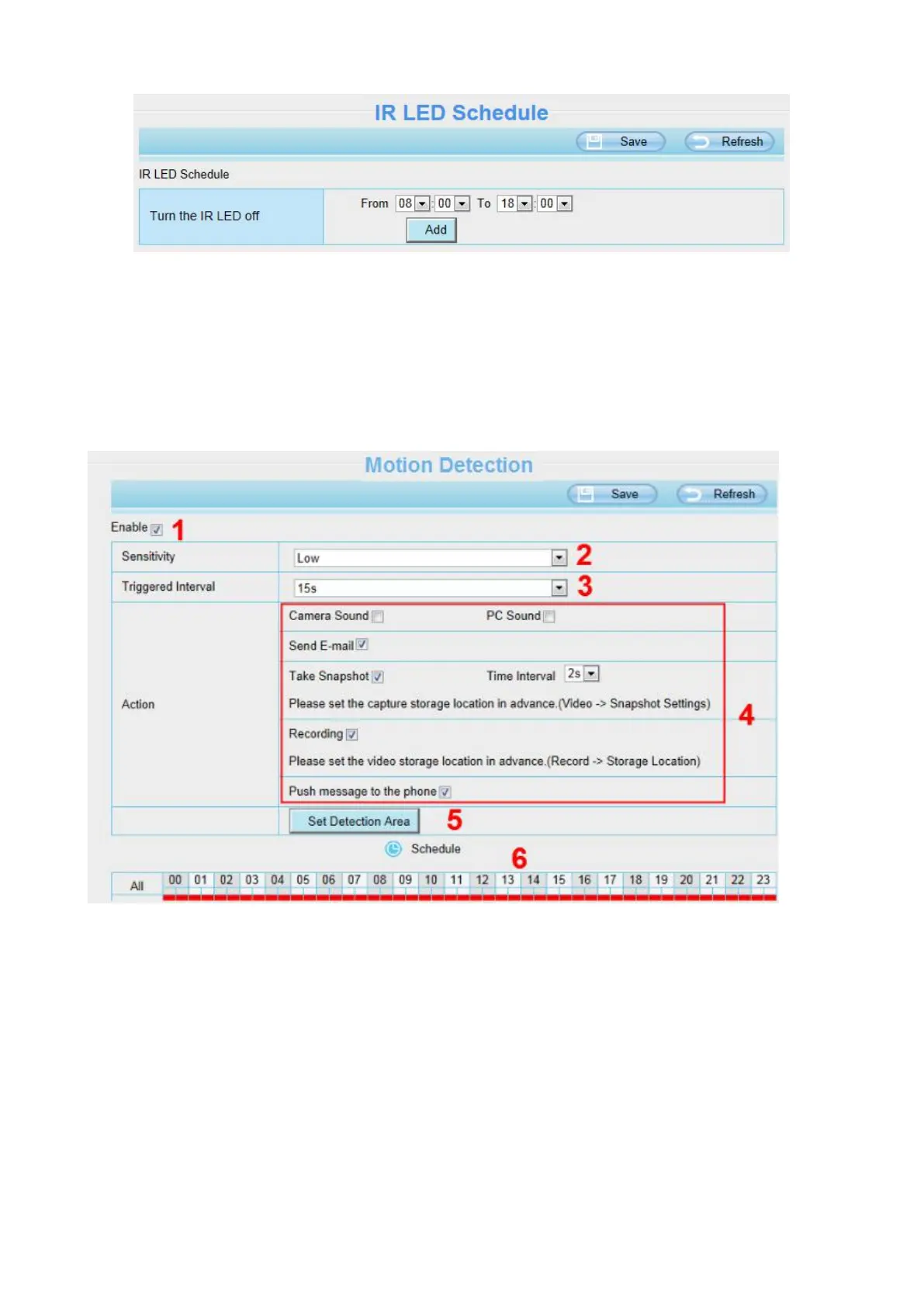
4.6.1 Motion Detection
IP Camera supports Motion Detection Alarm, when the motion has been detected, the IP Camera will
make an alarm.
Step 1: Enable motion detection function.
Step 2: Sensitivity---- It supports five modes: Lowest, Lower, Low, Medium and High. The higher the
sensitivity, the camera will be more easily alarmed. Select one motion sensitivity.
Step 3: Trigger interval--- The interval time between two motion detection.
Step 4:There are some alarm indicators:
A Camera Sound and PC Sound
If the camera has connected with a speaker or other audio output device, if you select Camera Sound or



 To Next Page