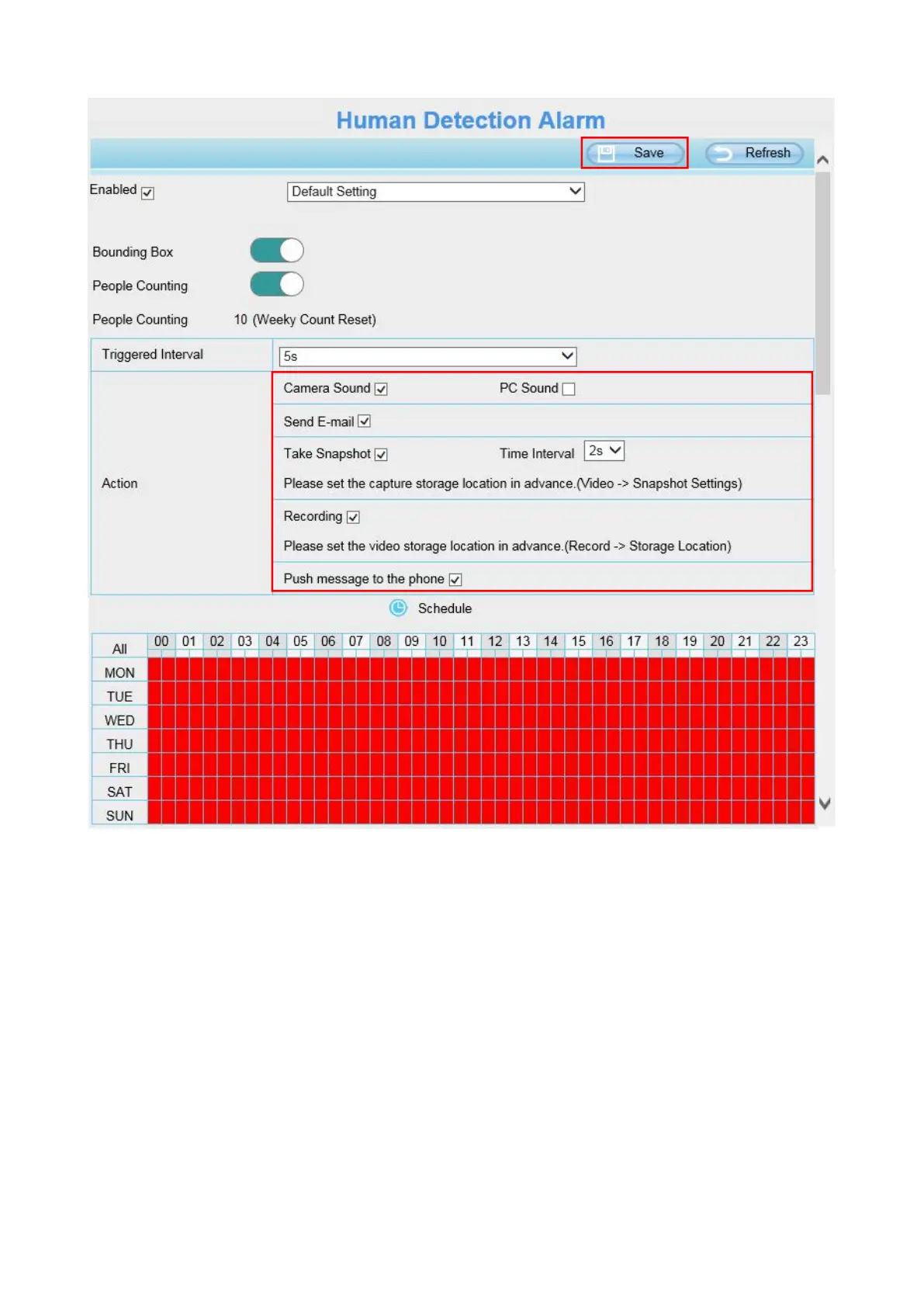
Step1: Enable human detection, then do the default setting.
Step 2: Bounding Box----Enable this item, the live window will pop up red box when camera detected
human.
Step 3: People Counting----Enable this item, camera will count the people who walk through the
surveillance area. The counting number will be reset to zero by week.
Step 4: Trigger interval--- The interval time between two human detection.
Step 5: Alarm action
Step 6: Alarm Schedule
Step 5 and step 6 are same as motion detection, for the detail action, please refer 4.6.1 Motion
Detection.
If you want to do more setting , select Advanced Setting when enable human detection. When on



 To Next Page