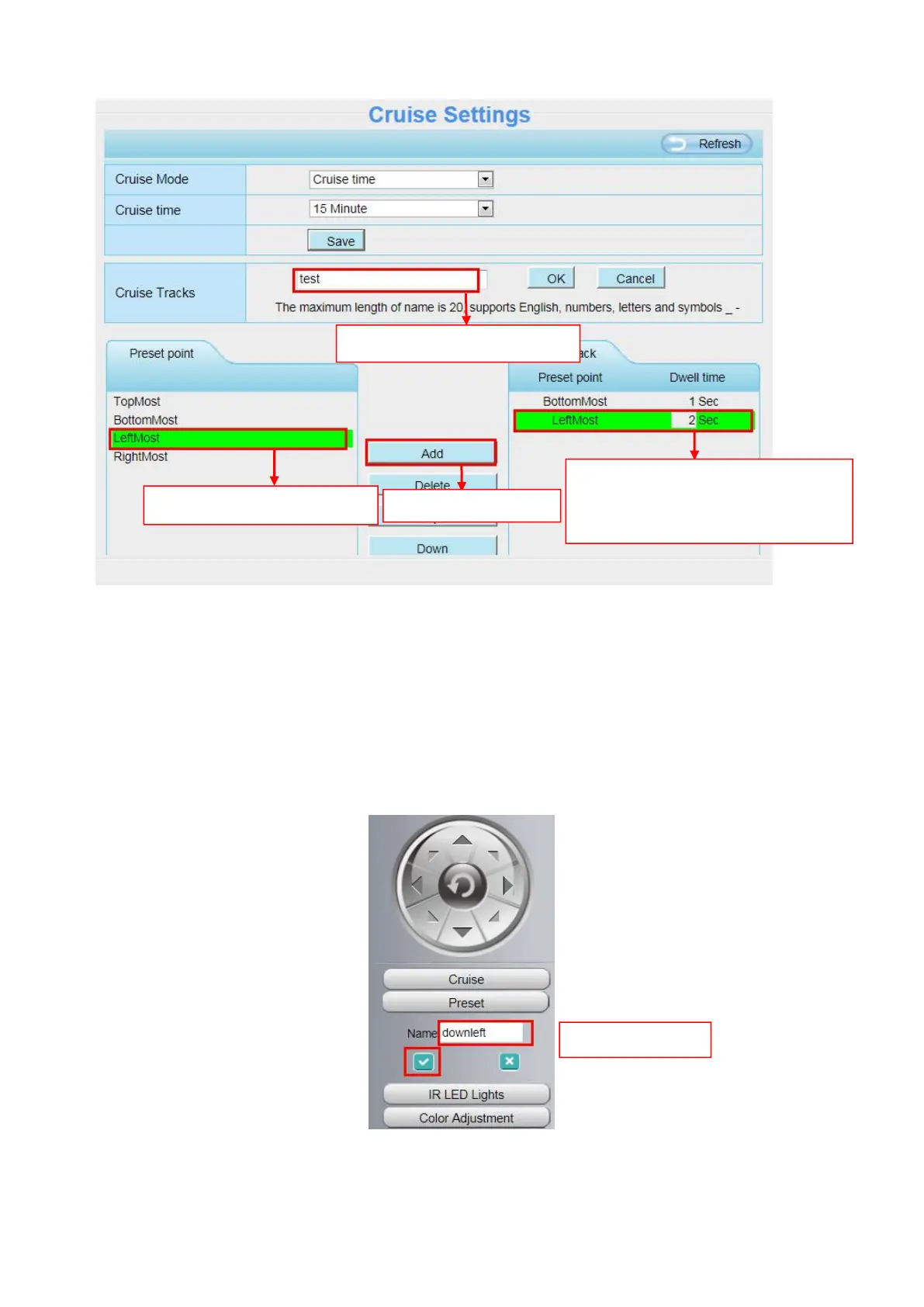
Thirdly: Click OK button and the cruise track will take effect.
You can add other cruise track as the same method.
For example: I have added three preset points to the “track 1”, that means : When I select the “track 1”
on the surveillance window, the camera moves as the following track: upright then Right Most last down
left.
You can add preset on the left of the surveillance window.
The new added track name.
1 Select one preset point.
Here you can see the preset point
has been added to one track. And
you can set the stay time.



 To Next Page