4 Surveillance Software Foscam VMS
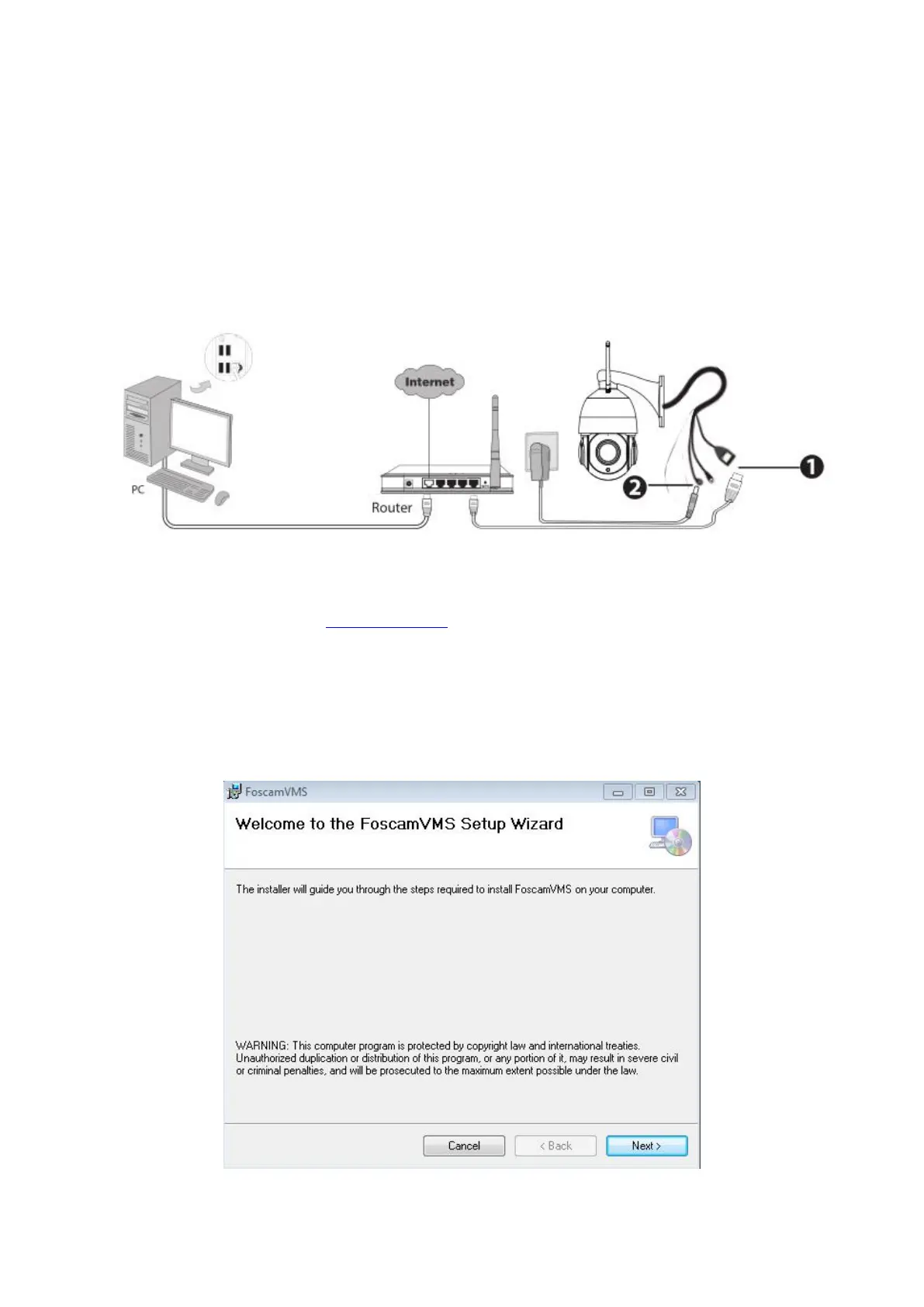
4.1 Hardware Connection & Software Installation
1. Connect the camera to the LAN network (Router or Switch) via network cable.
2. Visit Foscam official website foscam.com/vms , then you can find the “FoscamVMS_Beta”, Please
download it
4.2 Software Installation
1) Double click the software and follow the setup wizard to install the program.



 To Next Page