3.7.10.4 Factory Reset
Click Factory Reset button and all parameters will return to factory settings if selected.
The default administrator username is admin with a blank password.
3.7.10.5 Reboot
Click Reboot to reboot the camera. This is similar to unplugging the power to the camera.
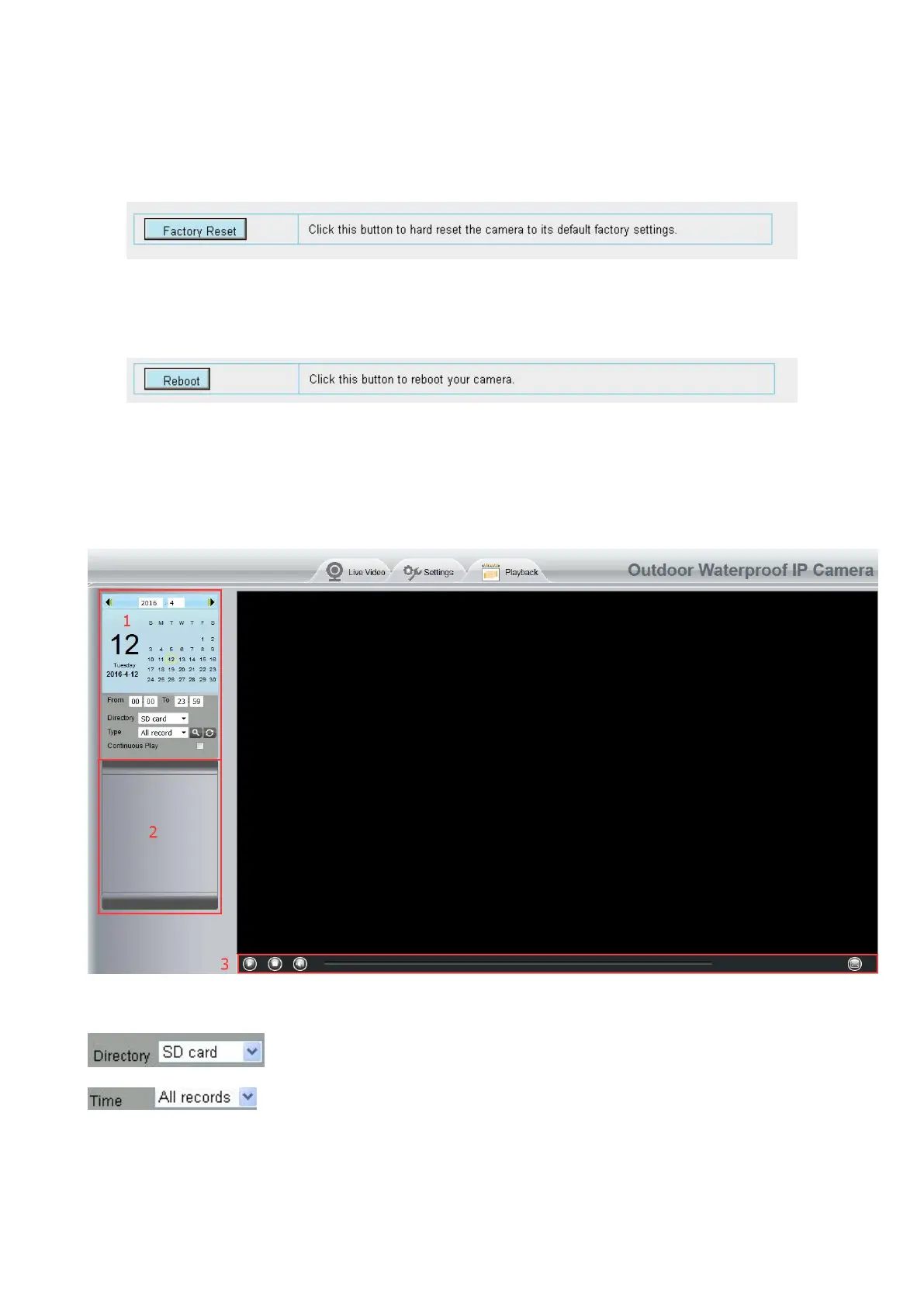
3.8 Playback
On this page you can view the record files stored in the SD card.
Section 1 Define the Record files time and Type
: The storage path of record files
: Here supports three types: current day, current month and All records. Another
way, select the time on the time&date manually.



 To Next Page