2 Access the IP Camera in Foscam App
2.1 Setting Up Your Camera:Wired Connection via Foscam App
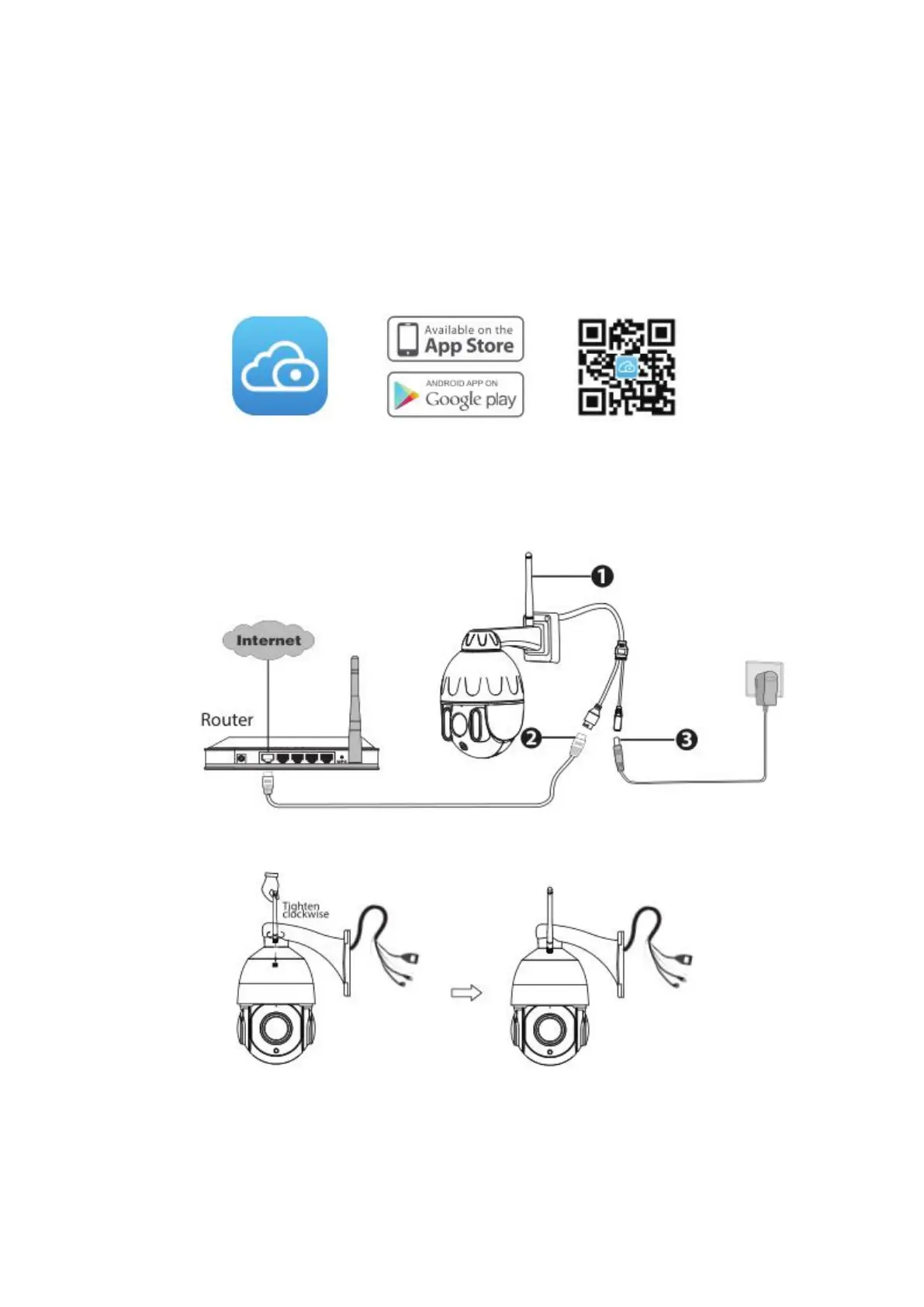
Scan the QR code below to download and install the Foscam APP.
Note: For the best experience, please update the APP to the latest version!
Wired Connection
1. Please tighten the antenna clockwise and make sure it is in a vertical position.
2. Connect the camera to your router with an Ethernet cable.
3. Plug the power adapter into the camera, and then wait for about 1 minute.
4. Make sure your smart phone is connected to the same WiFi network as the camera.



 To Next Page