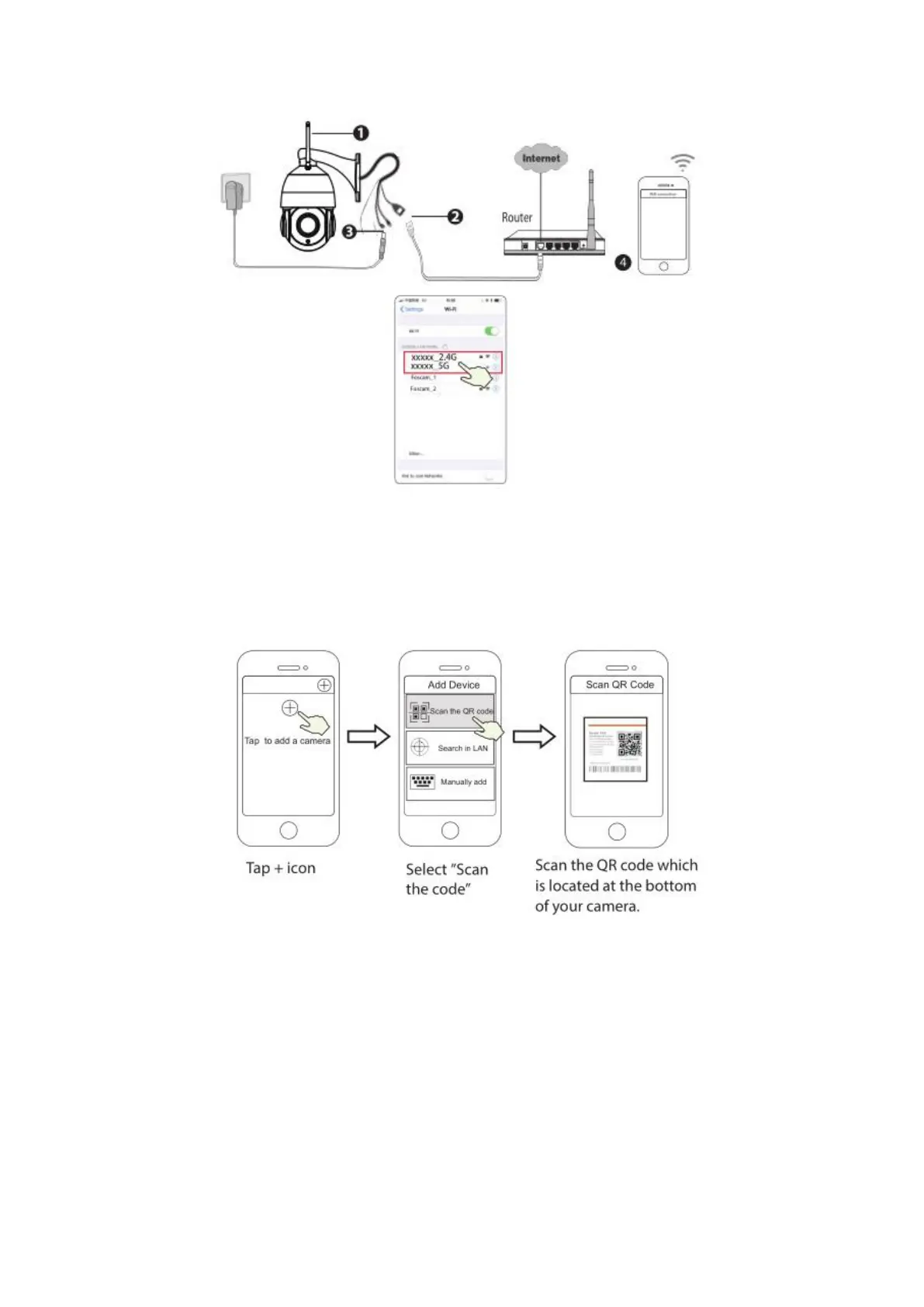
Tips: The camera supports dual-band 2.4GHz and 5GHz WiFi networks, so you can choose the channel
with the stronger signal to use. For example, choose your SSID: XXXXX_2.4G or XXXXX_5G.
5. Open the foscam APP and please register a Foscam account, or sign in if you have one already.
6. After logging into Foscam APP, select “Tap to add a camera” or "+" icon on the upper right corner,
then select "Scan the QR code" and scan the QR code that labeled at the bottom of your camera.
7. There are two options in the following steps, please pay attention to choose the corresponding adding
method.



 To Next Page