33
Model LM16 [Mixer basics]
You can group channels to group busses for
effective mixing.
Using the channel grouping function, you can
adjust levels of grouped channels using a
single fader while maintaining the balance
between channels.
Channel grouping
By setting the group assign switch (1-2 or 3-
4) of a channel to ON, the channel signal is
sent to group busses 1 and 2 or 3 and 4. A
group buss signal is output from the [GROUP
OUT] jacks.
When the [ASSIGN TO STEREO OUT] switch
above the group fader is set to ON, the group
buss signal is output to the corresponding
stereo buss.
For example, it would be a good idea to as-
sign channels for drums to a group. You can
control the level of drums using the corre-
sponding group fader without altering the
balance.
ST
1-2
3-4
ST
1-2
3-4
ST
1-2
3-4
ST
1-2
3-4
ST
1-2
3-4
ST
1-2
3-4
ST
1-2
3-4
ST
1-2
3-4
ST
1-2
3-4
ASSIGN TO
STEREO OUT
GROUP 3, 4
ASSIGN TO
STEREO OUT
GROUP 1, 2
STEREO
STEREO BUS
GROUP 1-2 BUS
GROUP 3-4 BUS
Channels which are assigned
to the stereo buss
Channels which are assigned
to the group busses
Assigned to the
stereo buss
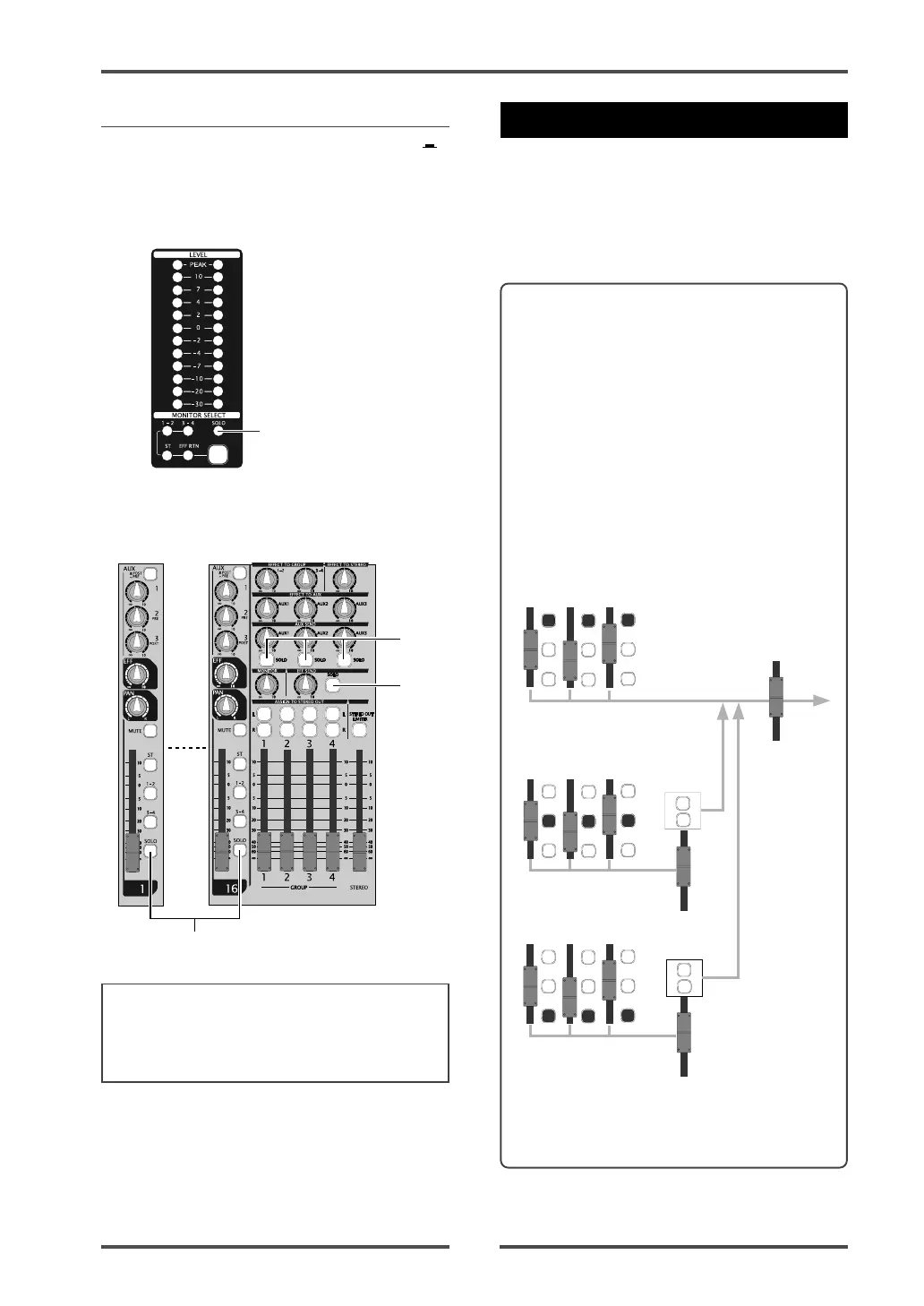
• Solo monitor
By setting the [SOLO] switch(es) to ON ( ),
you can solo monitor the corresponding chan-
nel signal(s).
If at least one of the [SOLO] switches is set to
ON, the [SOLO] indicator slowly flashes.
<Note>:
If any of the [SOLO] switches is set to
ON, the solo signal is monitored, while the
signal selected by the [MONITOR SELECT]
switch is interrupted.
You can find the [SOLO] switches on chan-
nels 1 through 16, the effect send, and AUX
sends 1 through 3 (see below).
[SOLO] indicator
[SOLO] switches
[SOLO]
switches



 To Next Page