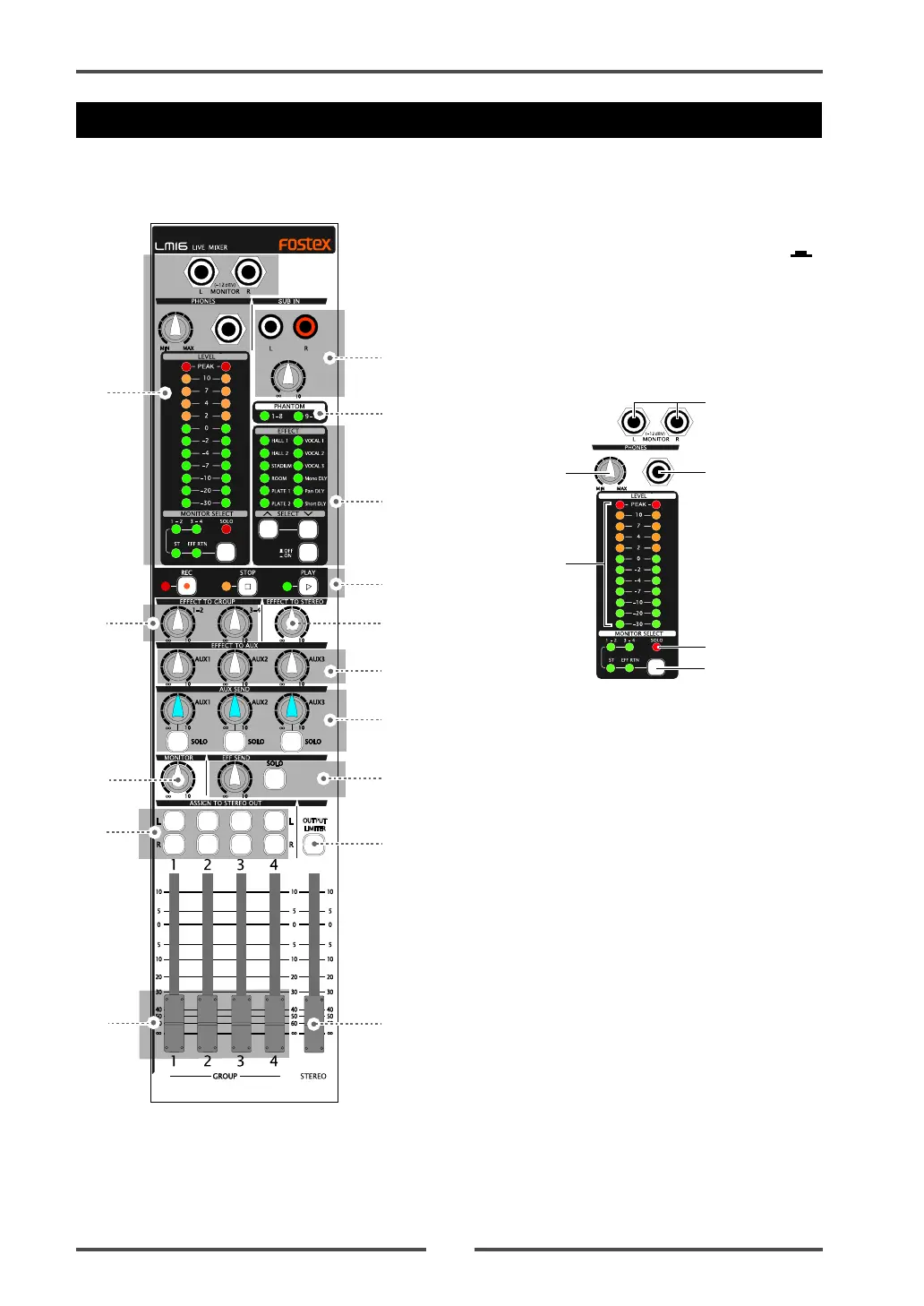
Model LM16 [Names and functions]
22
Control unit (Master channel)
18
17
19
20
21
23
22
24
25
27
26
28
29
31
30
(18) Monitor section
(a) [MONITOR L/R] jacks
You can connect a monitor amplifier or powered
monitor speakers to these jacks. The output level
can be adjusted by the [MONITOR] control.
(b) [PHONES] jack
Connects headphones. You can adjust the output
level using the [PHONES] and [MONITOR] controls.
(c) [PHONES] control
Adjusts the output level of the [PHONE] jack.
(d) [MONITOR LEVEL] indicators
Indicate the output level of the monitor signal se-
lected by the [MONITOR SELECT] switch (or the solo
monitor signal).
(e) [SOLO] indicator
When at least one of the [SOLO] switches is set to
ON, the [SOLO] indicator slowly flashes, while the
solo monitor signal is output from the [MONITOR
(L/R)] and [PHONES] jacks.
(f) [MONITOR SELECT] switch
Selects signals to be monitored. You can select from
Groups 1-2, Groups 3-4, Stereo and Effect return by
pressing the switch as many time as required.
When solo monitor is active, the selection is not ef-
fective (see page 32 for details).
a
b
c
d
e
f
(17) [SUB IN] jacks / [SUB IN] control
You can connect the [SUB IN] jacks to a CD player,
MD player, external mixer, etc., and use the [SUB
IN] control to adjust the input level.
By setting the [SOURCE] switches on input
channels 15 and 16 to the "SUB IN" position ( ),
the signals from the [SUB IN] jacks are sent to these
channels (L for channel 15, R for channel 16). See
page 34 for details.
Note that the [TRIM] control on each of channels 15
and 16 does not affect the [SUB IN] signal.



 To Next Page