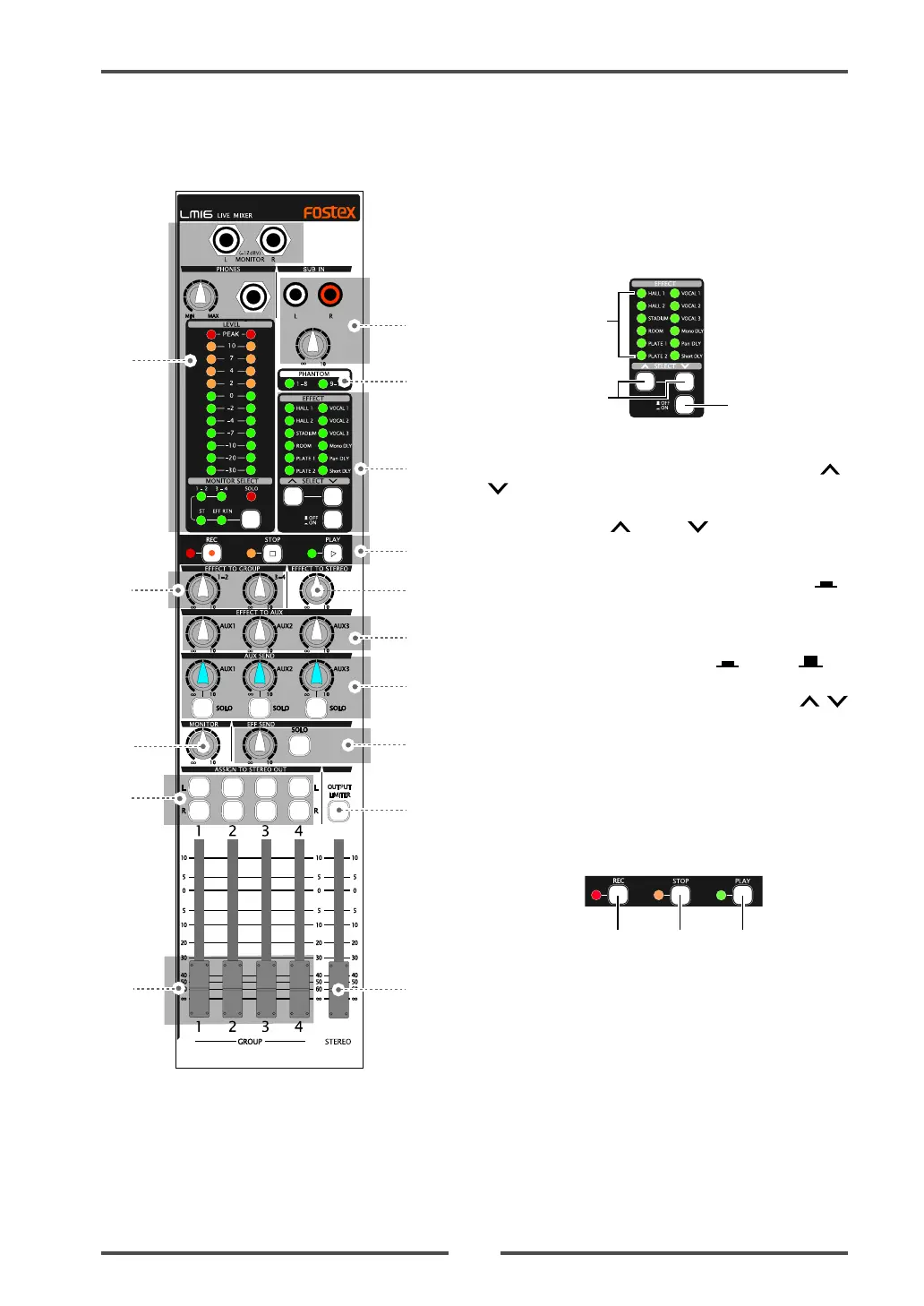
Model LM16 [Names and functions]
23
18
17
19
20
21
23
22
24
25
27
26
28
29
31
30
(19) [PHANTOM (1-8, 9-16)] indicators
Each indicator illuminates when the corresponding
[PHANTOM] switch ([1-8] or [9-16]) is set to ON.
The phantom power is supplied to the XLR
connectors in eight input groups (see page 28 for
details).
(20) Internal effects section
a
b
c
(a) [EFFECT] indicator
The current effect type selected by the [SELECT] /
switches illuminates.
(b) [SELECT] up ( )/down ( ) switches
Select an effect type (the indicator for the selected
effect type illuminates).
When the [EFFECT] on/off switch is set to ON ( ),
the current effect is effective.
(c) [EFFECT] on/off switch
Switches the internal effects on ( ) or off ( ).
When the switch is set to the down position (ON),
the current effect selected by the [SELECT] /
switches is effective (see page 31 for details).
(21) Control section
Pressing a key in this section sends an MMC
command to an external MIDI device connected
to the [MIDI OUT] port (see page 40 for details).
(a) [REC] key
Pressing the key sends the RECORD command to
an external MIDI device for starting recording.
(b) [STOP] key
Pressing the key sends the STOP command to an
external MIDI device for stopping recording.
(c) [PLAY] key
Pressing the key sends the PLAY command to an
external MIDI device for starting playback.



 To Next Page