EasyManua.ls Logo

Fostex X-28 - Page 23

Fostex X-28
36 pages
Print Icon
To Next Page IconTo Next Page
To Previous Page IconTo Previous Page
Loading...
To
use
punch-in/punch-out
recording
with
the
footswitch:
1.
Make
the
connections
shown
in
the
illustration
above.
In
this
example,
we
will
be
recording
direct
to
the
track,
so
the
input
is
connected
to
channel
4.
The
second
footswitch
connected
to
the
0
RTN/
PLAY
jack
is
optional.
2.
Make
the
settings
necessary
for
monitoring
the
previously
recorded
tracks,
as
shown
above.
Set
all
the
INPUT
SELECT
switches
to
TRK
and
turn
the
AUX
SEND
oortrols
forthe
tape
tracks
to
their
TRK
settings.
Also
make
sure
that
the
MONITOR
switch
is
set
to
AUX,
the
INPUT
B
switch
is
at
MONMIX,
and
the
master
AUX
SEND
and
MONITOR
controls
are
set
to
suitable
levels.
(Since
we
are
using
the
AUX
SEND
to
monitor
the
tape
signals,
the
faders
on
the
channels
can
be
set
to
0.)
3.
Select
the
track
for
recording
with
the
REC
SE¬
LECT
switch.
(Either
direct
or
stereo
buss
record¬
ing
can
be
used.)
The
appropriate
REC
TRACK
indicator
will
flash.
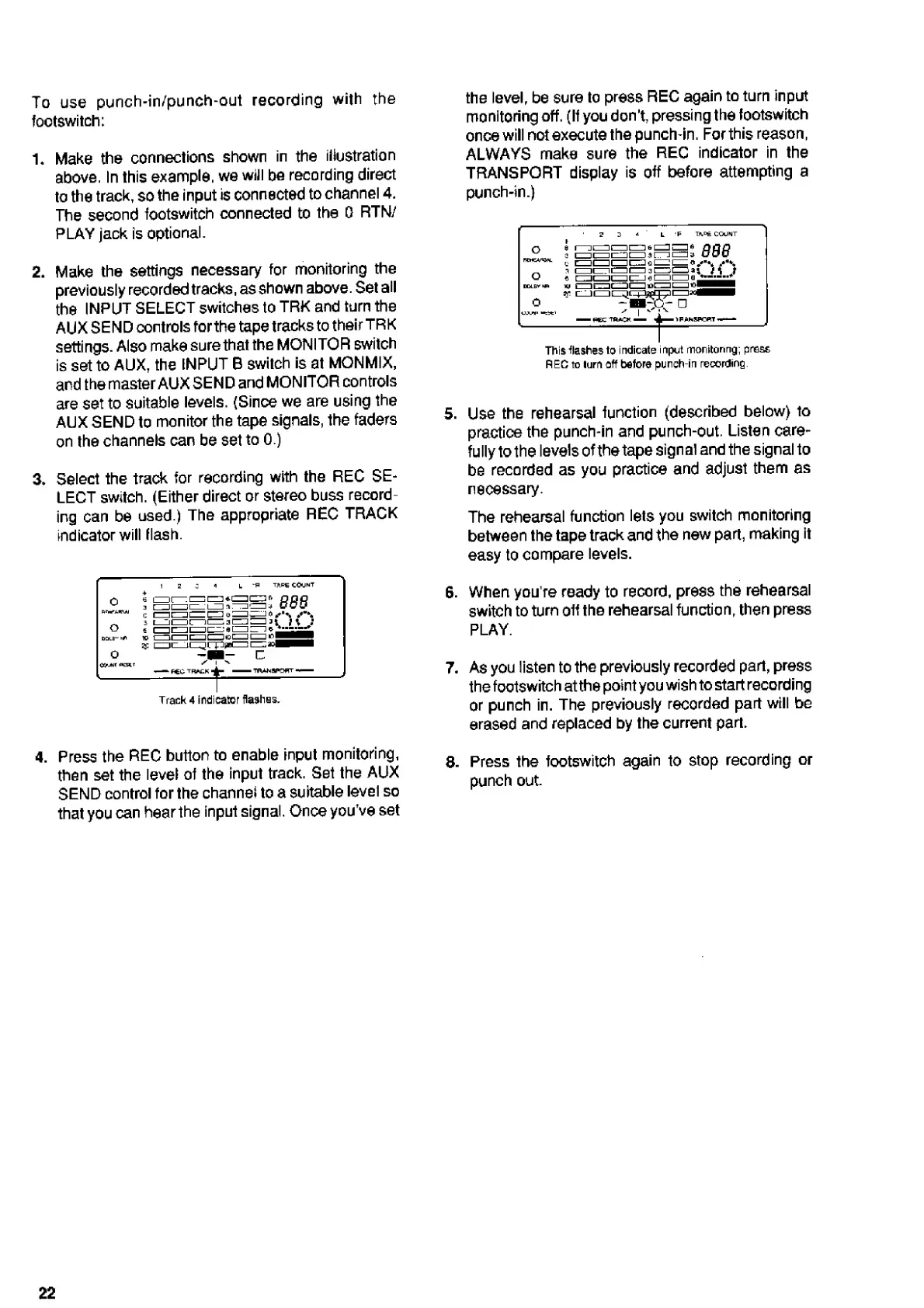
Track
4
indicator
flashes.
4.
P
r
ess
the
REC
button
to
enable
input
monitoring,
then
set
the
level
of
the
input
track.
Set
the
AUX
SEND
control
for
the
channel
to
a
suitable
level
so
that
you
can
hear
the
input
signal.
Once
you’ve
set
the
level,
be
sure
to
press
REC
again
to
turn
input
monitoring
off.
(If
you
don’t,
pressing
the
footswitch
once
will
not
execute
the
punch-in.
For
this
reason,
ALWAYS
make
sure
the
REC
indicator
in
the
TRANSPORT
display
is
off
before
attempting
a
punch-tn.)
This
flashes
to
indicate
input
monitoring;
press
REC
to
lurn
off
before
punch-in
recording
5.
Use
the
rehearsal
function
(described
below)
to
practice
the
punch-in
and
punch-out.
Listen
care¬
fully
to
the
levels
of
the
tape
signal
and
the
signal
to
be
recorded
as
you
practice
and
adjust
them
as
necessary.
The
rehearsal
function
lets
you
switch
monitoring
between
the
tape
track
and
the
new
part,
making
it
easy
to
compare
levels.
6.
When
you’re
ready
to
record,
press
the
rehearsal
switch
to
turn
off
the
rehearsal
function,
then
press
PLAY.
7.
As
you
listen
to
the
previously
recorded
part,
press
the
footswitch
at
the
point
you
wish
to
start
recording
or
punch
in.
The
previously
recorded
part
will
be
erased
and
replaced
by
the
current
part.
8.
Press
the
footswitch
again
to
stop
recording
or
punch
out.
22

Related product manuals