Foundry Hardware Installation Guide for the FES, FESX, and FWSX
7 - 4 © 2006 Foundry Networks, Inc. June 2006
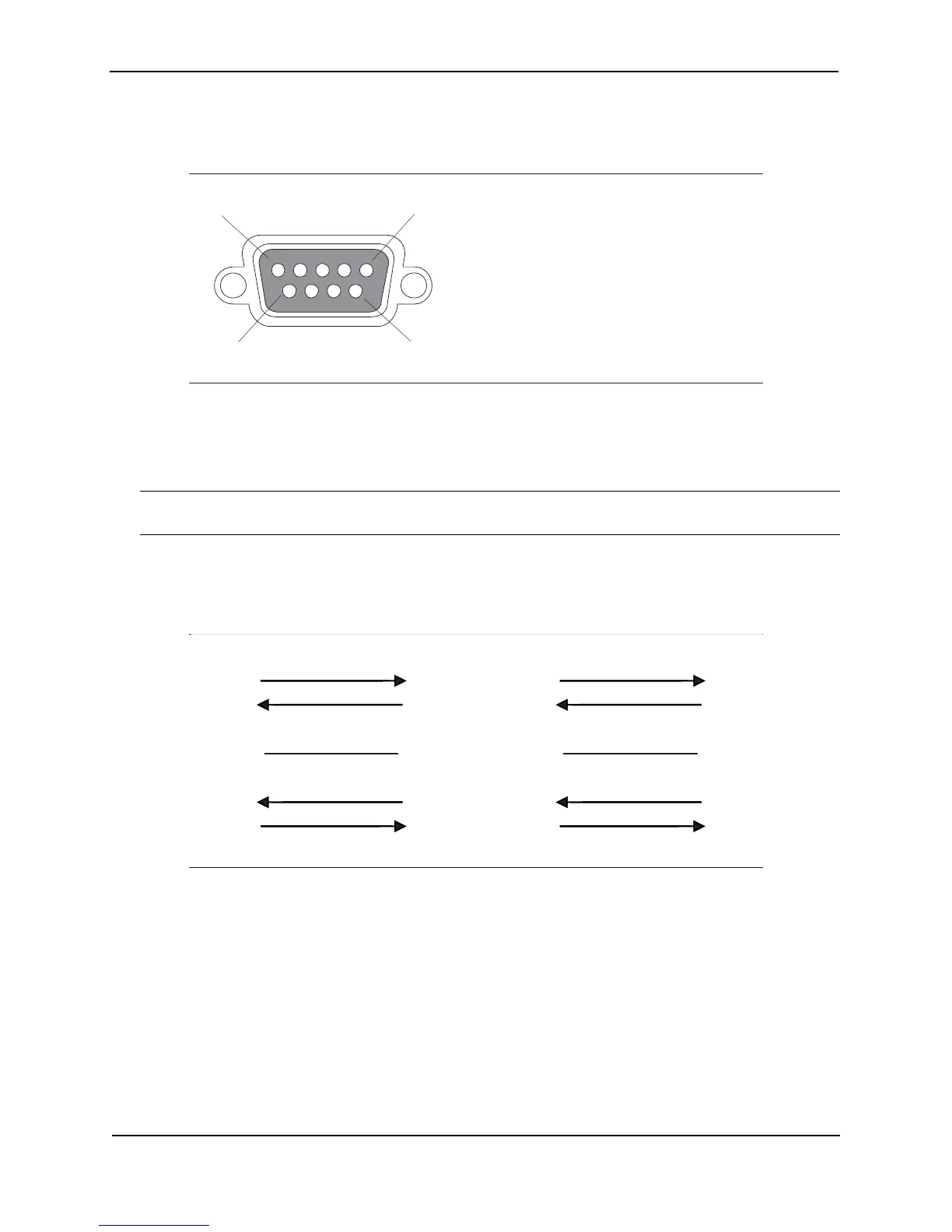
Figure 7.1 Serial port pin and signalling details
Most PC serial ports require a cable with a female DB-9 connector. However, terminal connections will vary,
requiring a cable with either a DB-9 or DB-25 connector, male or female.
Serial cable options between the FSX chassis and a PC or terminal are shown in Figure 7.2.
NOTE: As indicated in Figure 7.1 and Figure 7.2, some of the wires should not be connected. If you do connect
the wires that are labeled “Reserved”, you might get unexpected results with some terminals.
Figure 7.2 Console Port Pin Assignments Showing Cable Connection Options to a Terminal or PC
10/100 and Gigabit Port Pinouts
• 10Base-T/100Base-TX ports come with RJ45 jacks for standard unshielded twisted pair (UTP/Category 5)
cable connections.
• 1000Base-SX ports come equipped with SC connectors.
• 1000Base-LX ports come equipped with SC connectors.
• 1000Base-LH ports come equipped with SC connectors.
• 1000Base-T ports come equipped with RJ-45 connectors.
• 10GBase-LR and SR ports come equipped with XFP MSA connectors.
1
5
96
Pin Assignment
DB-9 male
Pin Number
1
2
3
4
5
6
7
8
9
Switch Signal
Reserved
TXD (output)
RXD (input)
GND
CTS (input)
RTS (output)
Reserved
Reserved
Reserved
1
2
3
4
5
6
7
8
9
1
2
3
4
5
6
7
8
9
Reserved
DB-9 to DB-9
Female Switch
Reserved
Reserved
Reserved
Terminal or PC
1
2
3
4
5
6
7
8
9
8
3
2
20
7
6
4
5
22
Reserved
DB-9 to DB-25
Female Switch
Reserved
Reserved
Reserved
Terminal or PC



 To Next Page