Business iQ (BiQ) Self Help Troubleshooting Guide
Printed: 5 July 2021
© FOXTEL Management Pty Ltd 2020 13
15. Video Break-up – One Box
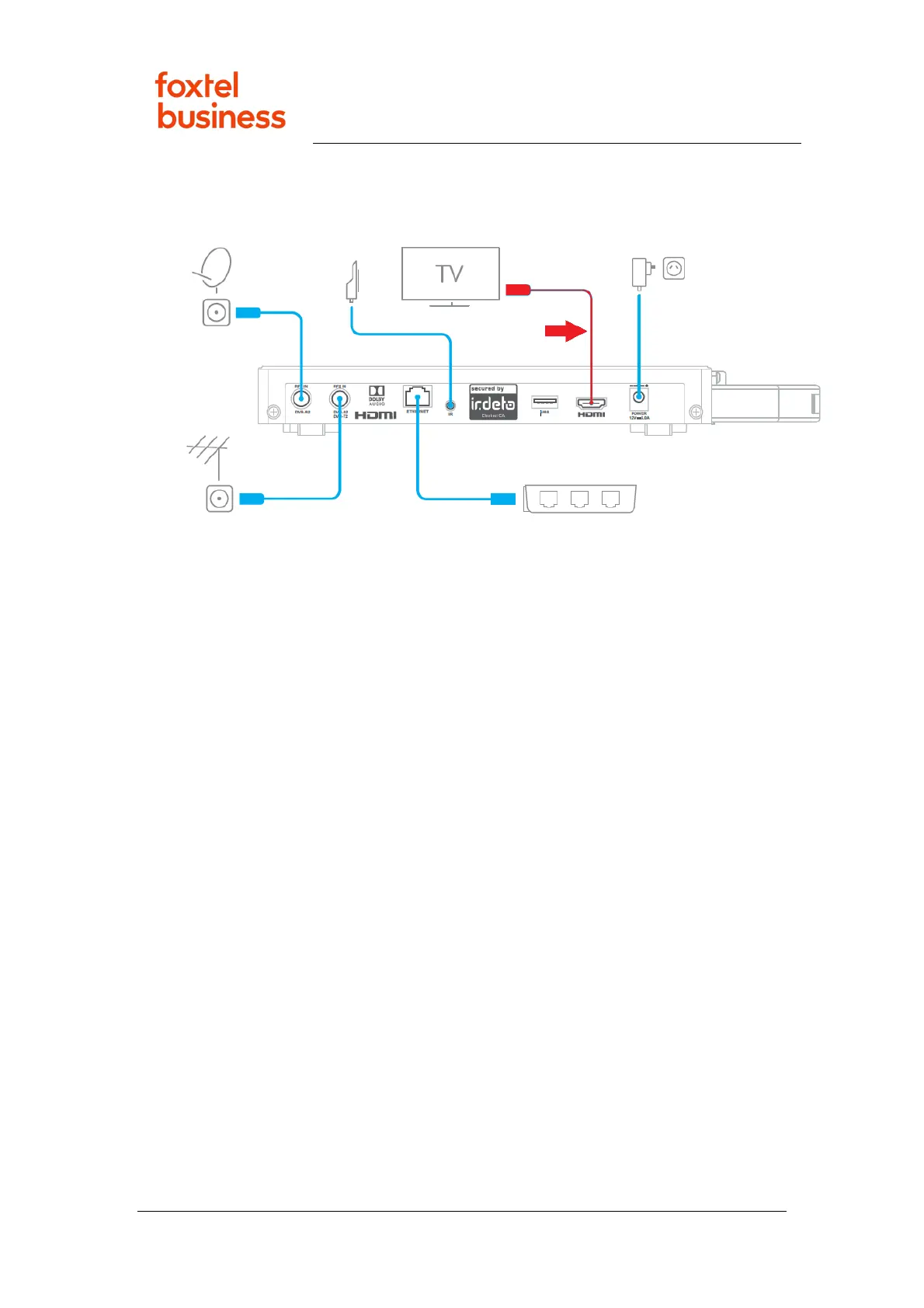
1. Completely remove each end of the HDMI cable, both the connection to the
box and the TV (see image below), and then refit it.
2. Is video now OK?
• Yes – Problem was HDMI connection. Issue resolved.
• No – Continue below.
3. Power cycle the box by removing disconnecting power for 10 seconds and then
reconnecting it. After the box powers up, is video now OK?
• Yes – Problem was HDMI connection. Issue resolved.
• No – Continue below.
4. If another HDMI cable is available replace the current cable with the new one.
Note: The box and TV communicate over the HDMI cable (using protocol called
EDID) to auto negotiate the video format. This may not work correctly if the
HDMI cable is not the one that was originally installed with the box.
5. Power cycle the box by removing disconnecting power for 10 seconds and then
reconnecting it. After the box powers up, is video now OK?
• Yes – Problem was HDMI cable. Issue resolved.
• No – Escalate to Foxtel Commercial.
16. Hospitality TV does not Power Up to Box Welcome
Screen/HDMI port.
1. Request/follow instructions from TV manufacture/supplier on how to
reconfigure TV to power up to HDMI port connected to box.



 To Next Page