Business iQ (BiQ) Self Help Troubleshooting Guide
Printed: 5 July 2021
© FOXTEL Management Pty Ltd 2020 25
2. Exit to live TV. Press the Power key on the remote control. Is the box Welcome
screen momentarily displayed prior to the TV going into standby?
• Yes – Remote control is correctly programmed for TV and box.
• No – Remote control is not programmed for box. Go to Programming the
Remote Control.
Important: If the Welcome screen is not displayed the remote control is
incorrectly programmed and may not bring box out of standby. Some TV models
may turn off too quickly to display the Welcome screen. If this is the case the TV
may be brought out of standby in isolation from the box (e.g. by using the power
button on the TV or pressing the power key on the TV’s remote control) to confirm
the SBB is displaying the Welcome screen.
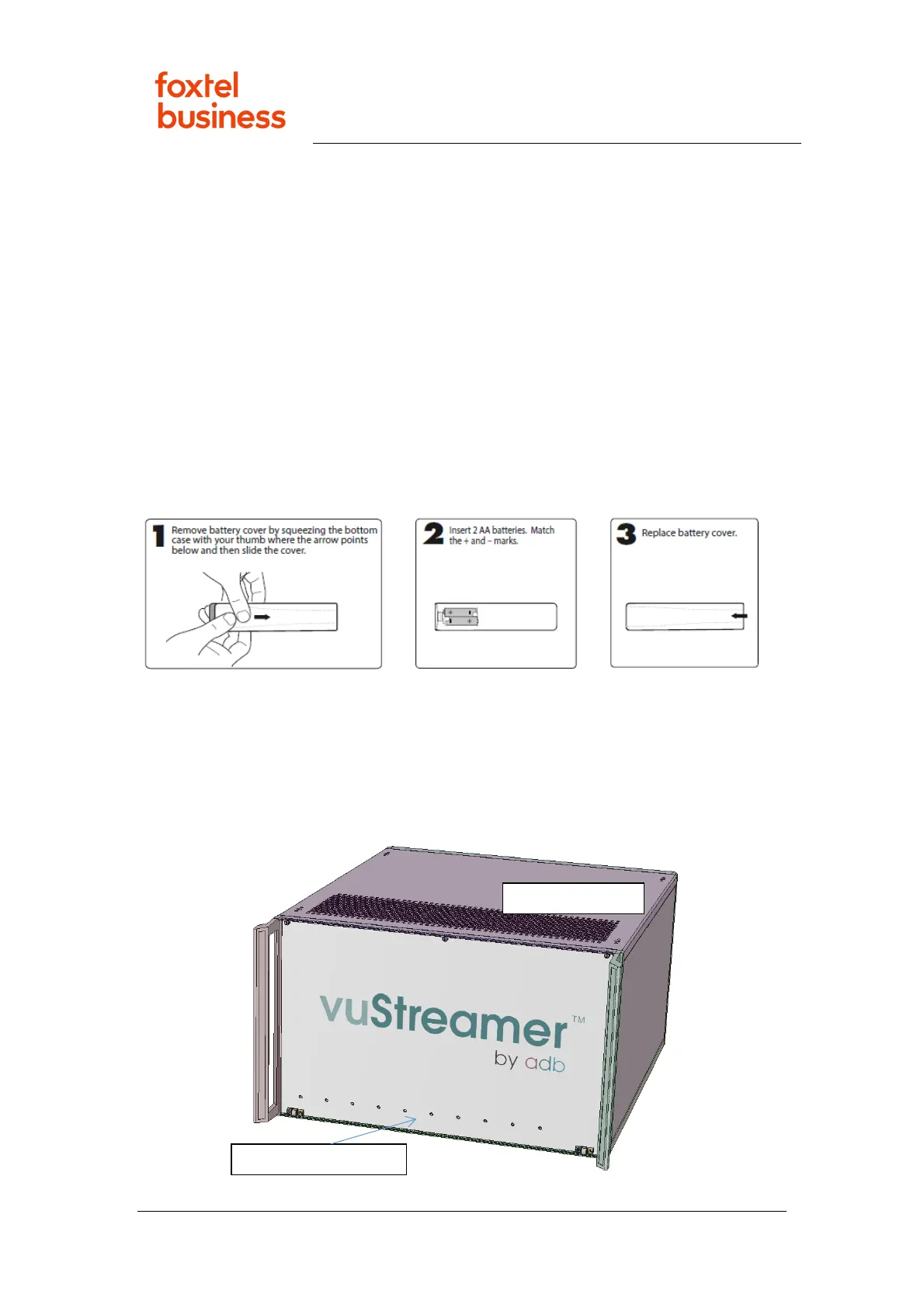
35. Replacing Remote Control Batteries
1. Follow instructions below to replace the old remote-control batteries with 2x AA
batteries:
2. Does remote control illuminate red above the Power key with any key press?
• Yes – Remote control is operable. Issue resolved.
• No – Remote control appears to be faulty. Go to Escalate to Foxtel
Commercial to arrange a replacement.
36. vuStreamer Troubleshooting



 To Next Page