Business iQ (BiQ) Self Help Troubleshooting Guide
Printed: 5 July 2021
© FOXTEL Management Pty Ltd 2020 17
3. Do all vuStreamer tuner cards have a Status of Up?
• Yes – Continue below.
• No – Re-boot will not work on a tuner card that is Down. Go to Power-Cycle
vuStreamer.
4. Click Reboot on the vuStreamer room and Yes when prompted to confirm.
5. Wait for all vuStreamer tuner cards to show a Status of Up (refresh Browser
window after 10 minutes). Does the re-boot solve the issue?
• Yes – Issue resolved.
• No - Go to Escalate to Foxtel Commercial.
24. Reset of Box Parental Control PIN
1. Login to EzVu (refer to How to Login to EzVu).
2. For the property’s location, select “Rooms” from the EzVu menu find the box
number or room number in the list.
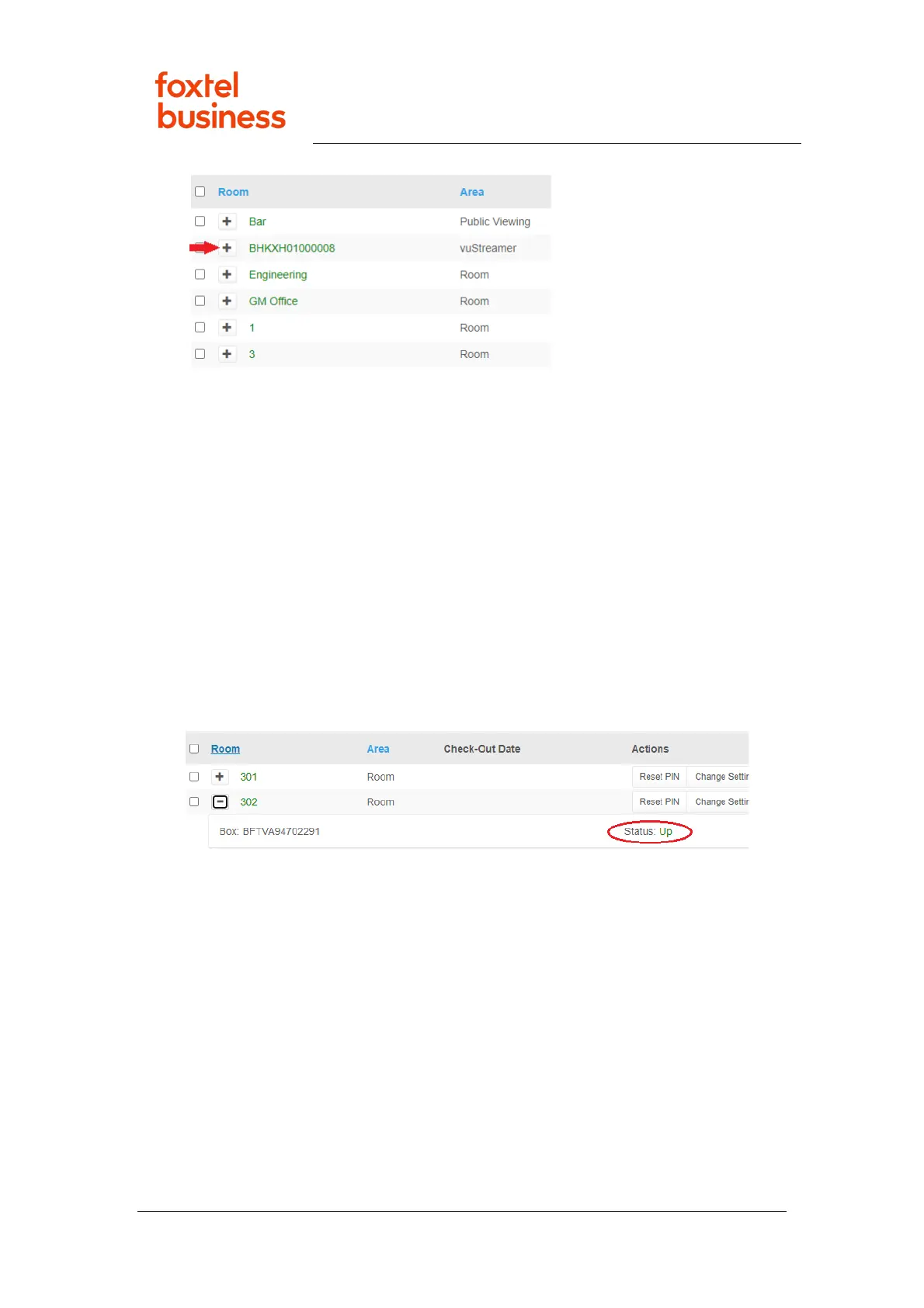
6. Does the box requiring PIN reset have a Status of Up (as in image below)?
• Yes – Continue below.
• No – A box that is Down cannot be reset. Go to Box Down in EzVu.
4. Select “Reset PIN” for the desired room.
5. Enter a 4-digit PIN code or leave empty (an empty PIN will clear any Parental
Control Rating Level and Blocked Channels settings that had previously been
applied).
6. Click “Apply” to submit change. Issue resolved.
25. Change Guest/Box Settings
1. Login to EzVu (refer to How to Login to EzVu).
2. For the property’s location, select “Rooms” from the EzVu menu and find the
box number or room number in the list.
7. Does the box requiring setting change have a Status of Up (as in image
below)?



 To Next Page