Business iQ (BiQ) Self Help Troubleshooting Guide
Printed: 5 July 2021
© FOXTEL Management Pty Ltd 2020 26
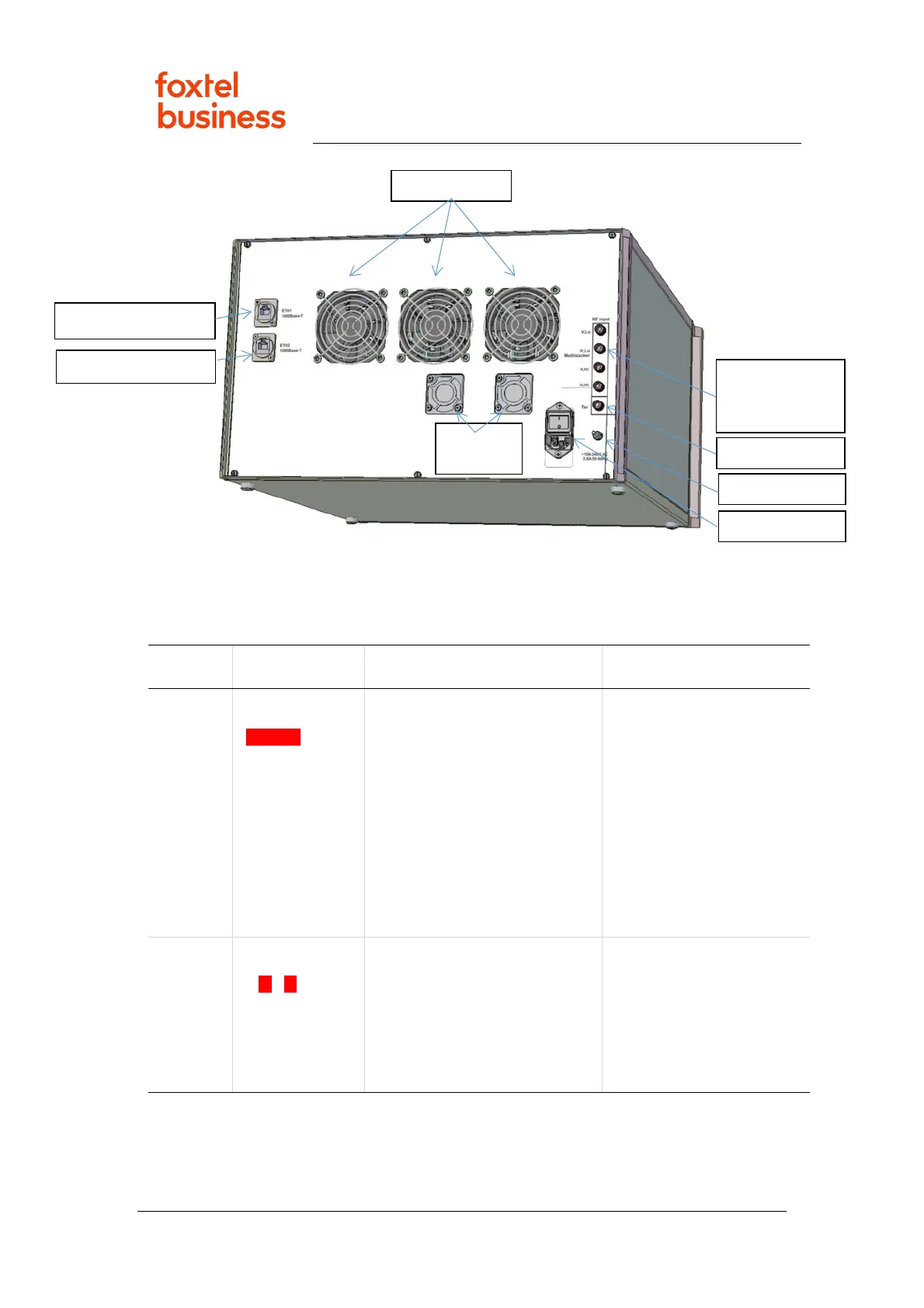
The performance of the vuStreamer IPTV mini-headend is indicated by its front panel
LED behaviour. If all LEDs are green and constantly illuminated, each tuner card is
operating correctly. Refer to the LED behaviour and the suggested troubleshooting
action in below.
Color State Information Troubleshooting
RED Continuous
☼☼☼☼
Critical problem with Ethernet
input. The Ethernet cable has
not been detected.
Check Ethernet cable
connections to vuStreamer
as per vuStreamer Cable
Connections.
Request property’s IT
manager run the Unix show
interface command for
each of the two assigned
GbE ports on the core
switch to verify they are
connected.
RED Flashing
☼☼☼☼
(monotonous
flashing; 0.5:0.5)
No IP address.
The lack of an IP address
assigned in either static or
automatic way to Ethernet
interface.
Request property’s IT
manager run the Unix show
arp command on the core
switch to verify the MAC
addresses listed on the rear
label of the vuStreamer are
present on the network.
2x PSU
Multistacker



 To Next Page