12
Next Generation Diagnostic Platform NT726TS User's Manual V1.0
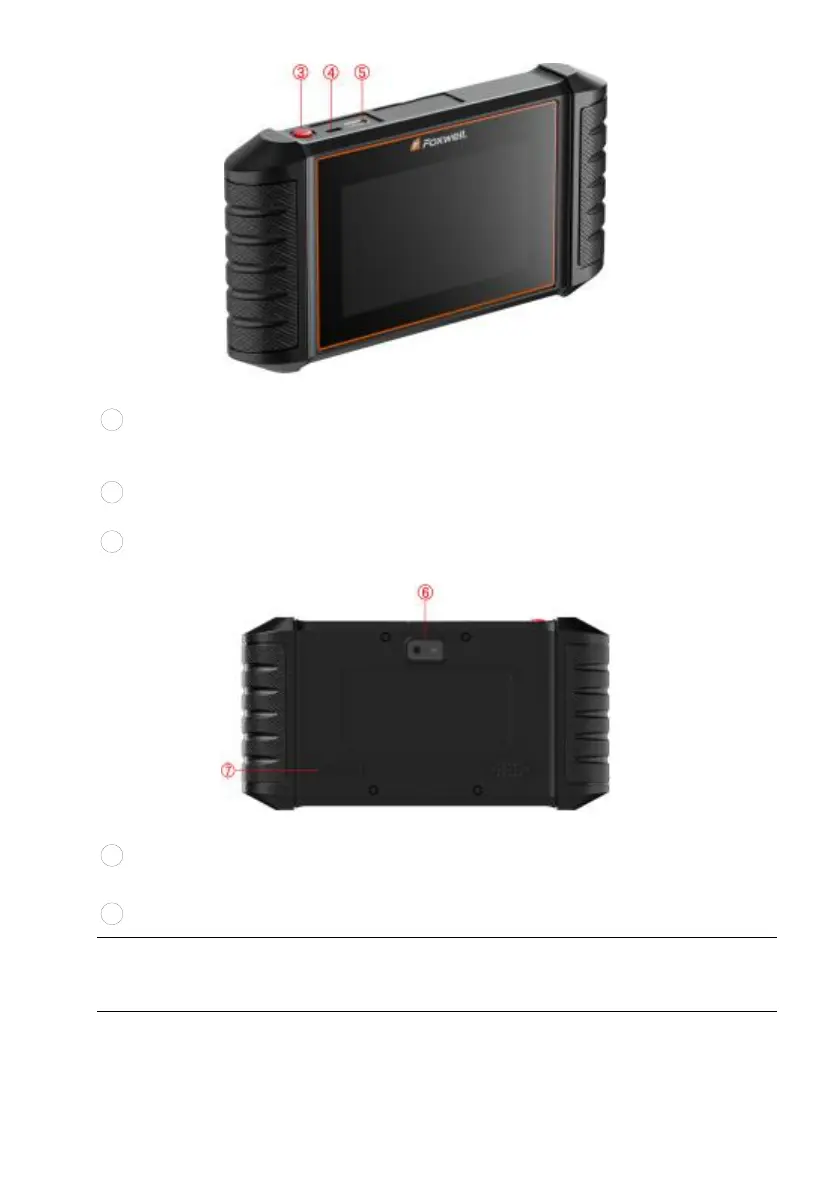
Figure 2-2 Top View
3
Power Switch - turns on the scanner, goes to sleep mode or wake up
the scanner from sleep mode. Press and hold for 3 seconds for start or
emergency shutdown. Double click to screenshot.
4
USB Type-C Port - connects to wall plug to charge the scanner and can
be used for data transfer.
5
USB Type-A Port - provides a USB connection for the external storage
devices.
Figure 2-3 Back View
6
Rear-Facing Camera - takes pictures of VIN number, faulty parts and
plates and shoots test videos.
7
Speaker
– outputs audio.
IMPORTANT
Do not use solvents such as alcohol to clean display. Use a mild nonabrasive
detergent and a soft cotton cloth.



 To Next Page