29
Next Generation Diagnostic Platform NT726TS User's Manual V1.0
NOTE
Not all identification options listed above are applicable to all vehicles.
Available options may vary by vehicle manufacturer.
8.1 Vehicle Connection
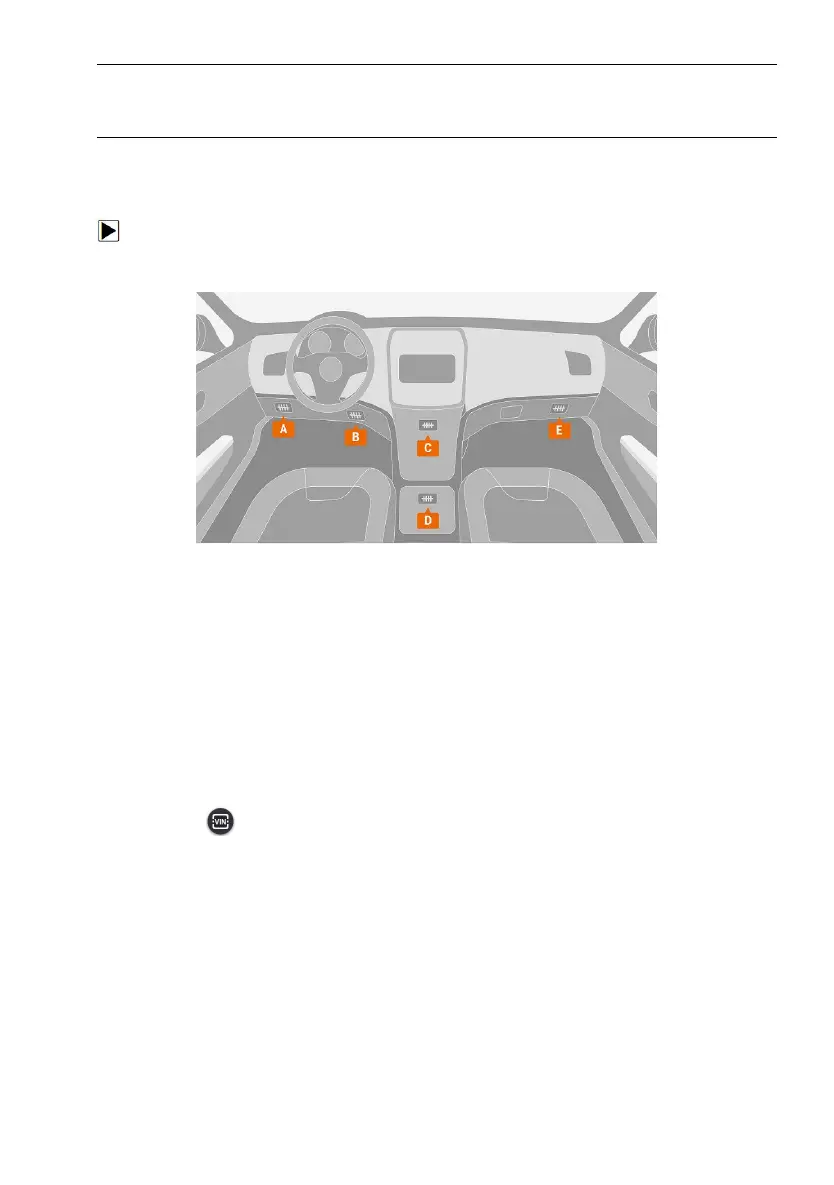
To connect to vehicle:
1. Locate the data link connector (DLC). The DLC is generally located under
the dash on the driver side of the vehicle.
Figure 8-1 Sample Vehicle Connection Screen
2. Attached the diagnostic cable to the scanner and tighten the captive
screws to ensure good connection.
3. Connect a correct adapter to the data cable according to the vehicle being
serviced and plug it into the vehicle DLC.
4. Switch the ignition key to the ON position.
8.2 VIN Reading
VIN button on the title bar is a shortcut for VIN reading menu, which
includes Automatic Read, Manual Entry, eliminating the need for navigating
through complicated car identification process.



 To Next Page