17
Next Generation Diagnostic Platform NT726TS User's Manual V1.0
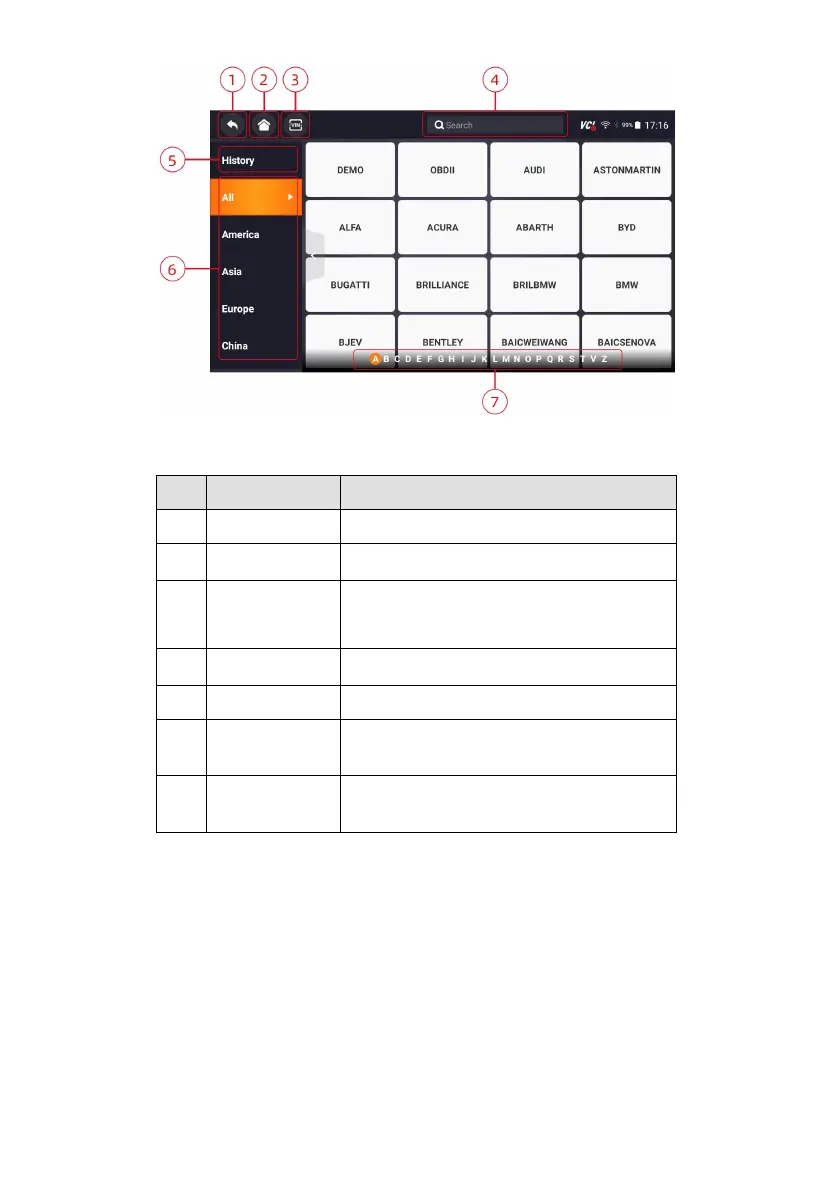
Figure 3-3 Sample Diagnostic Menu Screen
Back to the previous screen.
Back to the Application Menu.
Shortcut for VIN reading menu, which typically
includes Automatic Read, Scan VIN and
Manual Entry.
Lets you search a vehicle make quickly.
Displays the tested vehicle records.
Displays car makes from different origins like
America, Asia, Europe and Chinese.
Allows you to find a vehicle by initials.
Table 3-1 Title Bar of Diagnostic Menus
4 My Account
This section introduces user account registration, login, device activation and
other information.
When My Account application is selected, a menu with available options
displays.
My Account Menu options typically include:
● My Account
● My Products



 To Next Page