80
Next Generation Diagnostic Platform NT726TS User's Manual V1.0
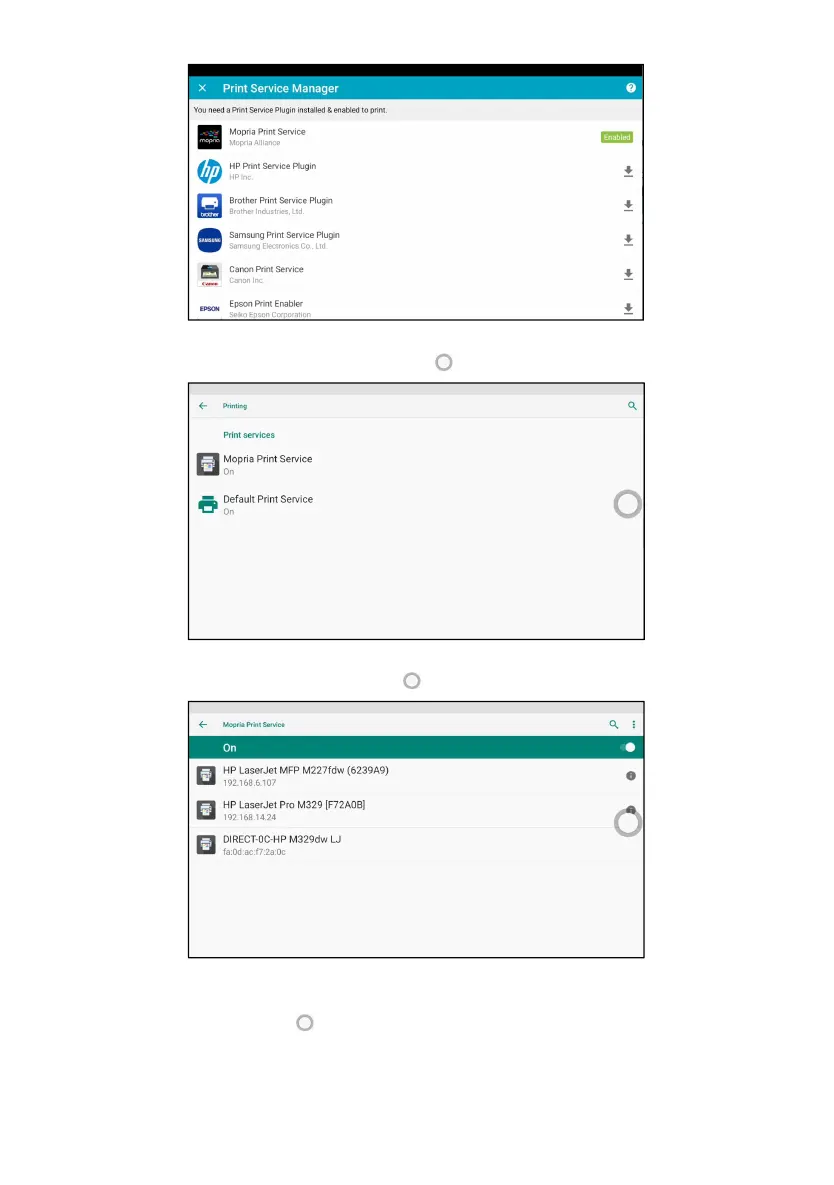
Figure 13-10 Sample Print Service Manager Screen
4. Select Mopria Print Service. Press for return.
Figure 13-11 Sample Setting of Print Service Manager Screen
5. Choose the right printer. Press for return.
Figure 13-12 Sample of Printer Screen
6. Select a available printer, then press PRINT TEST PAGE button at the
right-bottom. Press for return.



 To Next Page